Related Topics
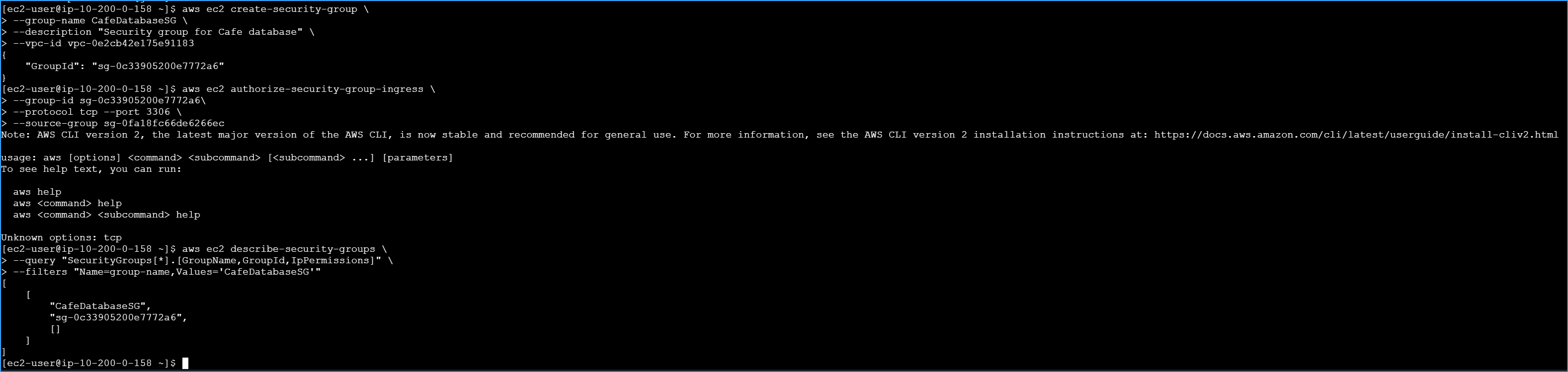 Created Security Groups And Rules Then Confirmed
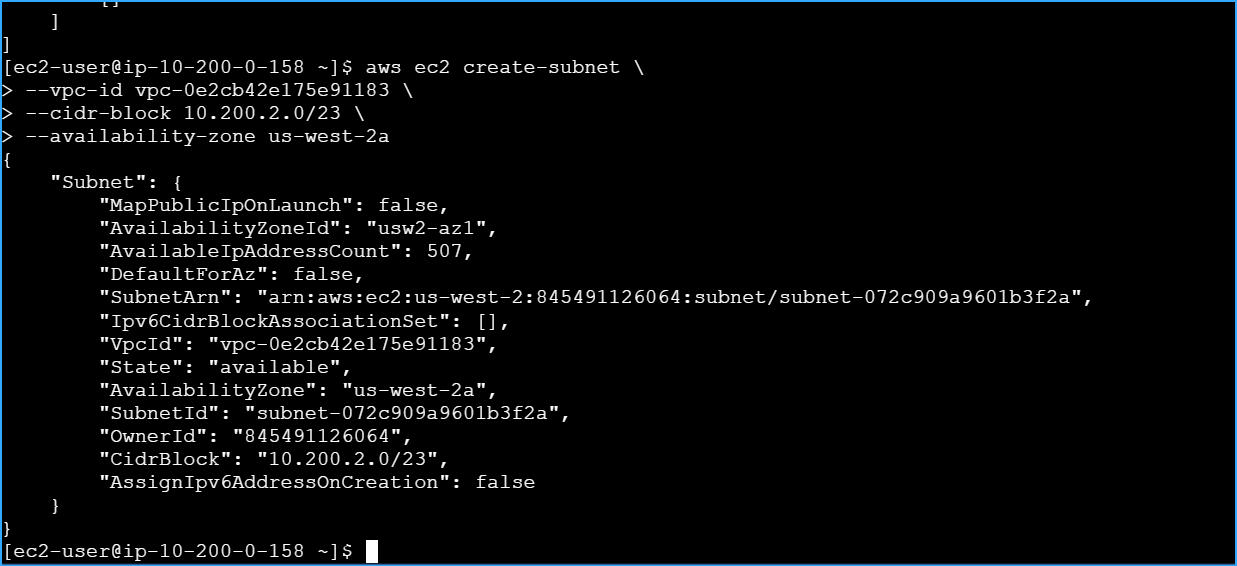 Created Private Subnet 1
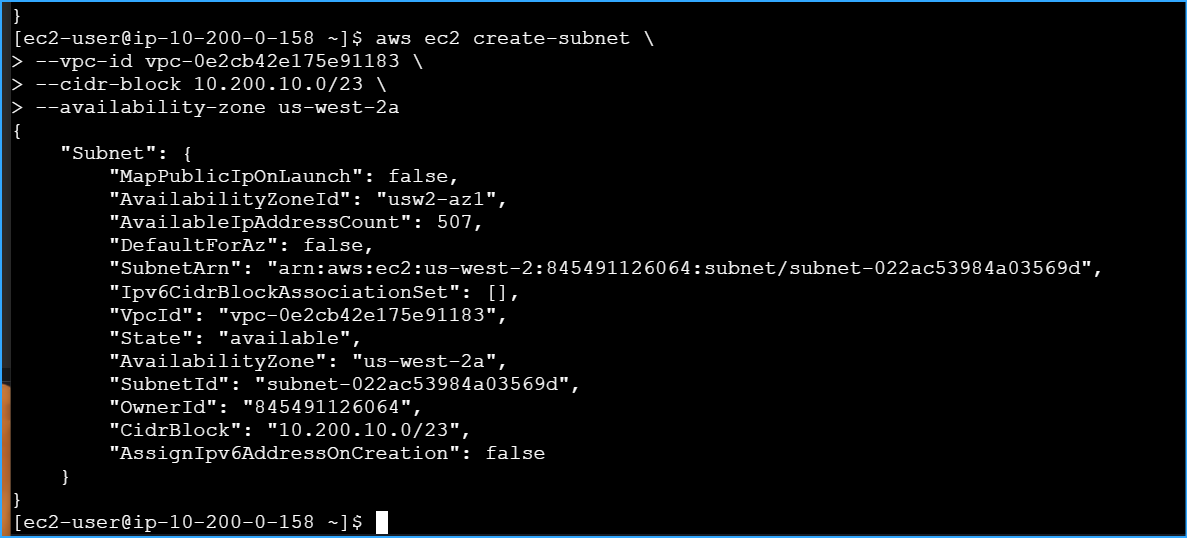 Created Private Subnet 2
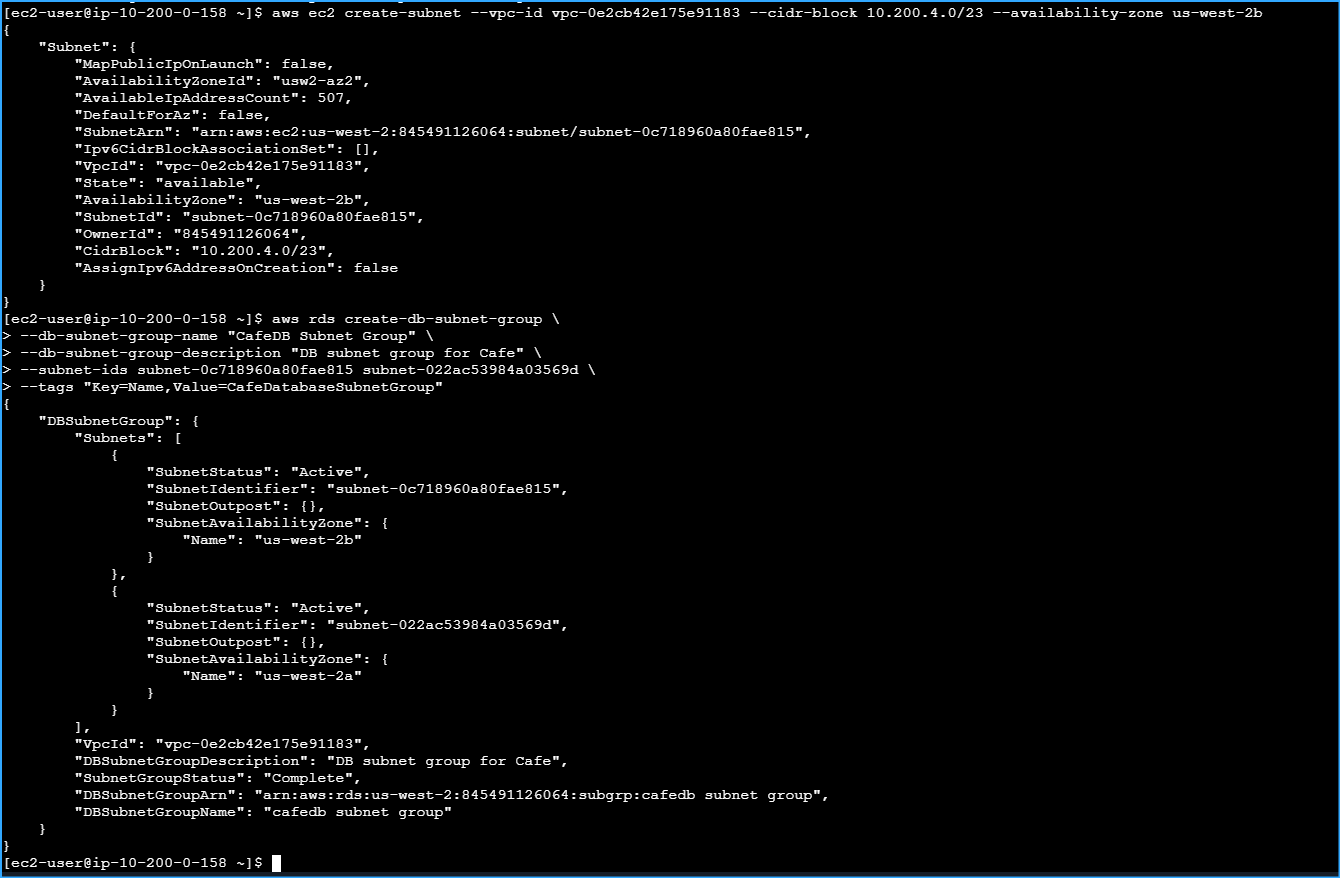 Created CafedbSubnetGroup With Valid CIDR Block Range Not Overlapping
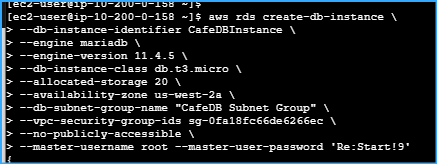 Created RDS MariaDB With Version 11.4.5 Available In AZ
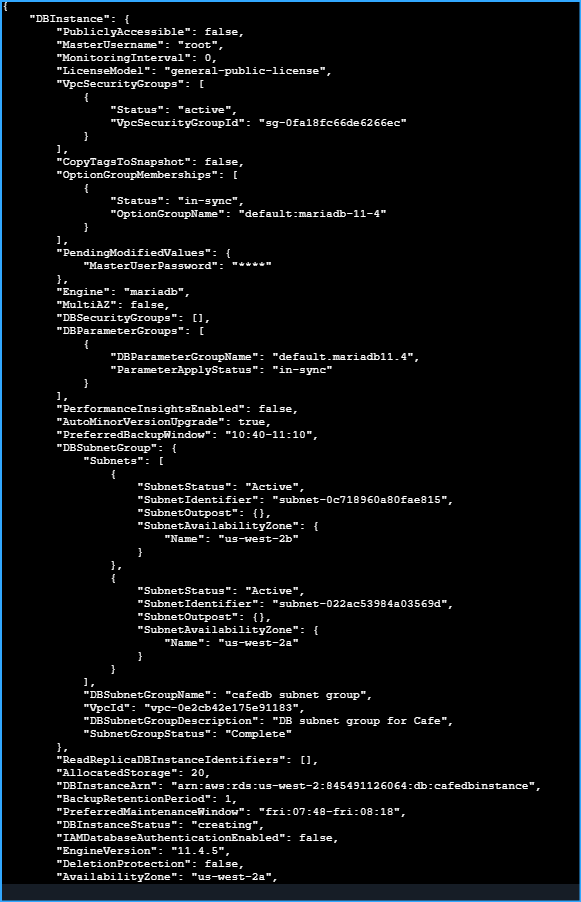 Output Of MariaDB Creation
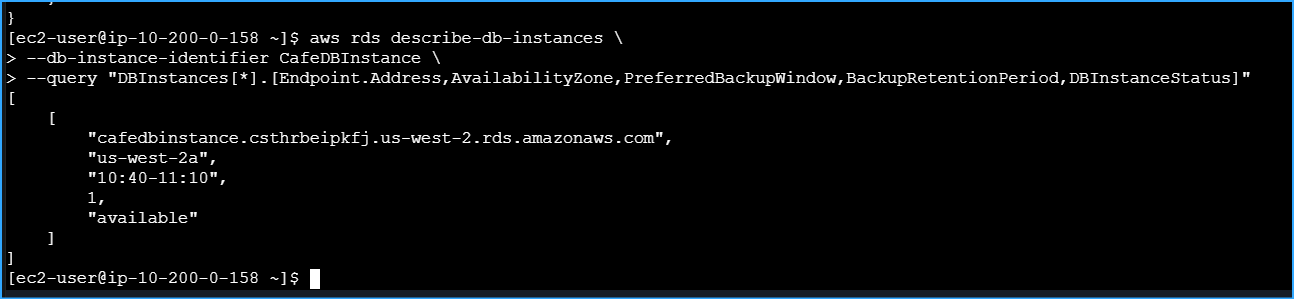 Checkstatus CMD For DB Endpoint Acquired
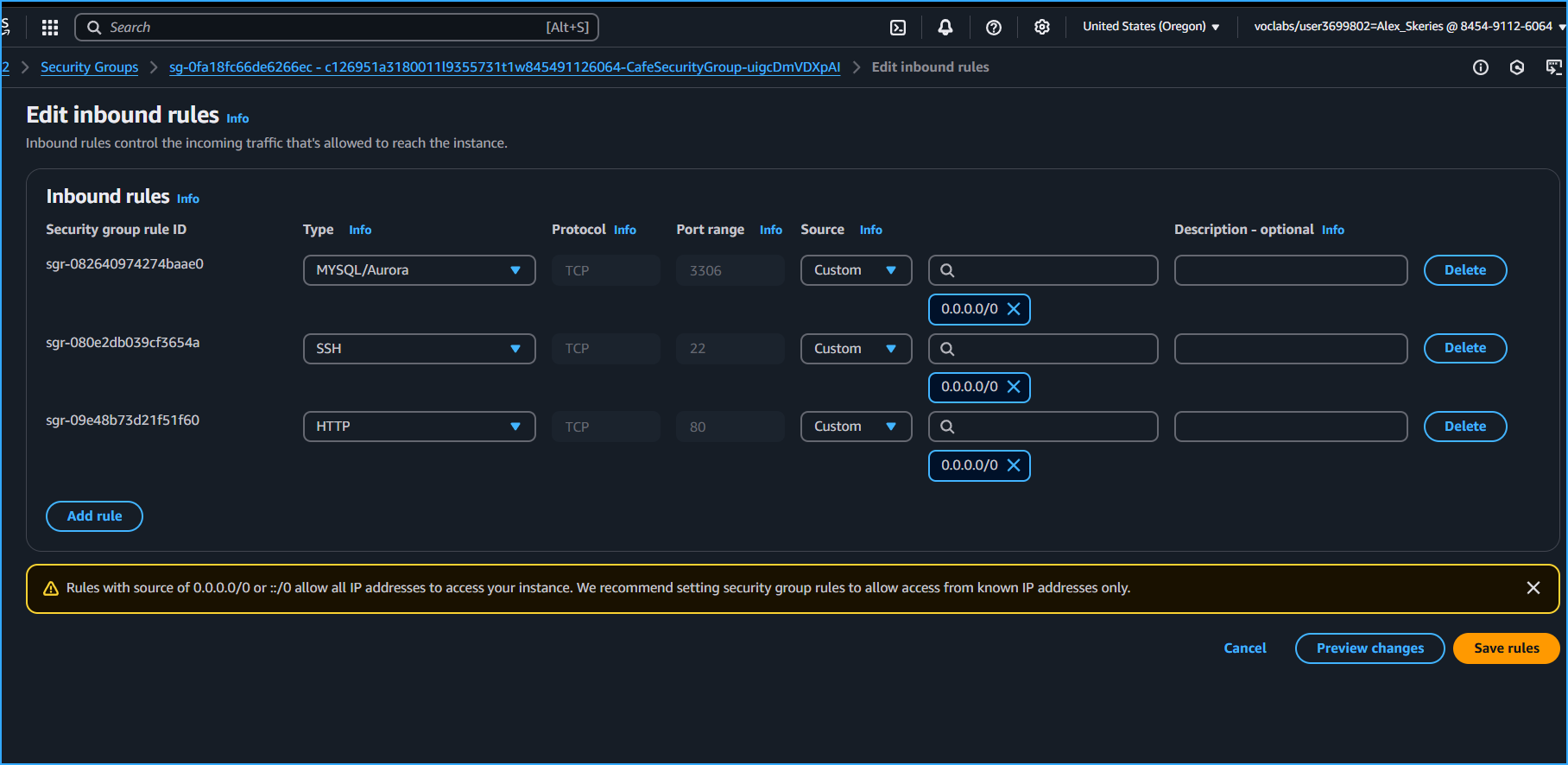 Troubleshooted Failed Connection Reason Being Port3306 Was Not Open On CafedbInstance
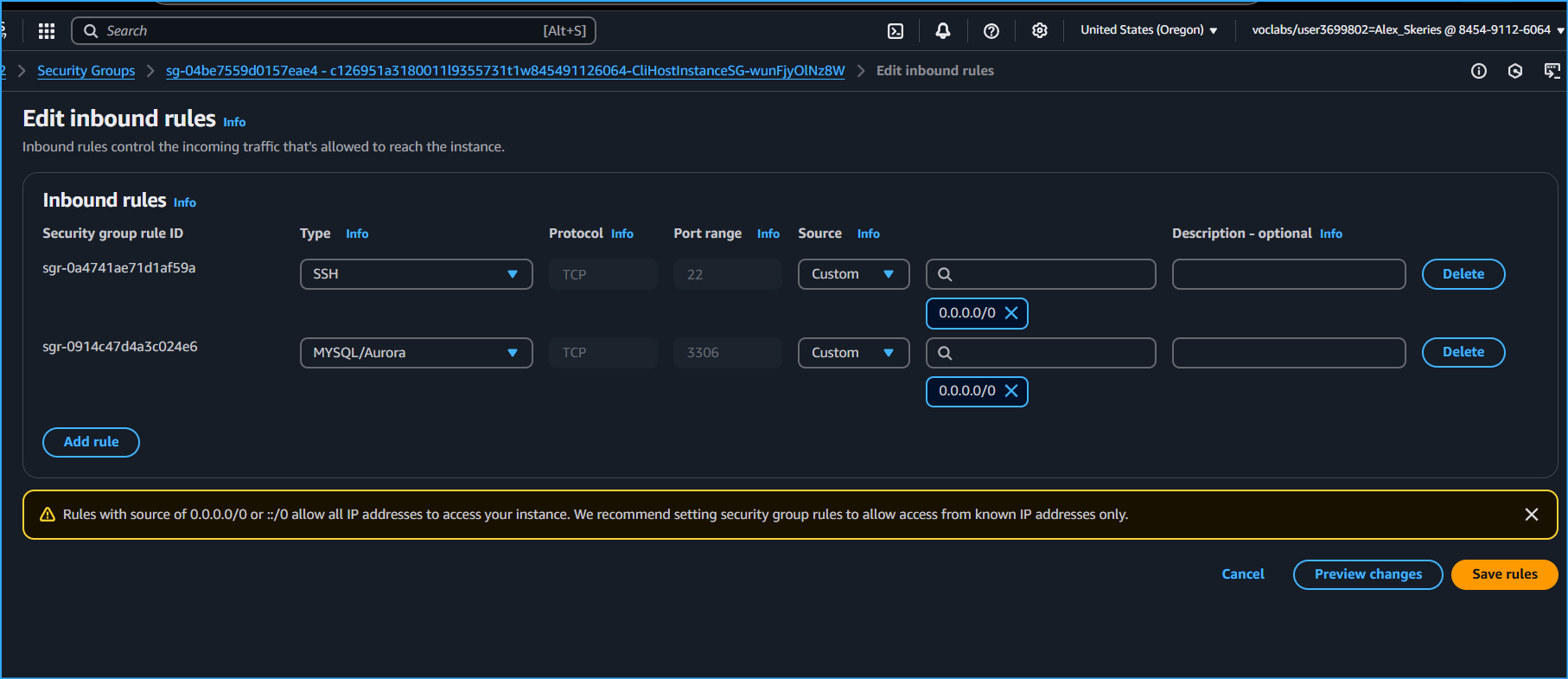 Added Port3306 To CLI Host Instance As Well When Troubleshooting
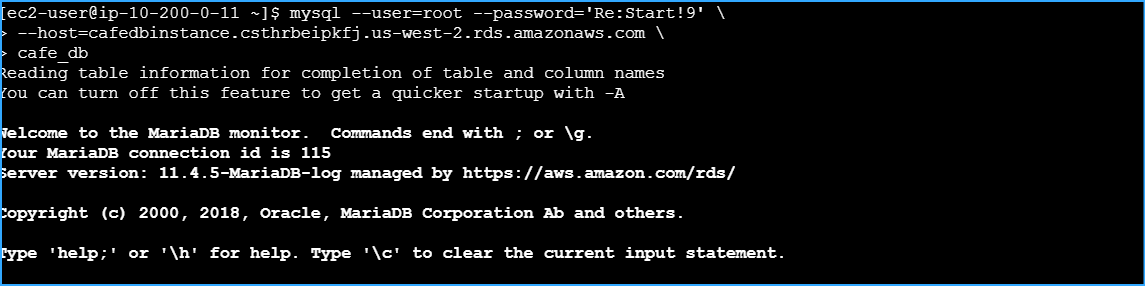 Successfully Connected To MariaDB Selected CafedbInstance
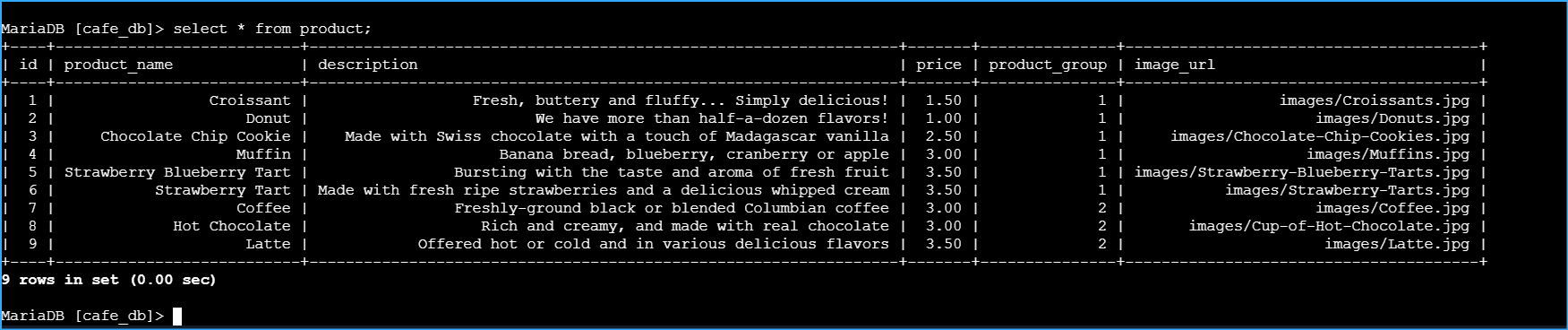 Verified Query In CafedbInstance
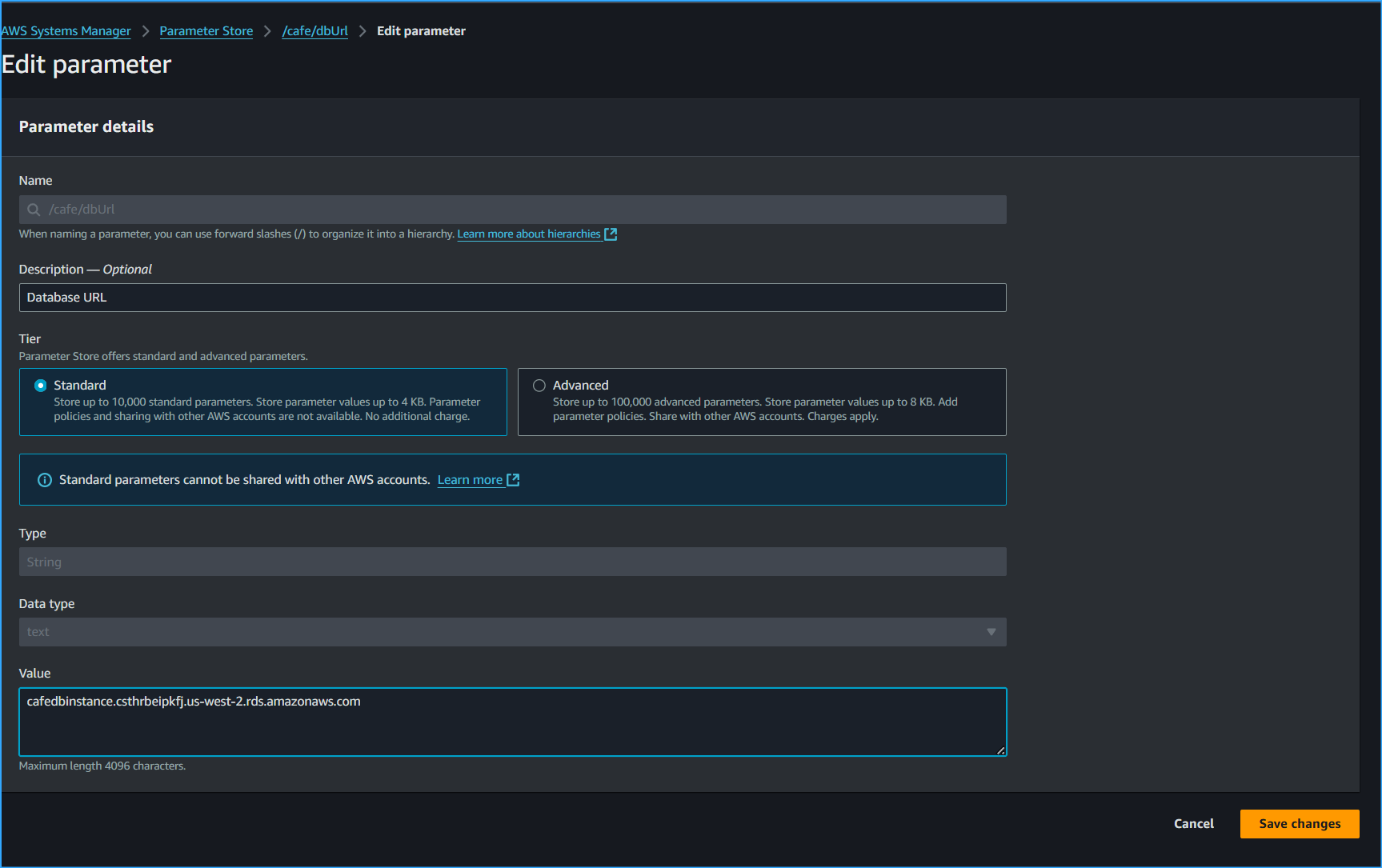 Pasted Endpoint URL From RDS In Parameter Store
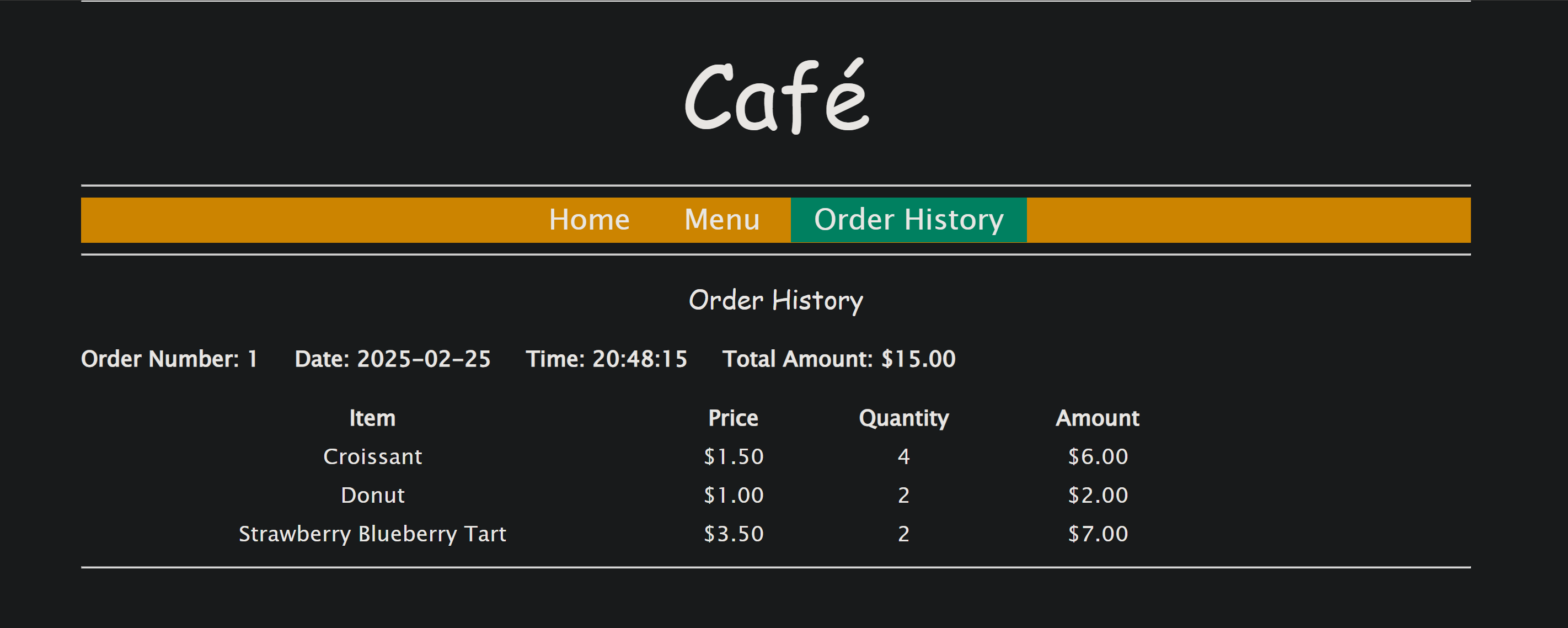 Confirmed Order Was Same As In Beginning Before Implementations
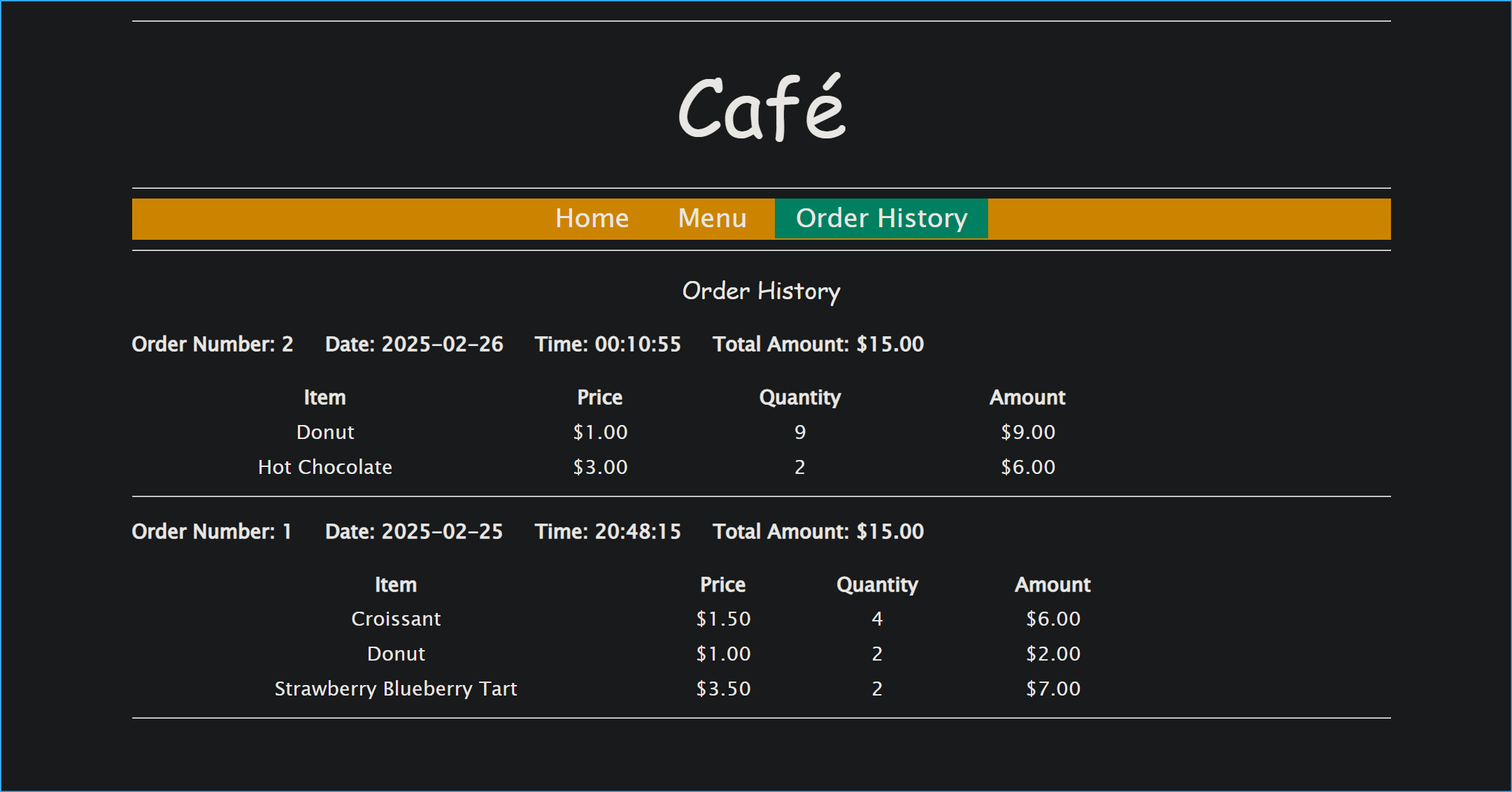 Verified Successful Operation Of Website
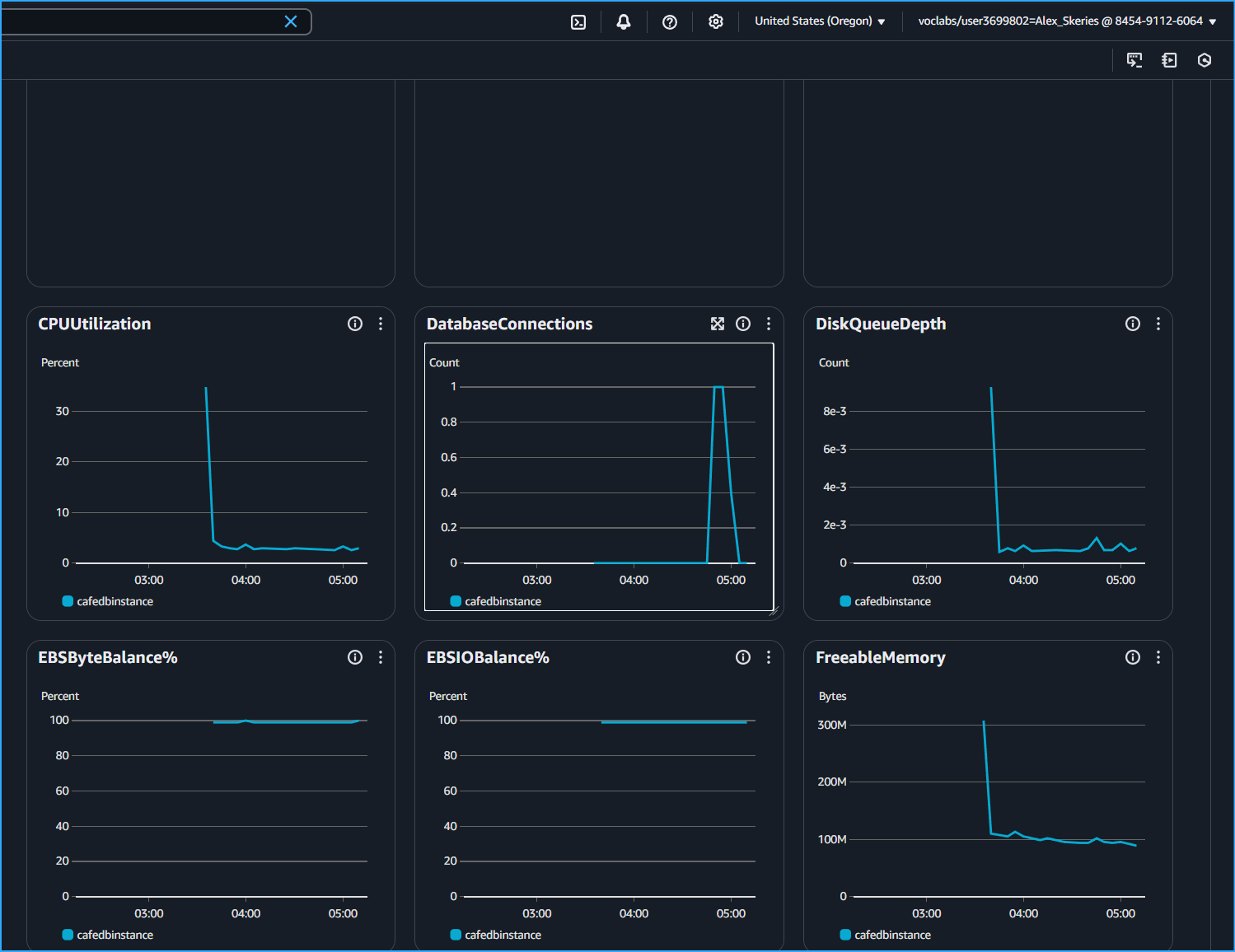 Database Connections Graph In CloudMetrics Shows I Connected At That Time
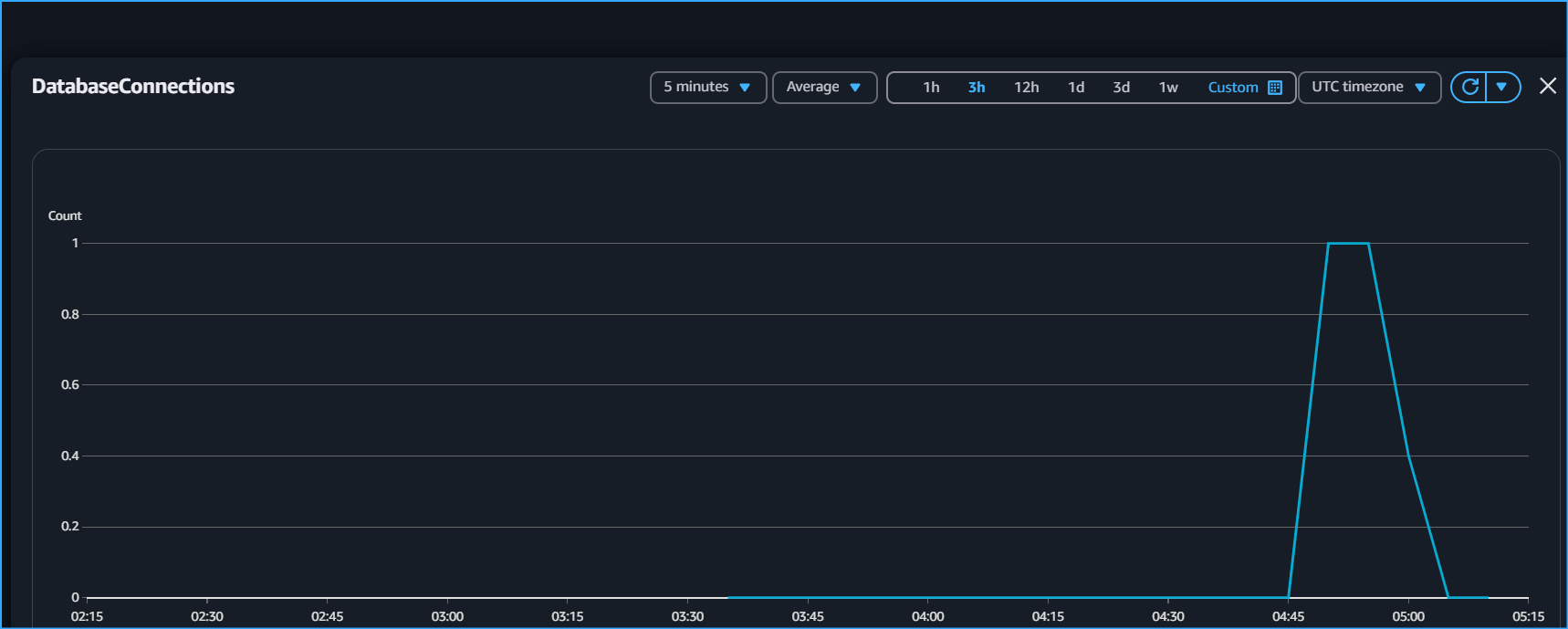 Shows Exactly When I Connected And Disconnected
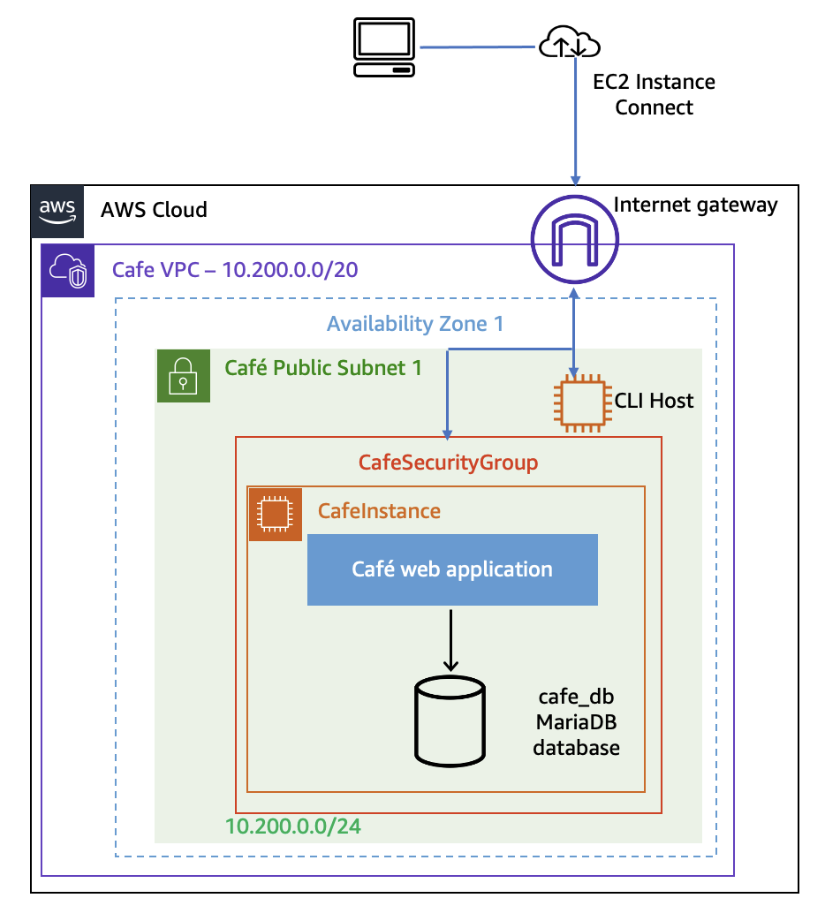 Starting Architecture Before Migration
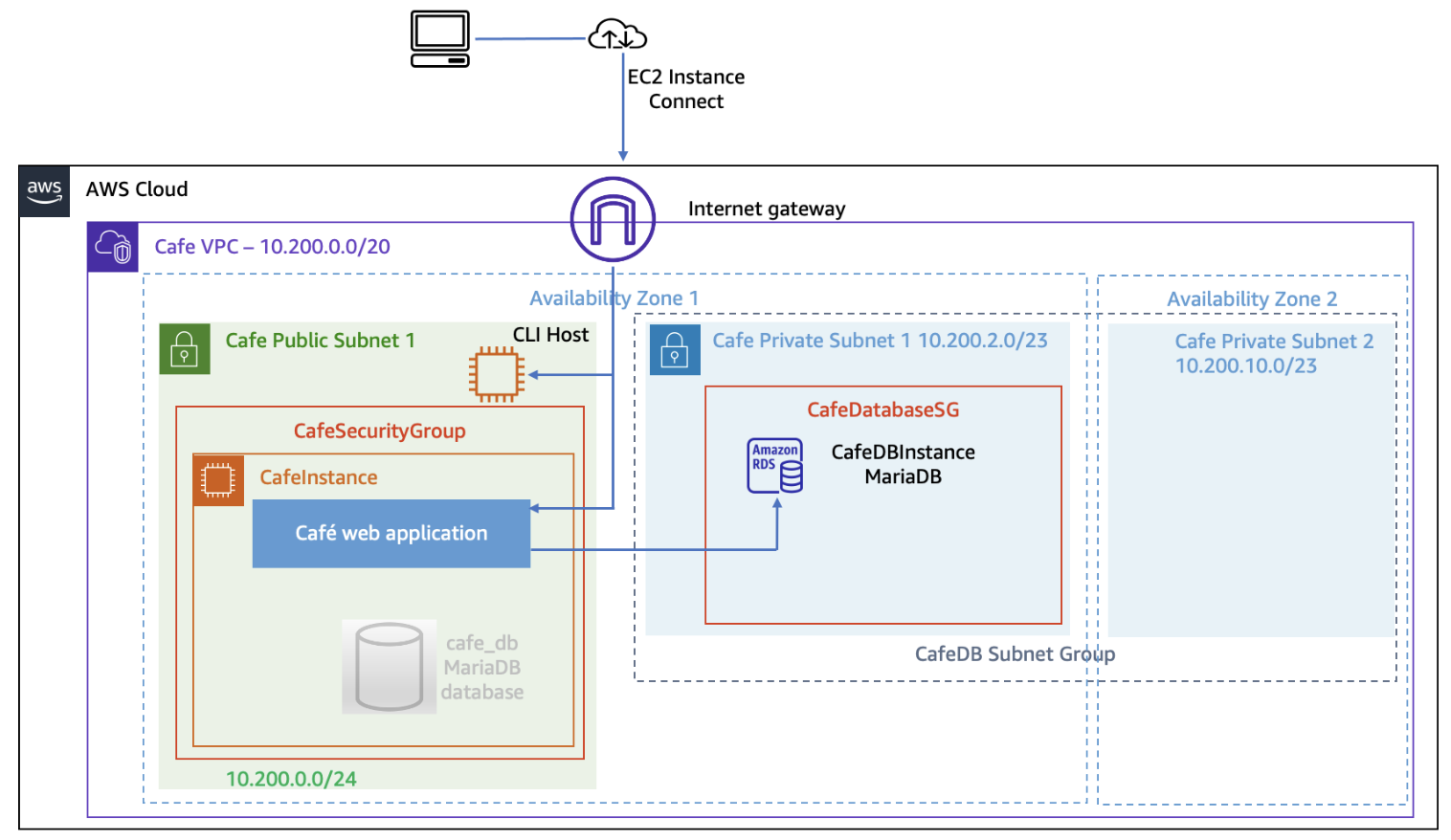 Final Architecture After Migration
×
![]()