Overview
I practiced using common database and table operations. The database
operations team for my organization had configured a relational database
instance and asked me to practice creating and dropping (deleting)
databases and tables.
After completion, I learned how to:
- Use the CREATE statement to create databases and tables
- Use the SHOW statement to view available databases and tables
- Use the ALTER statement to alter the structure of a table
- Use the DROP statement to delete databases and tables
By the end, I completed some common database and table operations. I
created a database and tables, and used SHOW, ALTER, and DROP
statements.
Sample data in this is taken from Statistics Finland, general regional
statistics, February 4, 2022.
Task 1: Connect to the Command Host
In this task, I connected to an EC2 instance configured with a database
client. This client is used to run structured query language (SQL)
queries against a relational database. This instance is referred to as
the Command Host.
Steps I followed:
-
In the AWS Management Console, I chose the Services menu, then
Compute, and then EC2.
- In the left navigation menu, I chose Instances.
-
Next to the instance labelled Command Host, I selected the check box
and then chose Connect.
- For Connect to instance, I chose the Session Manager tab.
- I chose Connect to open a terminal window.
-
To configure the terminal to access all required tools and resources,
I ran the following command:
sudo su
cd /home/ec2-user/
Tips:
-
Copy and paste the command into the Session Manager terminal window.
-
If using a Windows system, press Shift+Ctrl+v to paste the command.
-
To connect to the relational database instance, I ran the following
command in the terminal. A password was configured when the database
was installed.
mysql -u root --password='re:St@rt!9'
The MySQL command-line client is an SQL shell that you can use to
interact with database engines.
| Switch |
Description |
| -u or --user |
The MySQL user name used to connect to a database instance |
| -p or --password |
The MySQL password used to connect to a database instance |
I ran the following cumulative command:
Task 2: Create a database and a table
In this task, I created a database named world and a table named
country. I then altered the country table.
- To show the existing databases, I ran the following query:
SHOW DATABASES;
To determine the available database and to ensure that I was working
with the correct database instance, I used the SHOW DATABASES; command.
-
To create a new database named world, I ran the following command:
CREATE DATABASE world;
-
To verify that the world database had been created, I ran the
following query:
SHOW DATABASES;
-
To store data in a database, the database needs to contain one or more
tables. In an SQL database, a table needs a well-defined structure,
known as a table schema. To create a table named country, I ran the
following command:
CREATE TABLE world.country (
`Code` CHAR(3) NOT NULL DEFAULT '',
`Name` CHAR(52) NOT NULL DEFAULT '',
`Conitinent` enum('Asia','Europe','North
America','Africa','Oceania','Antarctica','South America') NOT NULL
DEFAULT 'Asia',
`Region` CHAR(26) NOT NULL DEFAULT '',
`SurfaceArea` FLOAT(10,2) NOT NULL DEFAULT '0.00',
`IndepYear` SMALLINT(6) DEFAULT NULL,
`Population` INT(11) NOT NULL DEFAULT '0',
`LifeExpectancy` FLOAT(3,1) DEFAULT NULL,
`GNP` FLOAT(10,2) DEFAULT NULL,
`GNPOld` FLOAT(10,2) DEFAULT NULL,
`LocalName` CHAR(45) NOT NULL DEFAULT '',
`GovernmentForm` CHAR(45) NOT NULL DEFAULT '',
`HeadOfState` CHAR(60) DEFAULT NULL,
`Capital` INT(11) DEFAULT NULL,
`Code2` CHAR(2) NOT NULL DEFAULT '',
PRIMARY KEY (`Code`)
);
-
To verify that the country table was created, I used the SHOW TABLES;
command to list the tables in the database. I used the USE command to
specify which database to run a query against. I ran the following
commands in my terminal:
USE world;
SHOW TABLES;
-
I used the SHOW COLUMNS query to list all the columns on a table. I
ran the following query to list all columns and their properties in
the country table:
SHOW COLUMNS FROM world.country;
Notice that the Continent column is spelled incorrectly as Conitinent.
-
The ALTER TABLE command is used to alter the table's schema. To fix
the incorrectly spelled Continent column, I ran the following command:
ALTER TABLE world.country RENAME COLUMN Conitinent TO Continent;
-
To verify that the Continent column name in the country table had been
corrected, I ran the following query:
SHOW COLUMNS FROM world.country;
Challenge 1
I created a table named city and added two columns named Name and
Region. Both columns used the CHAR data type:
CREATE TABLE world.city (`Name` CHAR(52), `Region` CHAR(26));
Task 3: Delete a database and tables
In this task, I deleted the world database and country table.
-
The DROP TABLE command is used to delete (drop) a table in a database.
Once a table has been dropped, it cannot be recovered unless a backup
is available. To drop the city table, I ran the following command:
DROP TABLE world.city;
Challenge 2
I wrote a query to drop the country table:
DROP TABLE world.country;
-
To verify that both tables had been dropped, I ran the following
query:
SHOW TABLES;
- To drop the world database, I ran the following command:
DROP DATABASE world;
-
To verify that the world database had been deleted, I ran the
following query:
SHOW DATABASES;
 Database Client Installed On Instance
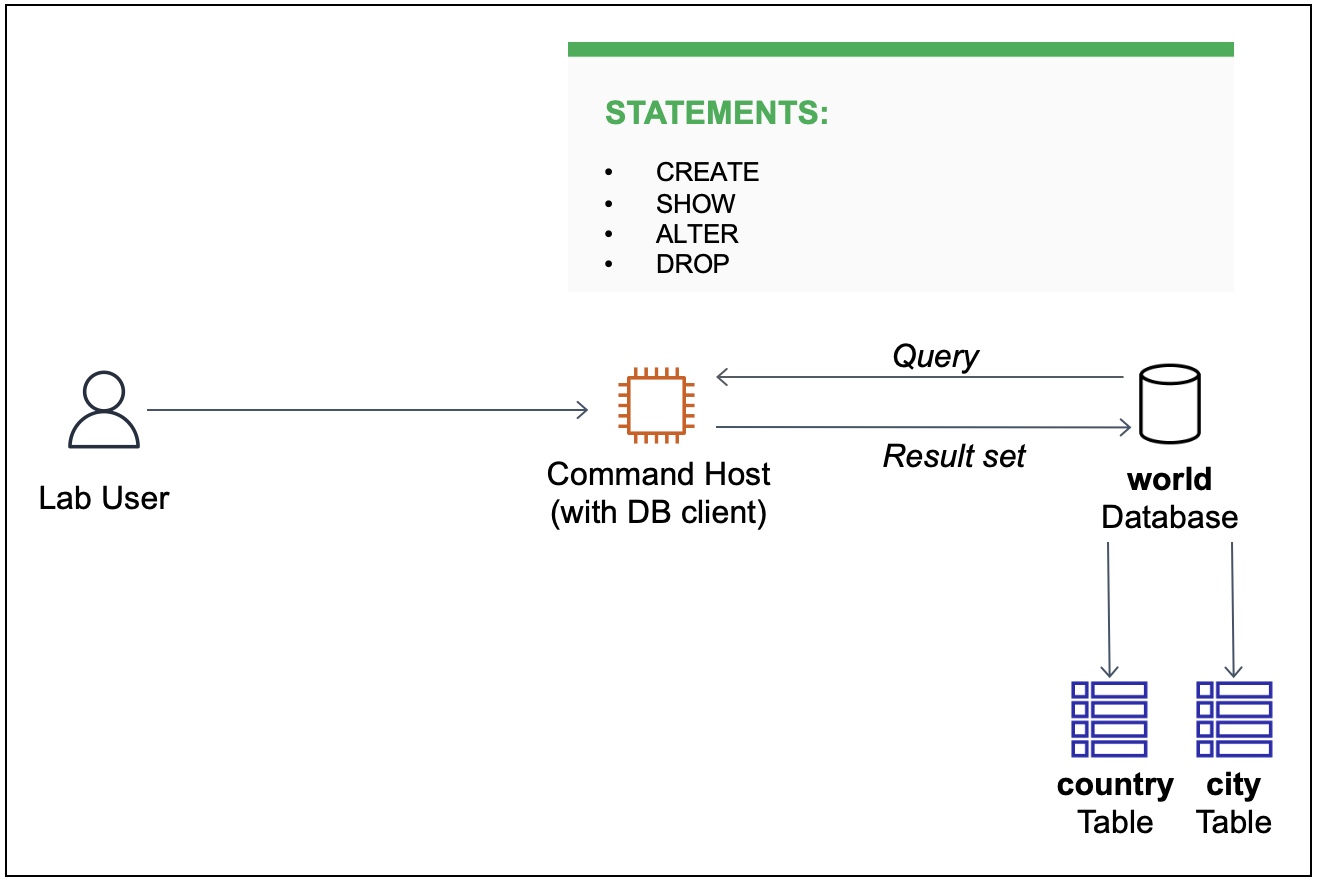 User Creates Database And Tables
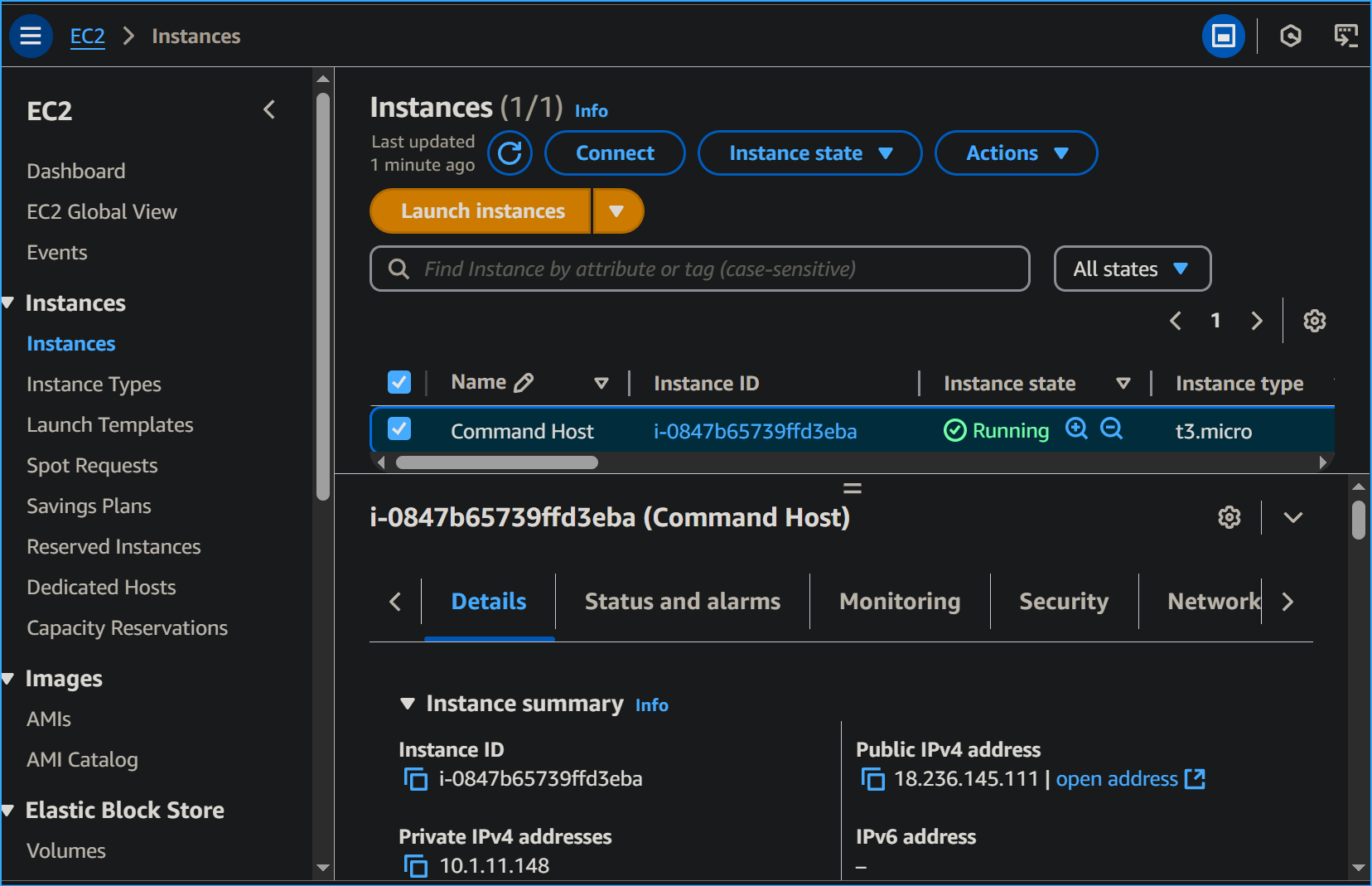 Will Connect To Command Host Instance
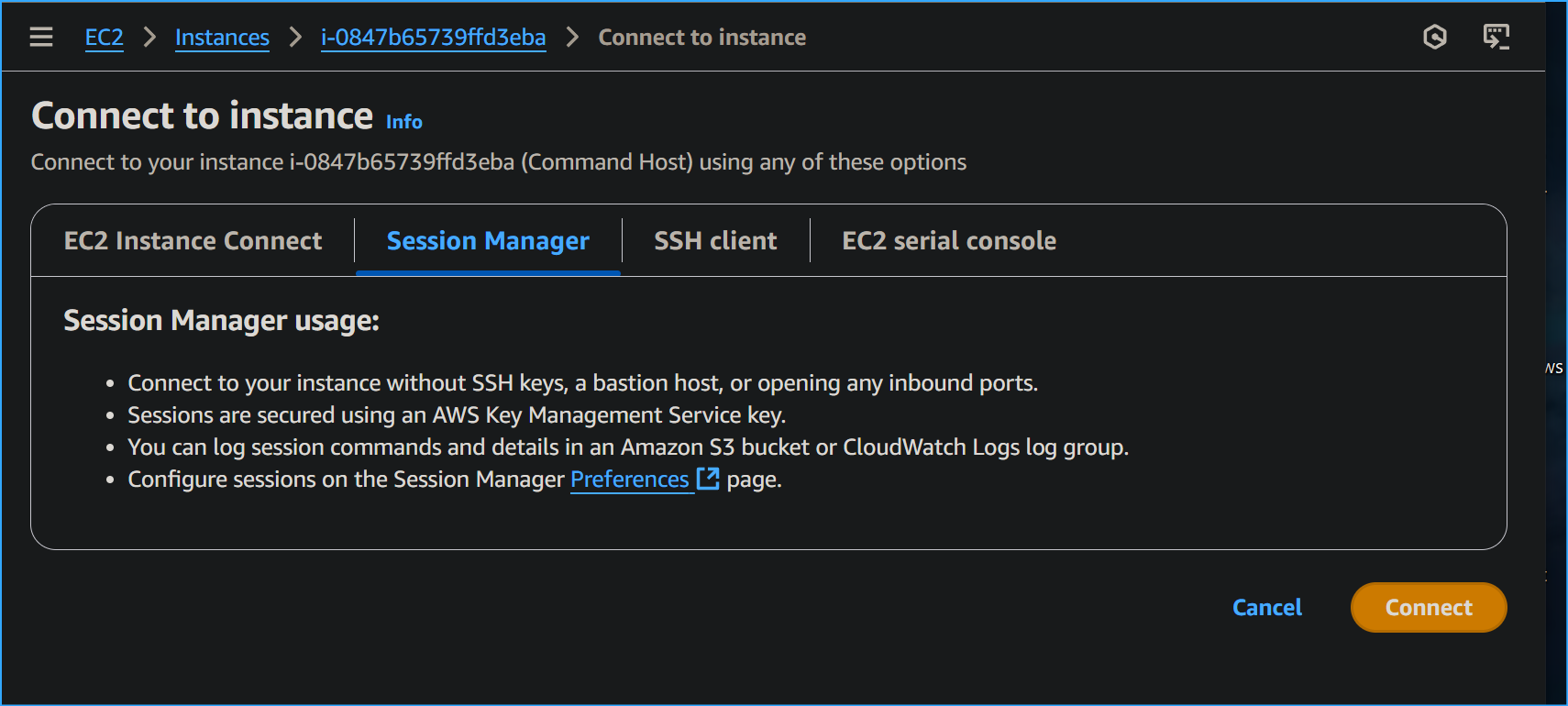 Connecting Via Session Manager
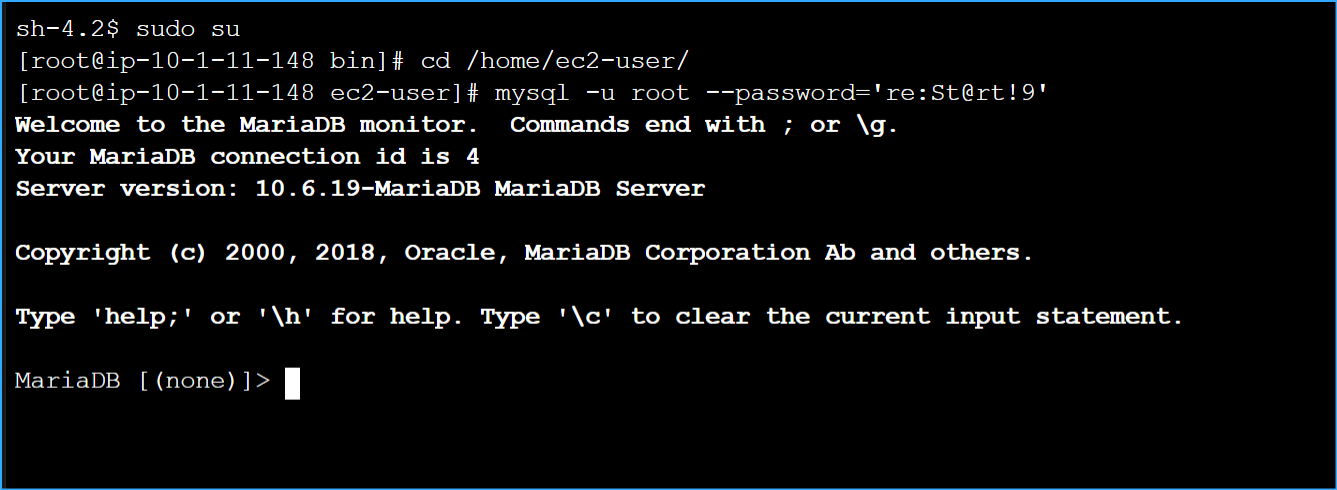 Connecting To Maria DB
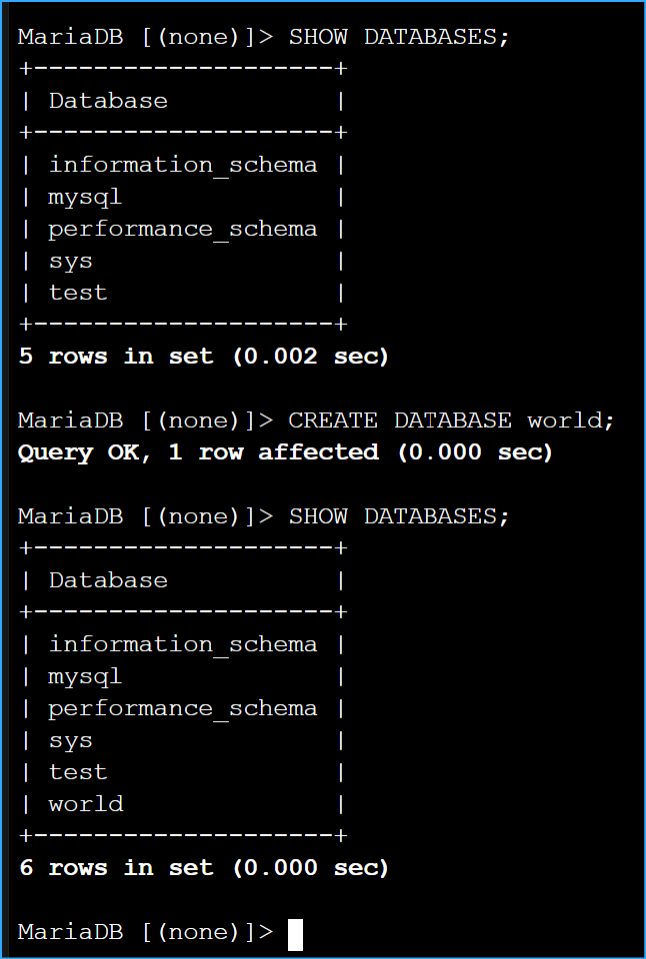 Showed And Created DB
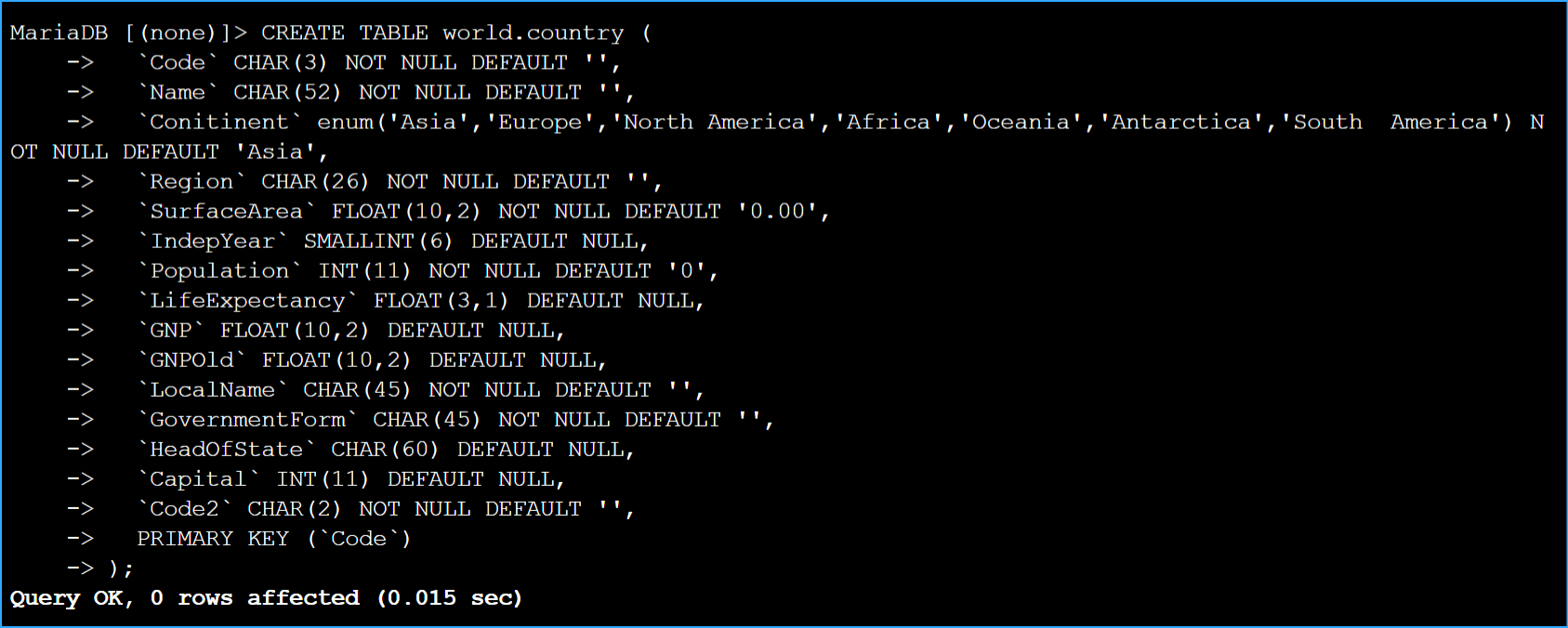 Storing Data In DB
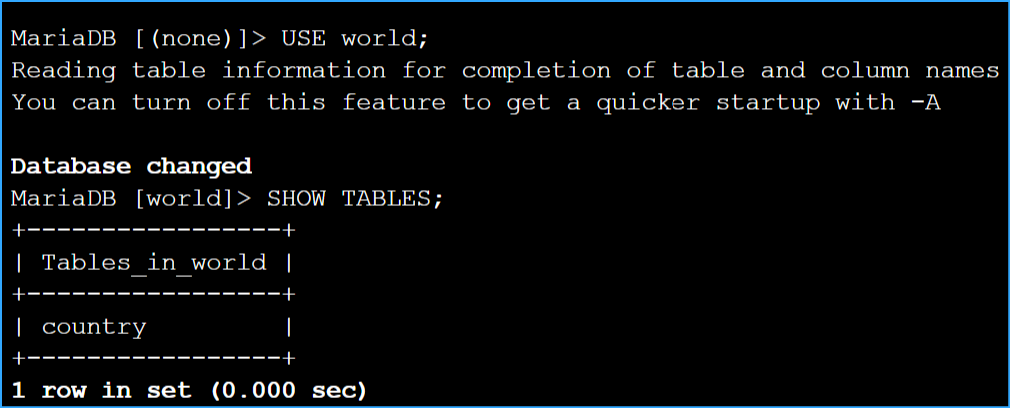 Use World Show Tables
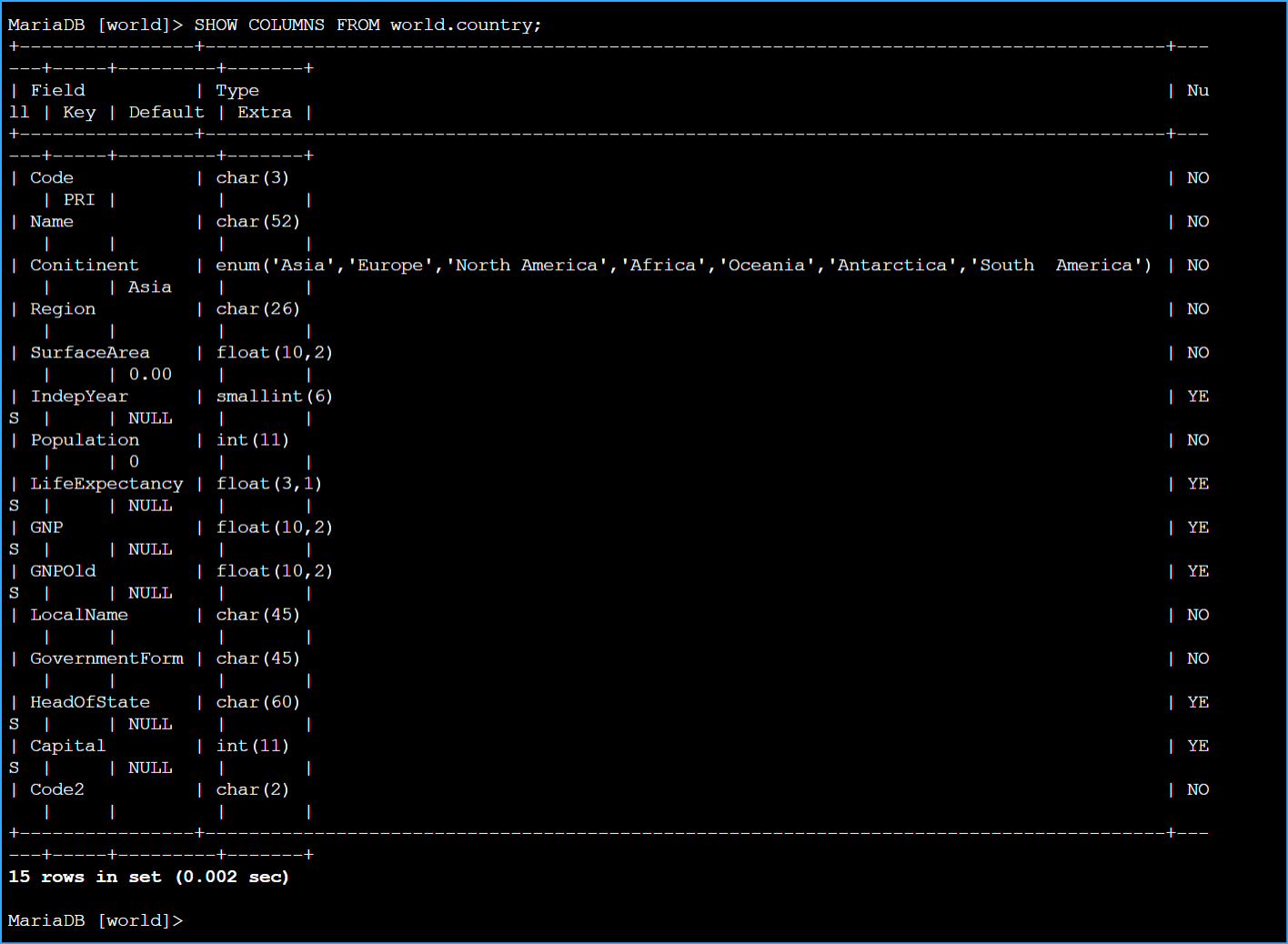 Show Columns From World Country
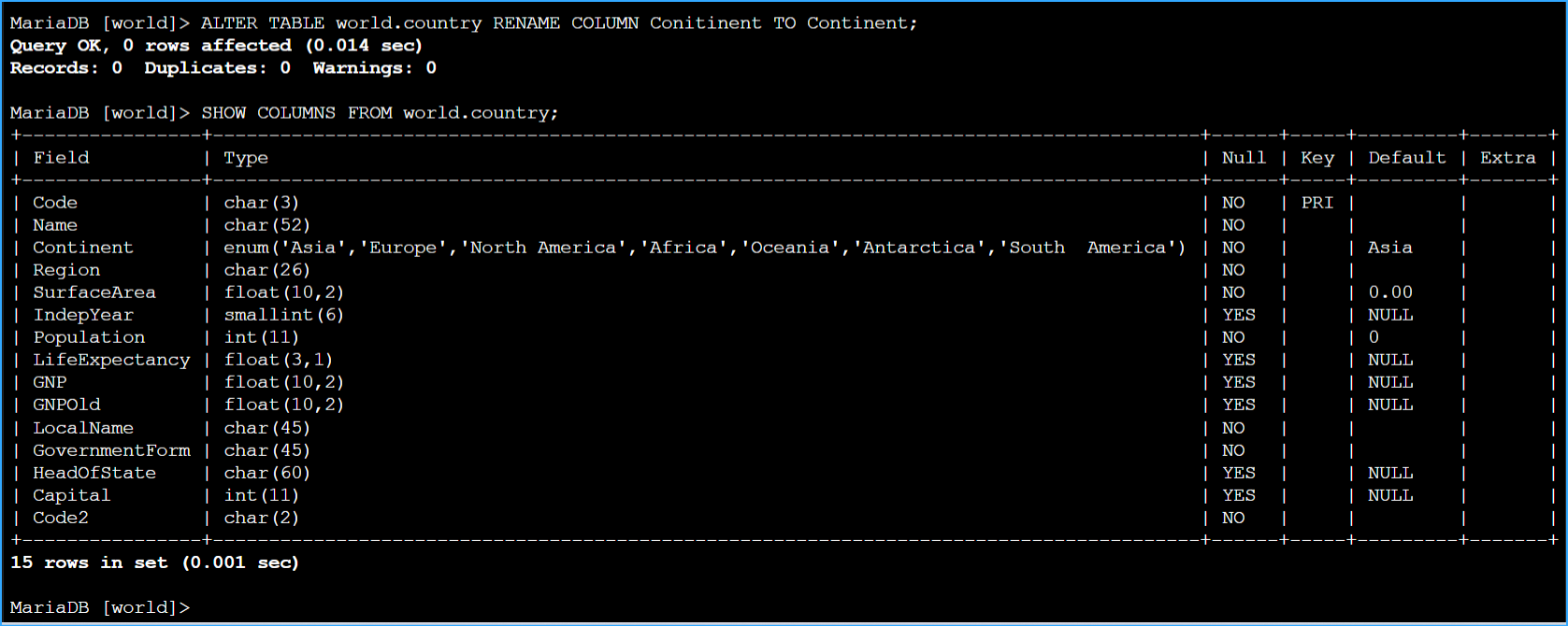 Alter Table To Fix Spelling Incorrection Then Verifying
 Created New Table And Added Two Columns
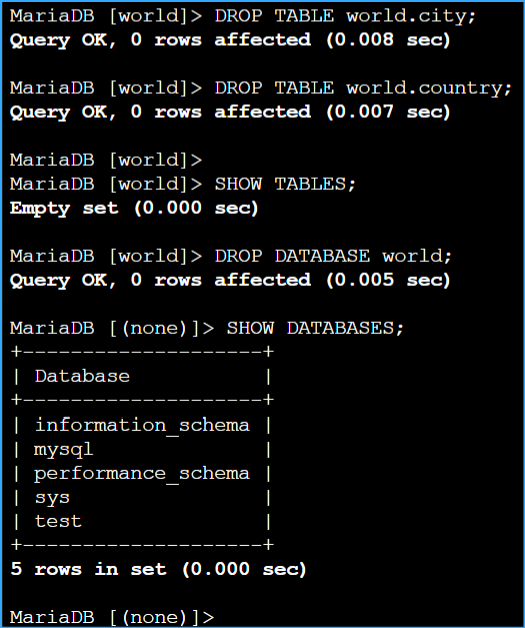 Dropped Or Deleted Tables Then Verified