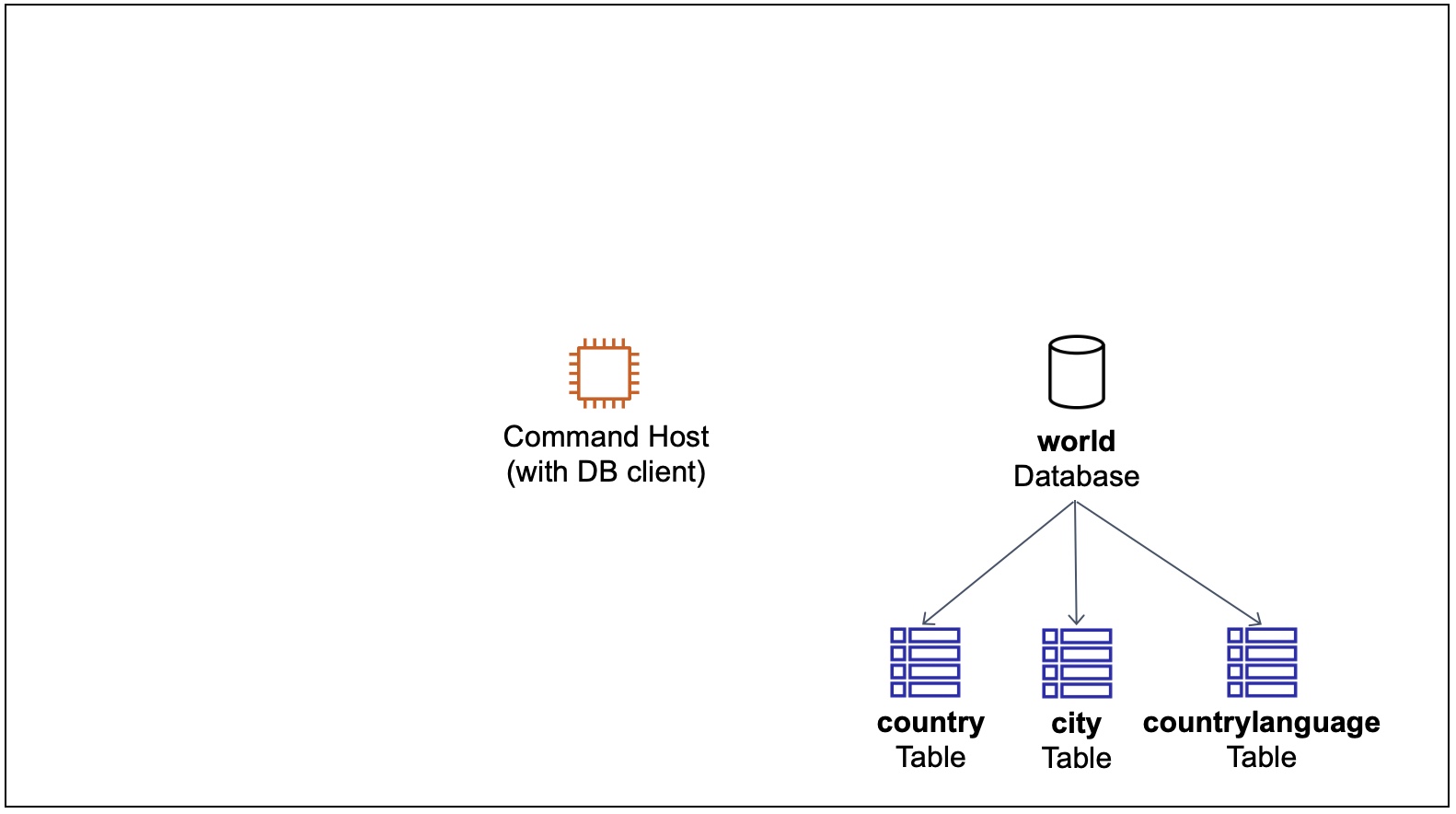
 Command Host Instance and World Database
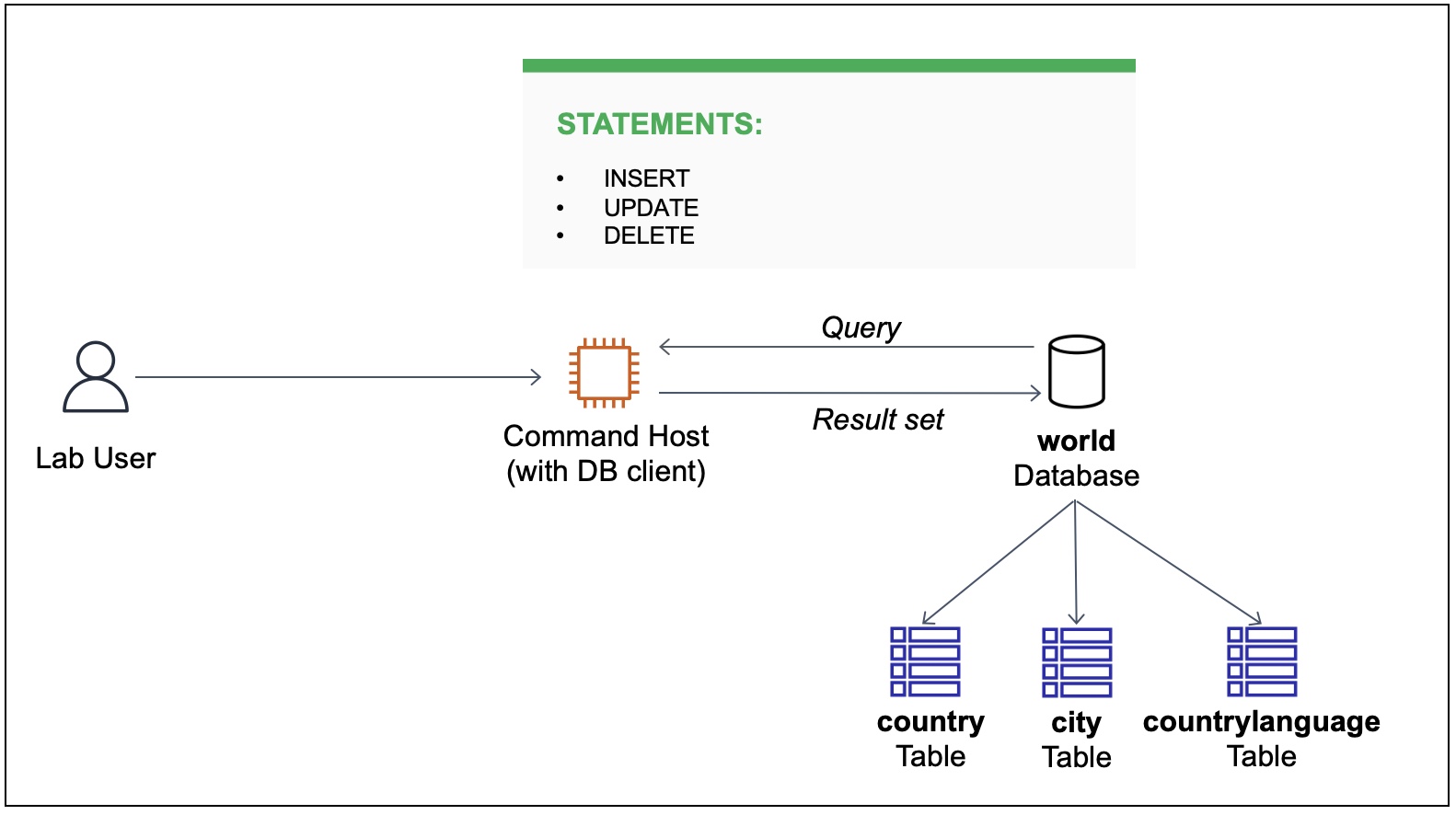 User DB Operations
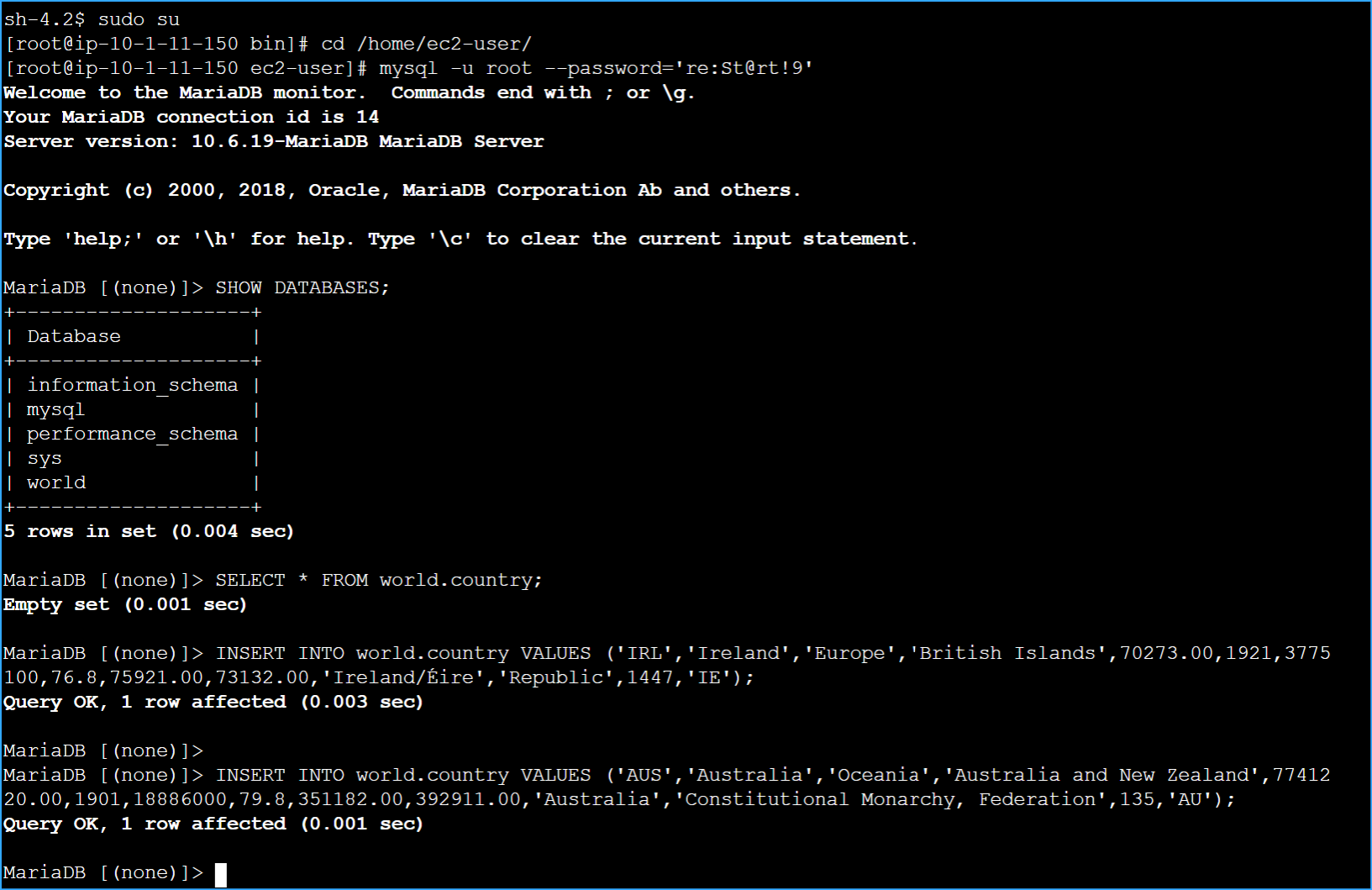 DB Selected Values
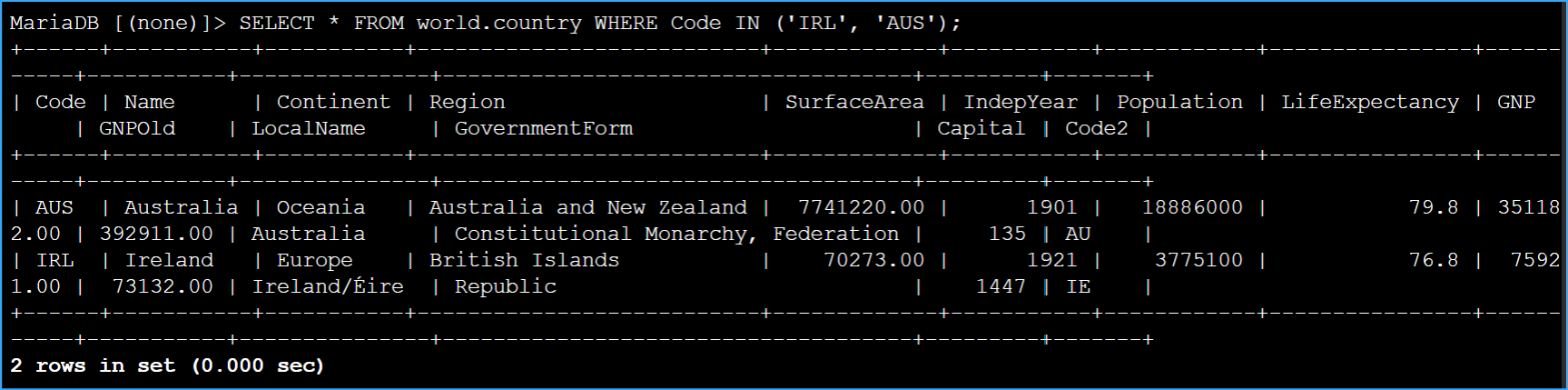 Verified Country Table Rows
 Updated Country Table
 Verifying
I demonstrated how to insert, update, delete, and import rows of data using structured query language (SQL).
After completion, I successfully:
When I started, the following resources were already created for me:
In this task, I connected to an instance containing a database client, which is used to connect to a database. This instance is referred to as the Command Host.
I started in the AWS Management Console, chose the Services menu. Under Compute, I chose EC2.
In the left navigation pane, I chose Instances.
Next to the instance labelled Command Host, I selected the check box and then chose Connect.
For Connect to instance, I chose the Session Manager tab.
I chose Connect to open a terminal window.
To configure the terminal to access all required tools and resources, I ran the following command:
Tips:
To connect to the database instance, I ran the following command in the terminal. A password was configured when the database was installed.
The MySQL command-line client is a SQL shell that I used to interact with database engines.
Switch Description:
To show the existing databases, I entered the following command in the terminal. I made a note of the currently available databases.
In this task, I inserted sample data into the country table.
To verify that the country table exists, I ran the following command. The SELECT statement is used to identify the columns that should be included in the result set. The use of the * denotes all columns. The FROM clause is used in the following example to specify the database and table that is queried.
To insert rows into the country table, I ran the following commands. The values in the VALUES clause need to be in the same order as defined by the table schema.
To verify that two rows were successfully inserted into the country table, I ran the following query.
The table now contained two rows and appeared as follows.
Code Name Continent Region SurfaceArea IndepYear Population LifeExpectancy GNP GNPOld LocalName GovernmentForm Capital Code2
AUS Australia Oceania Australia and New Zealand 7741220 1901 18886000 79.8 351182 392911 Australia Constitutional Monarchy, Federation 135 AU
IRL Ireland Europe British Islands 70273 1921 3775100 76.8 75921 73132 Ireland/Éire Republic 1447 IE
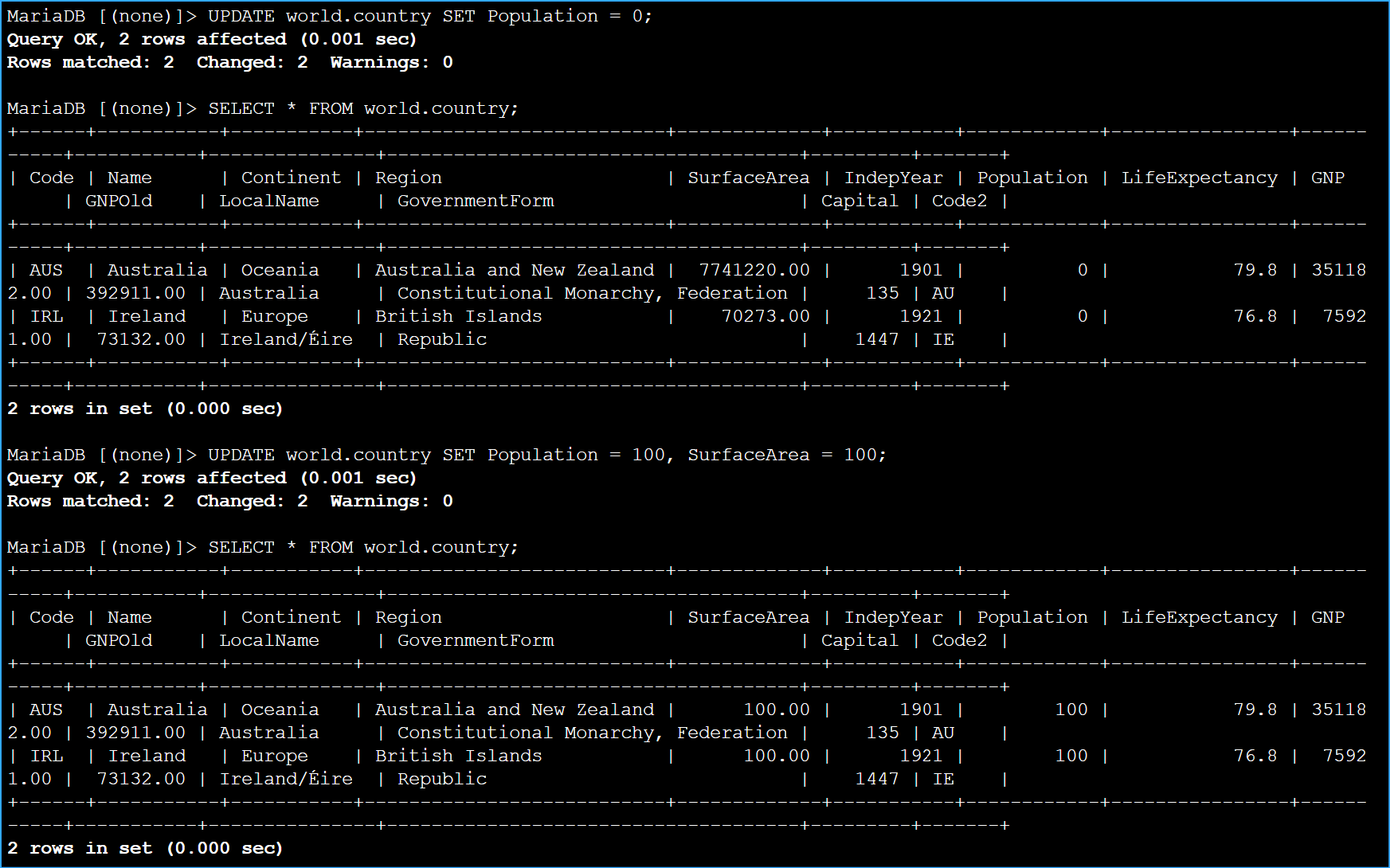
In this task, I updated both rows in the country table using an UPDATE statement.
To set the value in the Population column to 0 for both rows in the country table, I ran the following UPDATE statement.
All rows were updated because the UPDATE statement did not include a WHERE condition. A WHERE clause uses conditions to filter rows returned by a query. The next lab introduces the WHERE clause.
To verify that the Population column in the country table was updated, I ran the following command.
To update the Population and SurfaceArea columns for all rows in the country table, I ran the following UPDATE statement.
To verify that the Population and SurfaceArea columns in the country table were updated, I ran the following command.
In this task, I deleted rows in the country table using a DELETE statement.
I exercised caution when using data manipulation statements such as UPDATE and DELETE because these changes may not be reversible.
To delete ALL rows from the country table, I ran the following command.
Because the DELETE statement did not include a WHERE condition, all rows were deleted.
To verify that all rows have been deleted from the country table, I ran the following command.
In this task, I imported sample data into the country table using an SQL file.
To exit the MySQL terminal, I ran the following command.
To verify that the world.sql file had been downloaded, I ran the following command.
I found it time-consuming to insert individual rows into a table. I could create a SQL script file containing a group of SQL statements to quickly load data into a database. To load rows into the country table, I ran the following command.
This database file added two additional tables and inserted data into all three tables.
To reconnect to the database, I ran the following command.
To verify that the script ran successfully, I ran the following command.
I observed that there were three tables named city, country, and countrylanguage.
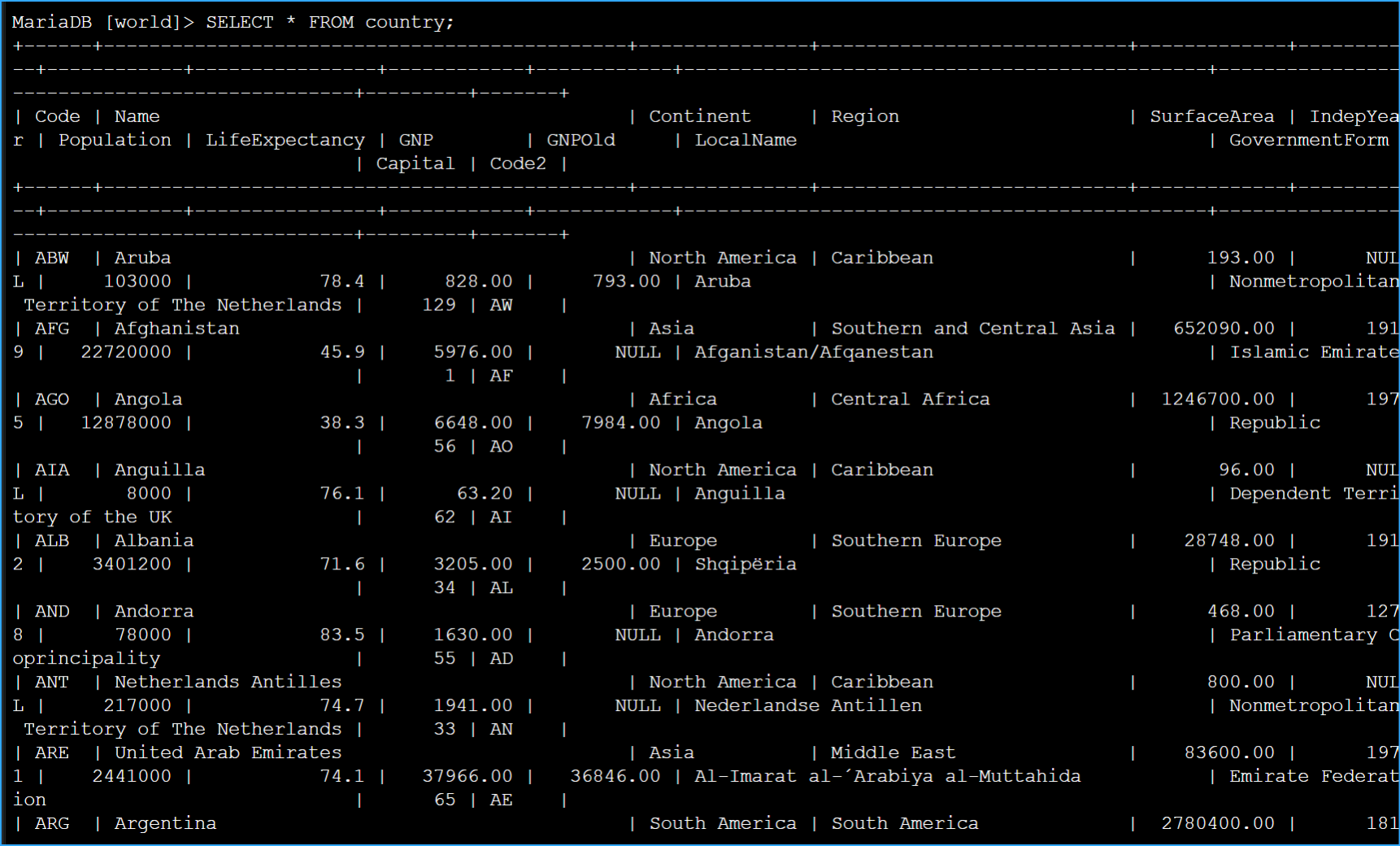
To verify that the rows were loaded successfully, I ran the following command.
I noticed that there were more entries in the country table.
Similarly, I used the SELECT statement to query the city and countrylanguage tables that were created when I imported the backup file.
I now have successfully:
Command Host Instance and World Database
User DB Operations
DB Selected Values
Verified Country Table Rows
Updated Country Table
Verifying