Task 2: Query the world database
In this task, I queried the world database using various SELECT
statements and database functions.
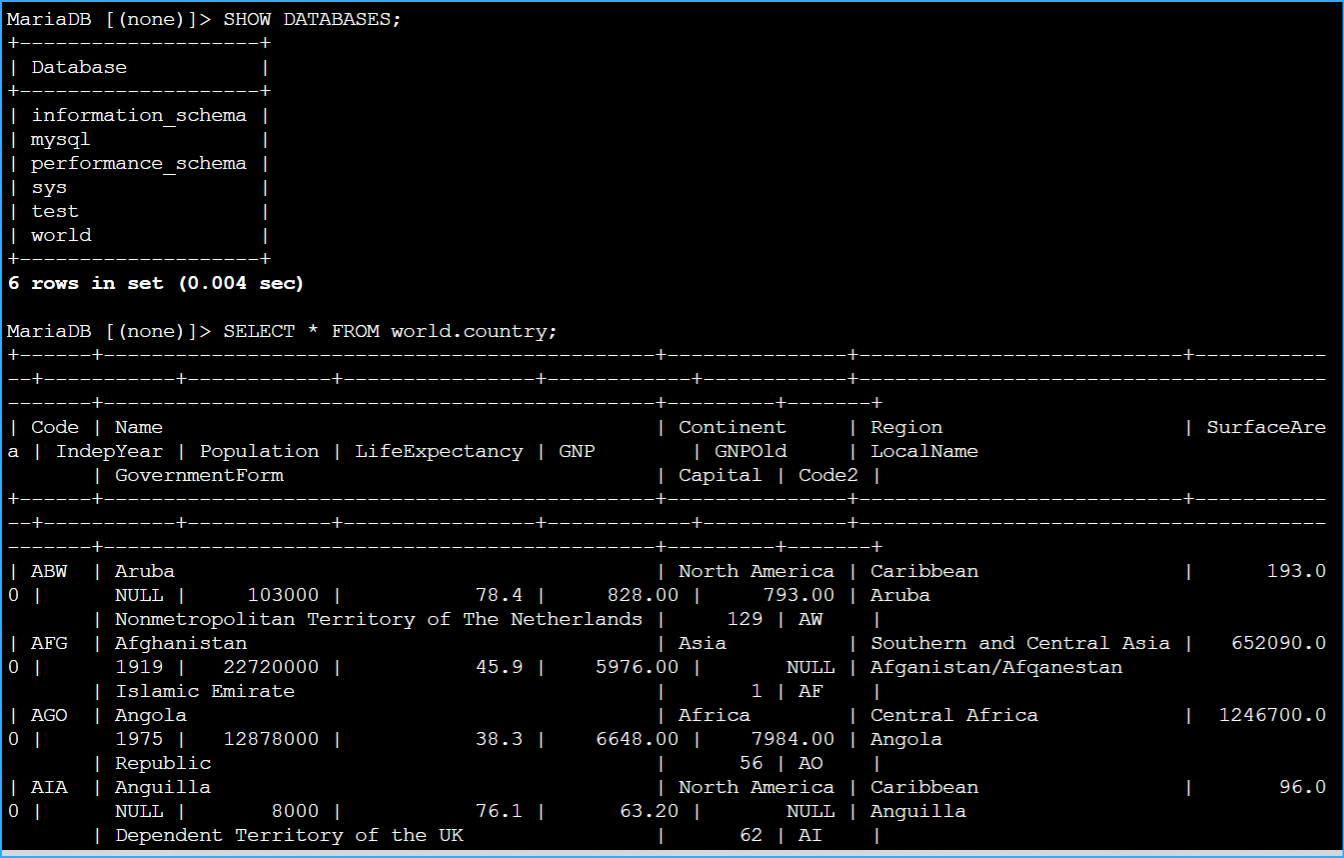
Exploring Available Databases
First, I needed to verify that the world database was available. I
entered the following command in the terminal:
SHOW DATABASES;
I confirmed that a database named world was available. If the world
database had not been available, I would have contacted my instructor.
Reviewing Table Schema
To review the table schema, data, and number of rows in the country
table, I entered the following query:
SELECT * FROM world.country;
Filtering Records for a Specific Region
To return a list of records where the Region is Australia and New
Zealand, I ran the following query. This query includes an ORDER BY
clause that arranges the results by Population in descending order:
SELECT Region, Name, Population FROM world.country WHERE Region =
'Australia and New Zealand' ORDER By Population desc;
Using GROUP BY to Aggregate Data
I learned that I can use the GROUP BY clause to group related records
together. The following example starts by filtering records using a
condition where the region is equal to Australia and New Zealand. The
results are then grouped together by using a GROUP BY clause. The SUM()
function is then applied to the grouped results to generate a total
population for that region. I ran the following query in my terminal:
SELECT Region, SUM(Population) FROM world.country WHERE Region =
'Australia and New Zealand' GROUP By Region ORDER By SUM(Population)
desc;
This query returned a SUM() of the Population for the Australia and New
Zealand region. Because the WHERE clause is filtered by Region, only the
Australia and New Zealand records are aggregated.
Using Window Functions for Running Totals
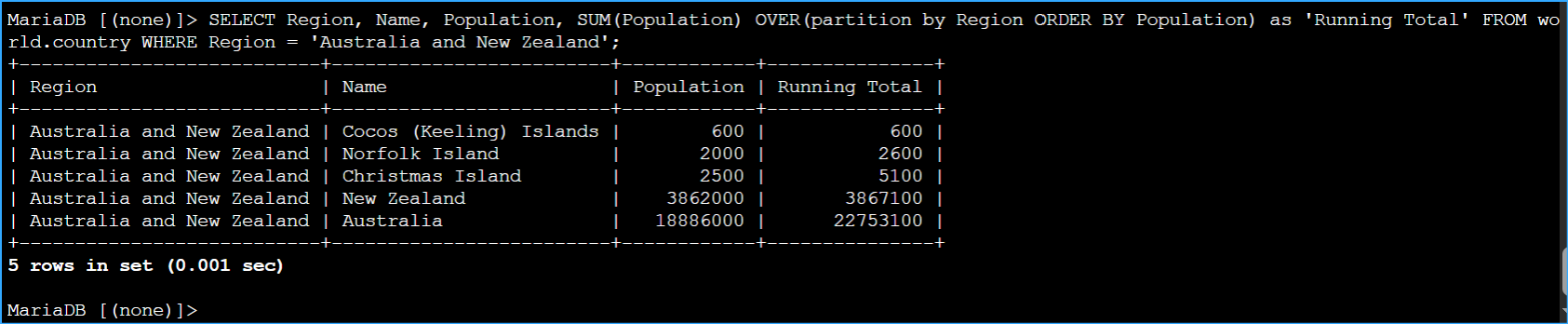
The following example uses a windowing function to generate a running
total by adding the Population of the first record to the Population of
the second record and subsequent records. This query uses the OVER()
clause to group the records by Region and uses the SUM() function to
aggregate the records. The output displays the population of a country
along side a running total of the region. I ran the following query in
my terminal:
SELECT Region, Name, Population, SUM(Population) OVER(partition by
Region ORDER BY Population) as 'Running Total' FROM world.country WHERE
Region = 'Australia and New Zealand';
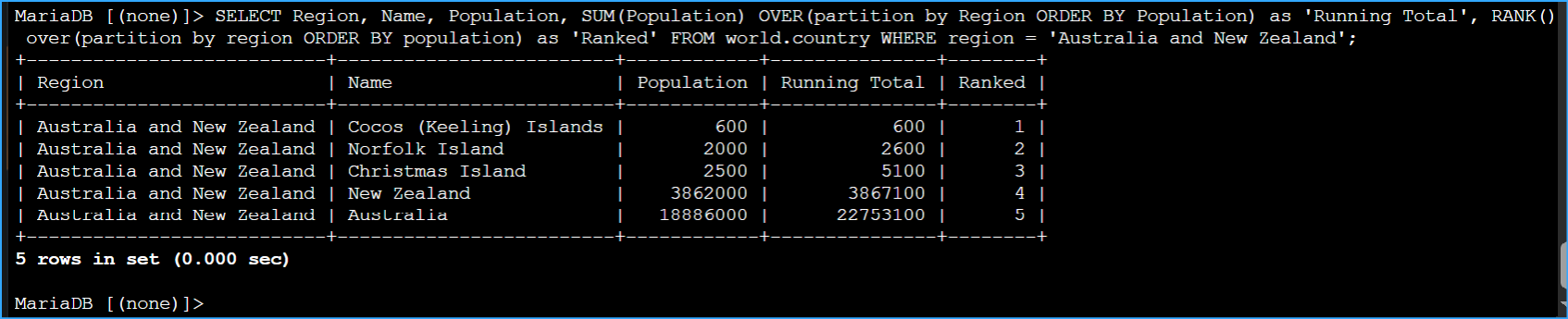
Using RANK() Function with Window Functions
The following query groups the records by Region and orders them by
Population with the OVER() clause. This query also includes the RANK()
function to generate a rank number indicating the position of each
record in the result set. The RANK() function is useful when dealing
with large groups of records. I ran the following query in my terminal:
SELECT Region, Name, Population, SUM(Population) OVER(partition by
Region ORDER BY Population) as 'Running Total', RANK() over(partition by
region ORDER BY population) as 'Ranked' FROM world.country WHERE region
= 'Australia and New Zealand';
My Final Challenge: Ranking Countries by Population
I had to write a query to rank the countries in each region by their
population from largest to smallest.
I had to determine whether to use either the GROUP BY or OVER grouping
clause and either the SUM() or RANK() function. After analyzing the
requirements, I created the following query:
SELECT Region, Name, Population, RANK() OVER(partition by Region ORDER
BY Population desc) as 'Ranked' FROM world.country order by Region,
Ranked;
I found that using the OVER clause with RANK() was the most appropriate
for this task since I needed to rank countries within each region while
maintaining all the individual country data.
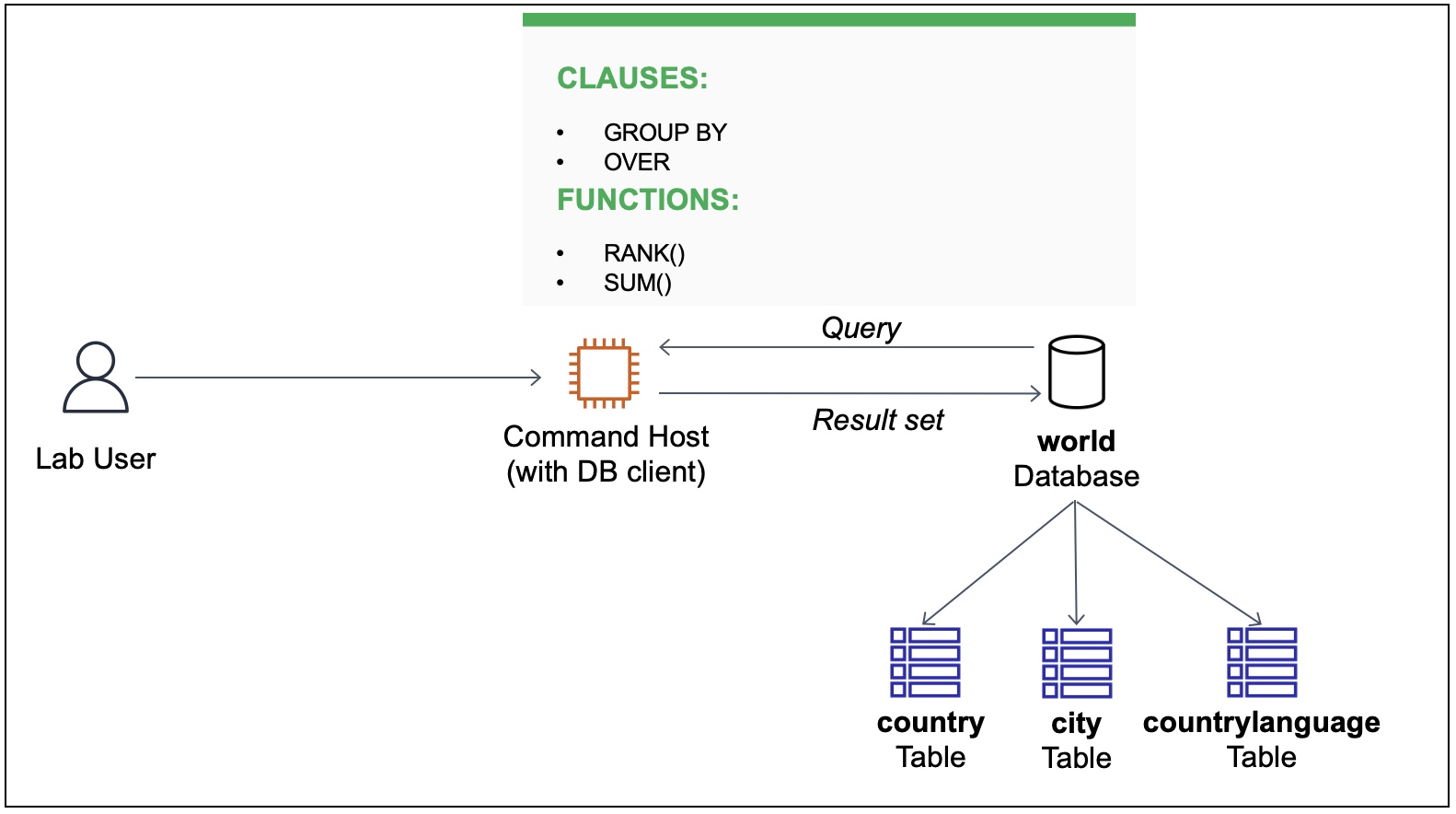 SQL Functions and Clauses
 Database Query All
 Region Filtered Query
 Group By with Sum
 Running Sum with Over
 Rank Function Query
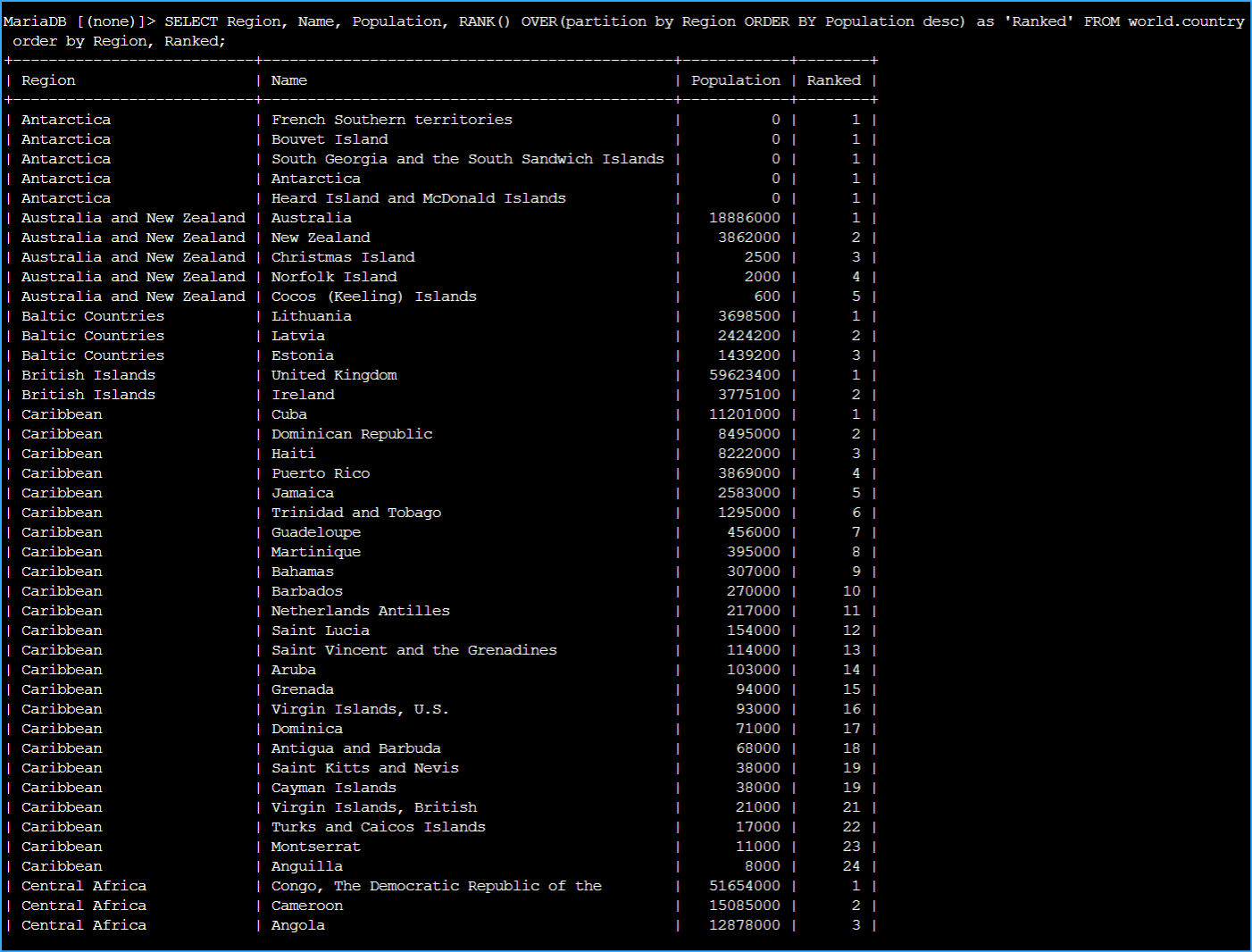 Countries Ranked by Population