Performing a Conditional Search in SQL
Project Overview
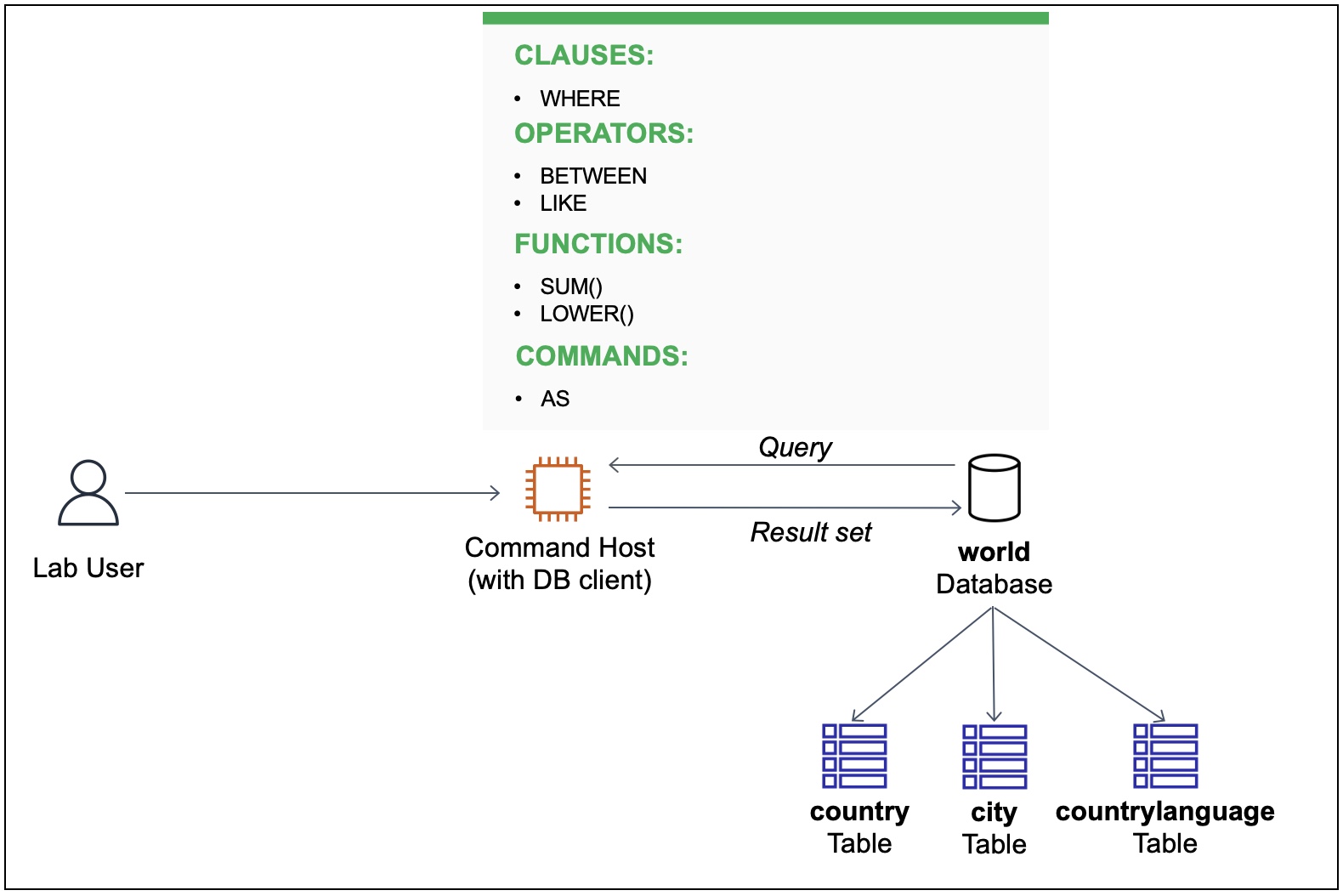
In this project, I worked with a relational database named world
containing three tables: city, country, and countrylanguage. My task was
to write several queries to search for records in the country table by
using the SELECT statement and a WHERE clause.
Through this project, I learned how to:
- Write a search condition by using the WHERE clause
- Use the BETWEEN operator
- Use the LIKE operator with wildcard characters
- Use the AS operator to create a column alias
- Use functions in a SELECT statement
- Use functions in a WHERE clause
Task 1: Setting Up and Exploring the Database
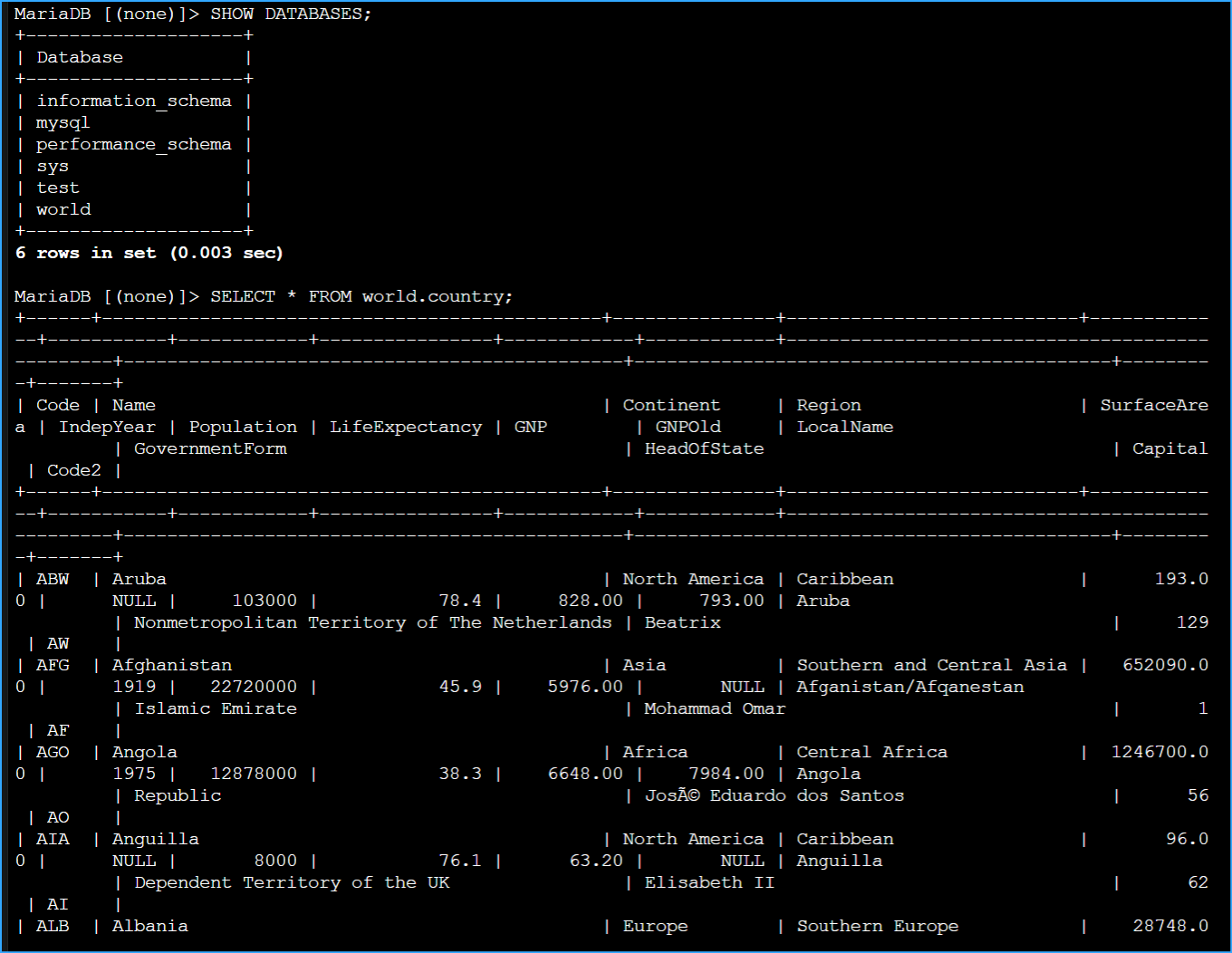
I started by making sure the world database was available. To do this, I
ran:
SHOW DATABASES;
This confirmed that the world database was accessible. Next, I wanted to
understand the schema and data in the country table, so I executed:
SELECT * FROM world.country;
This returned all records from the country table, but I quickly realized
it was a large dataset and would be easier to work with if I could
filter down the records.
Task 2: Using WHERE Clause with Comparison Operators
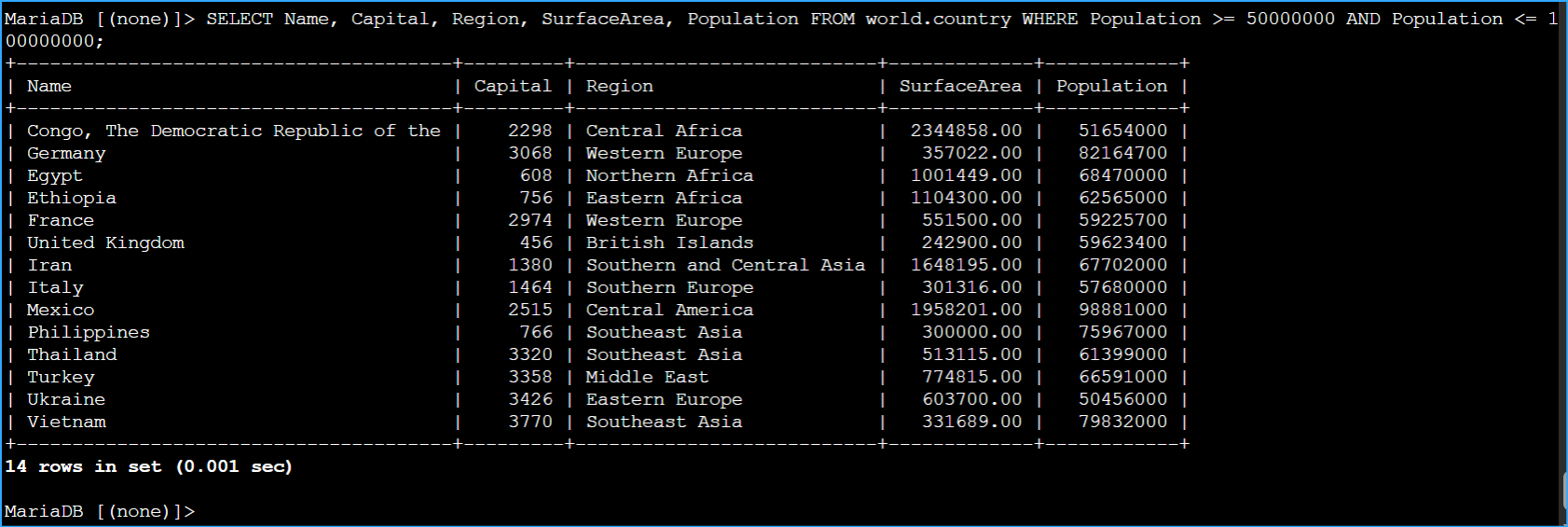
To reduce the number of records in my result set, I used a WHERE clause
with the AND operator to combine two conditions. I specifically looked
for countries with populations between 50 million and 100 million:
SELECT Name, Capital, Region, SurfaceArea, Population FROM world.country
WHERE Population >= 50000000 AND Population <= 100000000;
This query successfully filtered the records to only show countries
meeting my population criteria. It became clear that using comparison
operators like >= and <= with the AND operator is an effective way to
create range-based conditions.
The comparison operators (>, <, >=, <=) combined with AND create
powerful filtering capabilities in SQL queries.
Task 3: Using the BETWEEN Operator
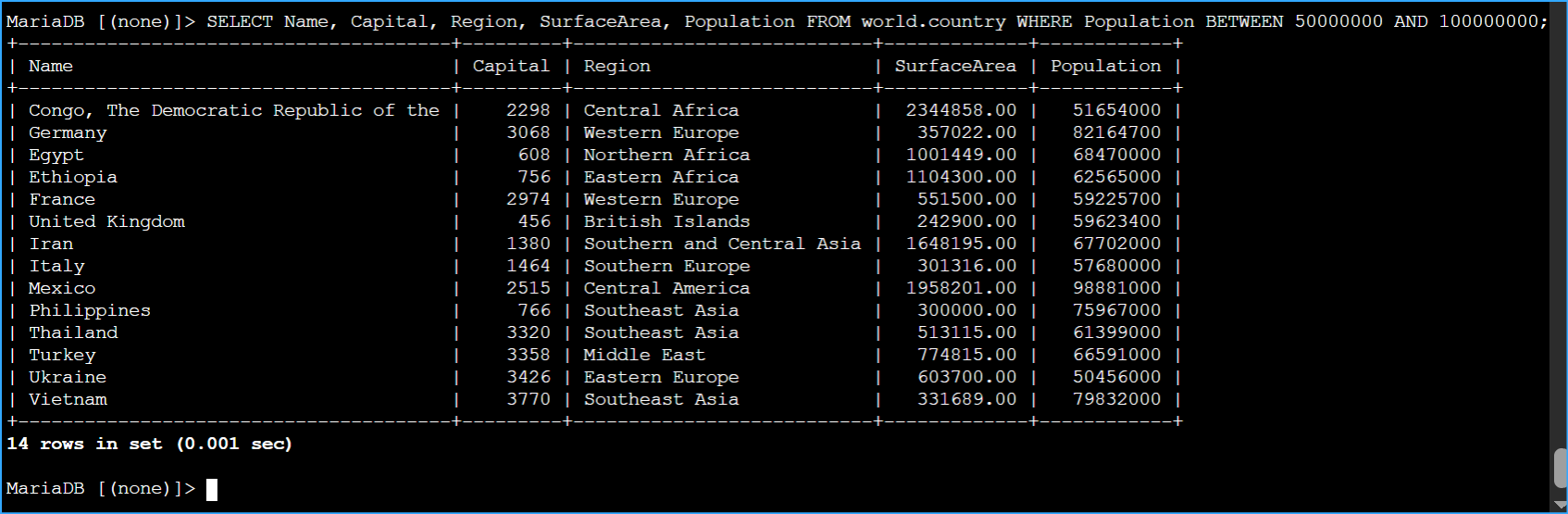
I then learned that SQL provides a more elegant way to express range
conditions using the BETWEEN operator. I rewrote my previous query:
SELECT Name, Capital, Region, SurfaceArea, Population FROM world.country
WHERE Population BETWEEN 50000000 AND 100000000;
This produced the exact same results as my previous query but with
cleaner, more readable syntax. The BETWEEN operator is inclusive,
meaning it includes the beginning and ending values of the range.
The BETWEEN operator simplifies range queries by making them more
readable while including both endpoints in the range.
Task 4: Using the LIKE Operator with Wildcards
Next, I explored pattern matching with the LIKE operator and wildcards.
I wanted to find the total population of all European countries, so I
wrote:
SELECT sum(Population) from world.country WHERE Region LIKE "%Europe%";
This query used the percent symbol (%) as a wildcard to match any number
of characters before or after the word "Europe". The SUM function
calculated the total population of all matching records.
The % wildcard represents any number of characters, making it powerful
for partial string matches.
Task 5: Using Column Aliases with the AS Operator
To make my query results more readable, I learned how to create column
aliases using the AS operator:
SELECT sum(population) as "Europe Population Total" from world.country
WHERE region LIKE "%Europe%";
This query returned the same data as before, but with a clear,
descriptive column name instead of the default function name. I also
noticed that SQL is not case-sensitive for keywords and identifiers,
though the database itself might be configured to be case-sensitive.
While SQL is not case-sensitive, it's best practice to maintain
consistent capitalization that matches your database schema.
Task 6: Using Functions in WHERE Clauses
For my next task, I learned how to perform case-insensitive searches
using functions in the WHERE clause:
SELECT Name, Capital, Region, SurfaceArea, Population from world.country
WHERE LOWER(Region) LIKE "%central%";
This query used the LOWER function to convert the Region column values
to lowercase before comparing them with the pattern "%central%". This
ensures that the search finds matches regardless of capitalization in
the database.
Using functions like LOWER() in WHERE clauses helps create more robust
queries that aren't affected by case differences.
Task 7: Challenge - Analyzing North American Data
For the final challenge, I needed to write a query to return the sum of
the surface area and the sum of the population of North America. First,
I explored the table to understand how North America was labeled:
SELECT * FROM world.country WHERE Region LIKE "%North%";
After confirming the exact Region name was "North America", I wrote my
final query:
SELECT SUM(SurfaceArea) as "N. America Surface Area", SUM(Population) as
"N. America Population" FROM world.country WHERE Region = "North
America";
This query successfully calculated both the total surface area and the
total population of North America, displaying the results with clear
column aliases.
Summary and Reflections
Through this project, I gained practical experience with SQL conditional
searches and learned several important concepts:
- Using WHERE clauses to filter data based on specific conditions
- Applying the BETWEEN operator for cleaner range queries
- Implementing pattern matching with LIKE and wildcards
- Creating readable output with column aliases using AS
- Making searches more robust with functions like LOWER()
- Aggregating data with functions like SUM()
These skills are essential for efficient database querying and will be
valuable in future database-related tasks.
×
![]()
 Query Operations for Tables in World Database
 Showed DB Selected All From World Country
 Reduced Number of Records Result With Where Clause and Operator
And
Reduced Number of Records Result With Where Clause and Operator
And
 Queried With Between Operator
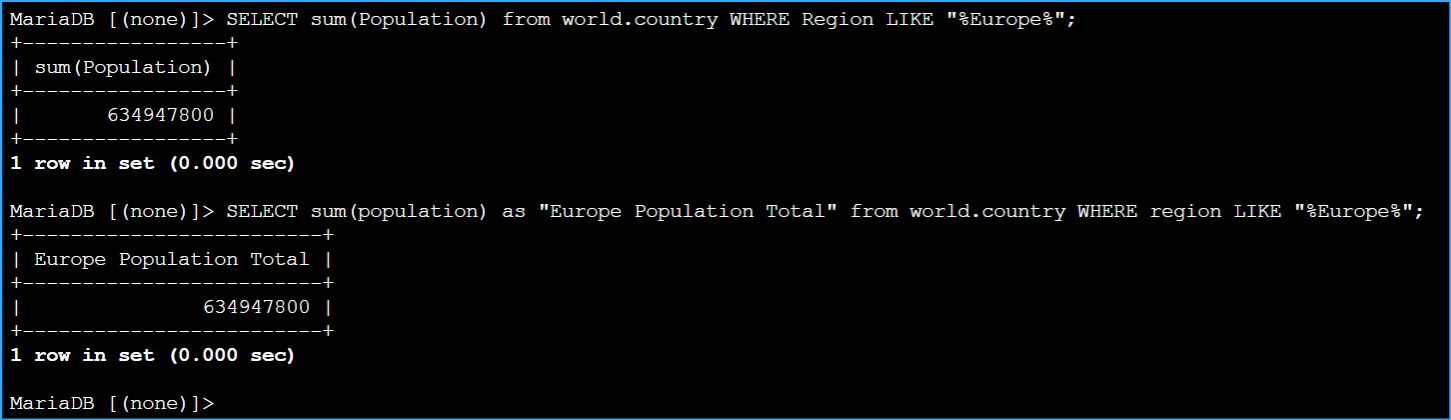 Both Queries Returned Population of European Countries One Using
Like and Sum Function
Both Queries Returned Population of European Countries One Using
Like and Sum Function
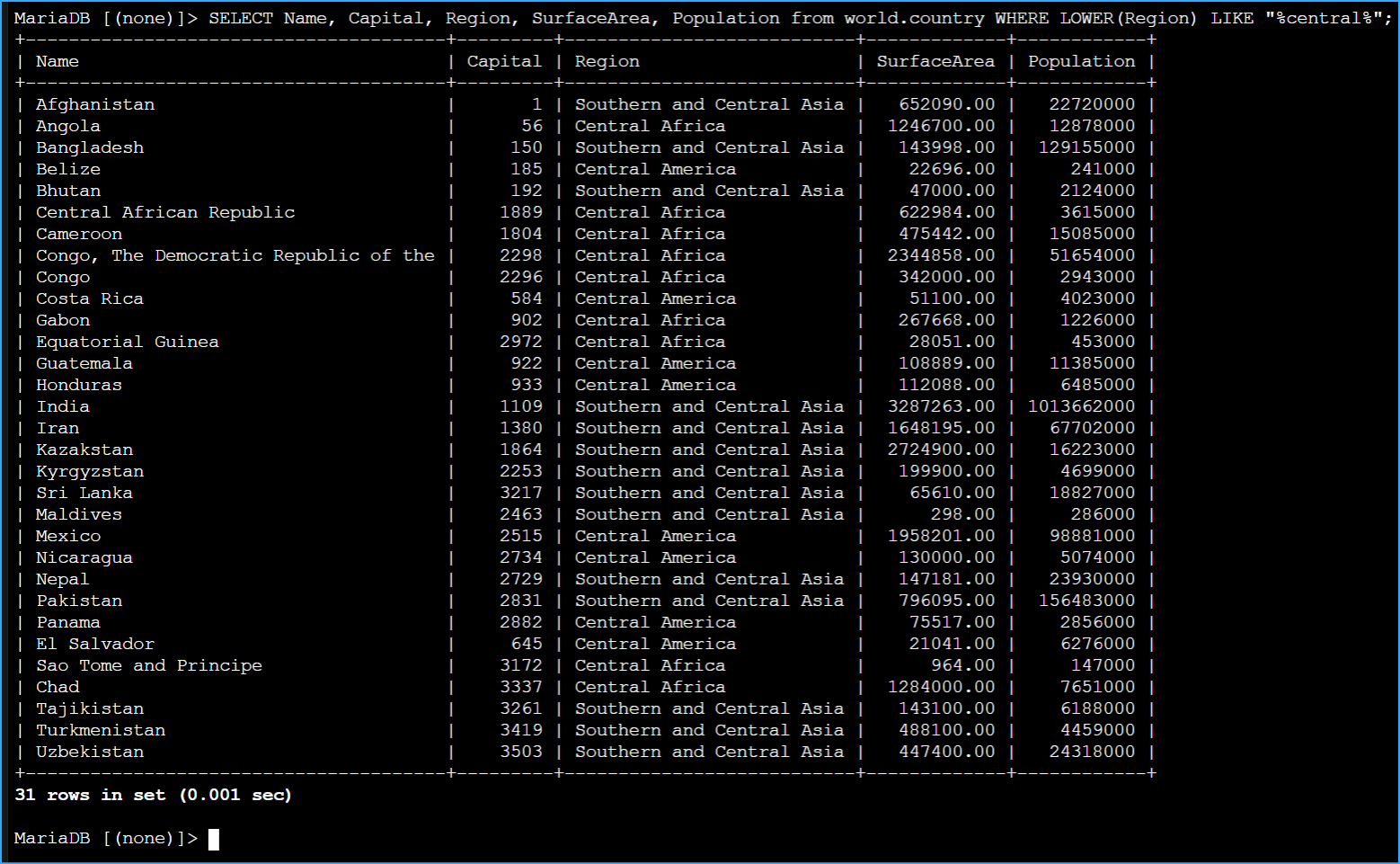 Performed Case Sensitive Search Using Lower Function
 Wrote Query to Return Sum of Surface Area and Population in North
America
Wrote Query to Return Sum of Surface Area and Population in North
America