Task 2: Query the world database
In this task, I queried the world database using various SELECT
statements and database operators.
Step 1: Show existing databases
To show the existing databases, I entered the following command in the
terminal.
SHOW DATABASES;
I verified that a database named world was available.
Step 2: List all rows and columns in the country table
To list all rows and columns in the country table, I ran the following
query.
SELECT * FROM world.country;
Step 3: Count rows in the table
To query the number of rows in a table, I can use the COUNT() function
in a SELECT statement. To count all the rows in table, I can use
COUNT(*). To count the number of rows that have a value in a specific
column, include the column name as a parameter in the COUNT() function:
for example, COUNT(Population). To list the number of rows in the
country table, I ran the following query.
SELECT COUNT(*) FROM world.country;
Step 4: Check table schema
To list all columns in the country table, I ran the following query. I
ran this query to understand the table schema.
SHOW COLUMNS FROM world.country;
Step 5: Query specific columns
To query specific columns in the world table, I ran the following query
to return a result set that includes the Name, Capital, Region,
SurfaceArea, and Population columns.
SELECT Name, Capital, Region, SurfaceArea, Population FROM
world.country;
Step 6: Use column aliases
Database column names are sometimes not user friendly. To add a more
descriptive column name to the query output, I can use the AS option. I
ran the following query that includes this option.
SELECT Name, Capital, Region, SurfaceArea AS "Surface Area", Population
FROM world.country;
If required, I scrolled to the top of the query results, and observed
that the SurfaceArea column is displayed as Surface Area.
Step 7: Order results
Ordered result sets are easier to view and work with. If I would like to
order the output based on a column, I can use the ORDER BY option. In
this example, I ordered the output based on the population.
SELECT Name, Capital, Region, SurfaceArea AS "Surface Area", Population
FROM world.country ORDER BY Population;
The ORDER BY option orders data in ascending order.
Step 8: Order in descending order
To order data in descending order, I used the DESC option with ORDER BY.
I ran the following command with this option.
SELECT Name, Capital, Region, SurfaceArea AS "Surface Area", Population
FROM world.country ORDER BY Population DESC;
Step 9: Filter with conditions
I can add conditions to SELECT statements by using the WHERE clause. For
example, to list all rows with a population greater than 50,000,000, I
ran the following query.
SELECT Name, Capital, Region, SurfaceArea AS "Surface Area", Population
FROM world.country WHERE Population > 50000000 ORDER BY Population DESC;
I have used the > comparison operator. Similarly, I can use other
comparison operators to compare values.
Step 10: Use multiple conditions
I can construct a WHERE clause by using a number of conditions and
operators.
The following query uses two conditions: all rows with a population
greater than 50,000,000 and all rows with a population less than
100,000,000. The query includes the AND operator to indicate that both
the conditions must be true. I ran the following query in my terminal.
SELECT Name, Capital, Region, SurfaceArea AS "Surface Area", Population
FROM world.country WHERE Population > 50000000 AND Population <
100000000 ORDER BY Population DESC;
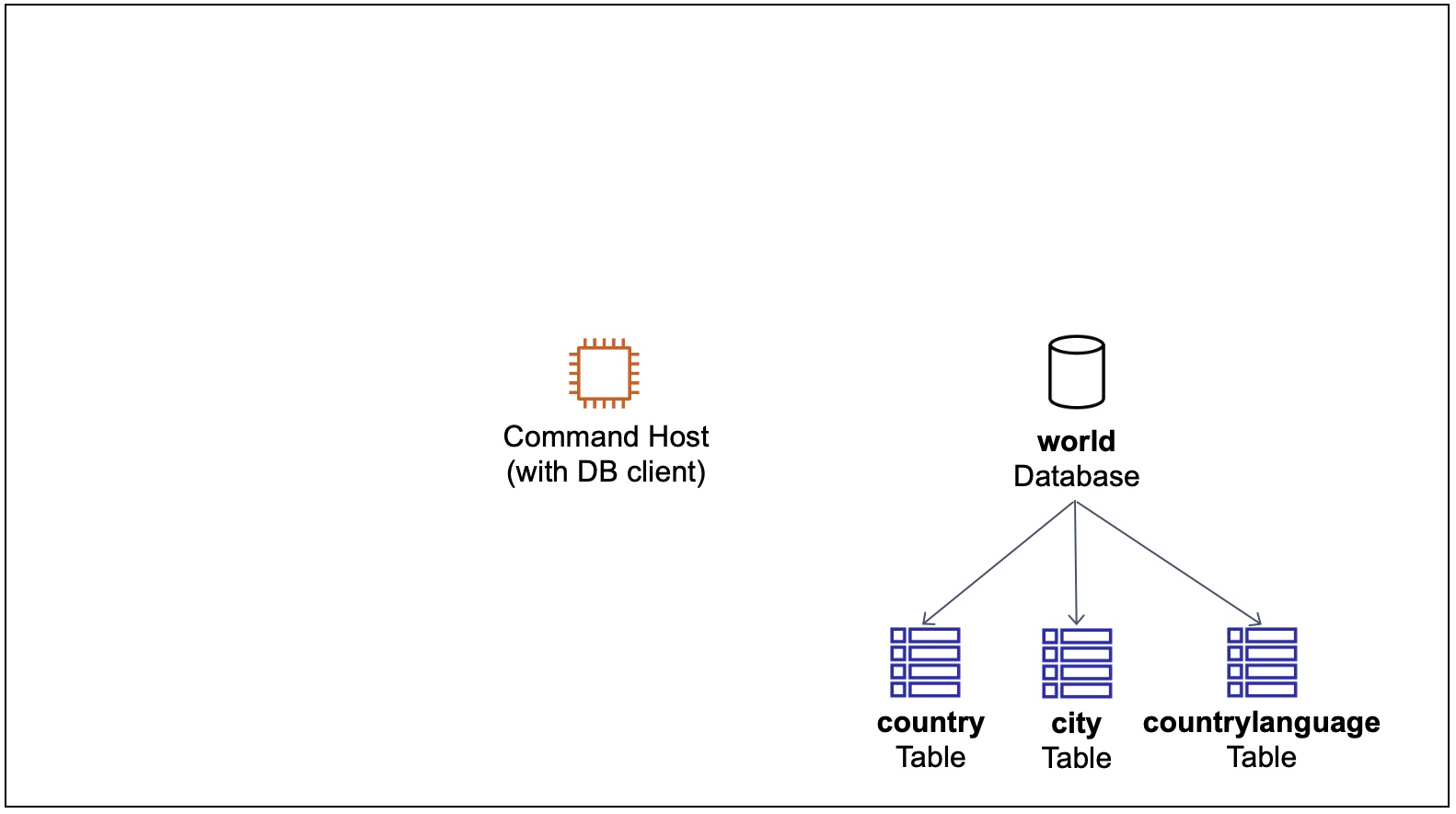 Architecture Start
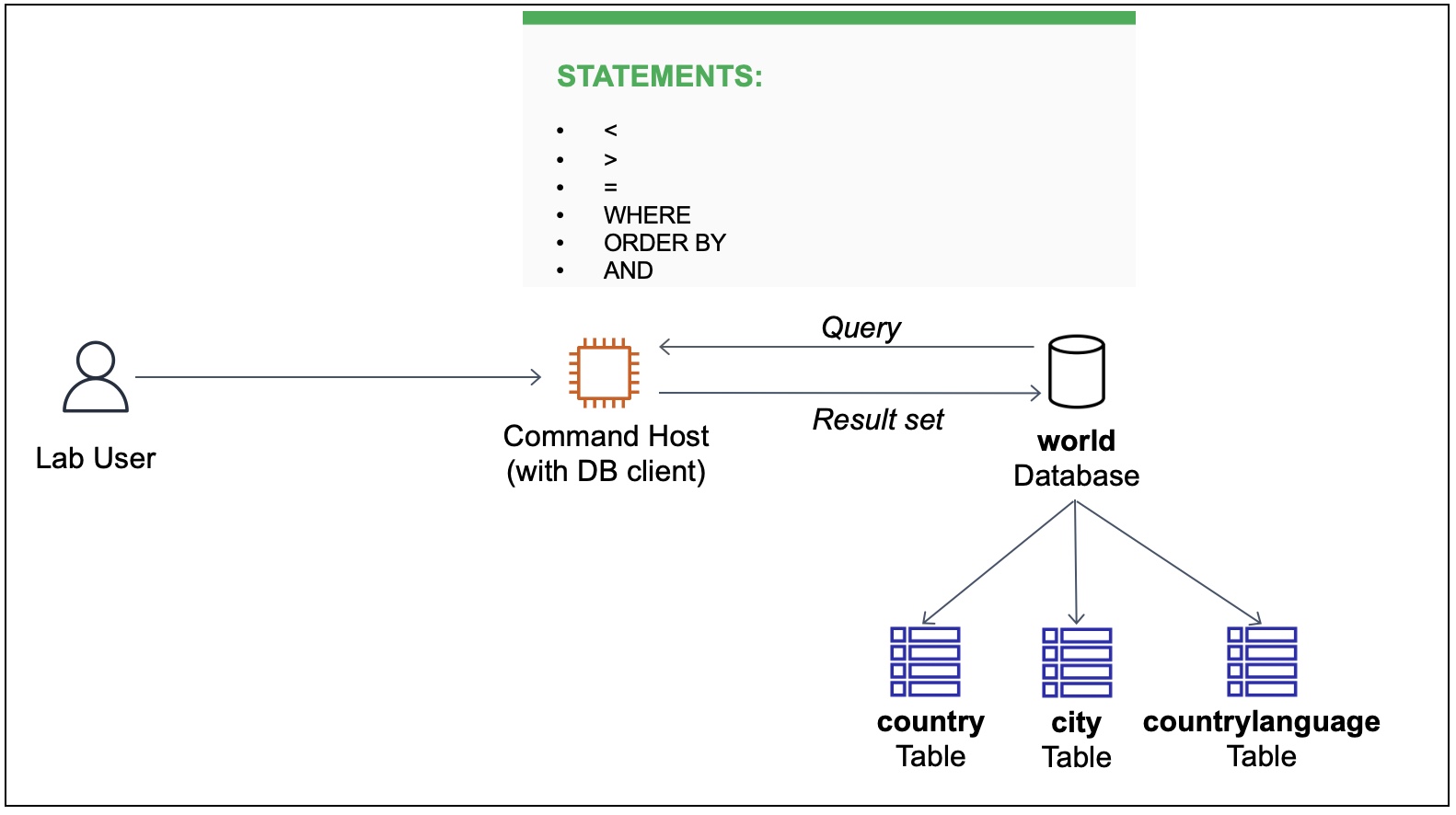 Display of Operations
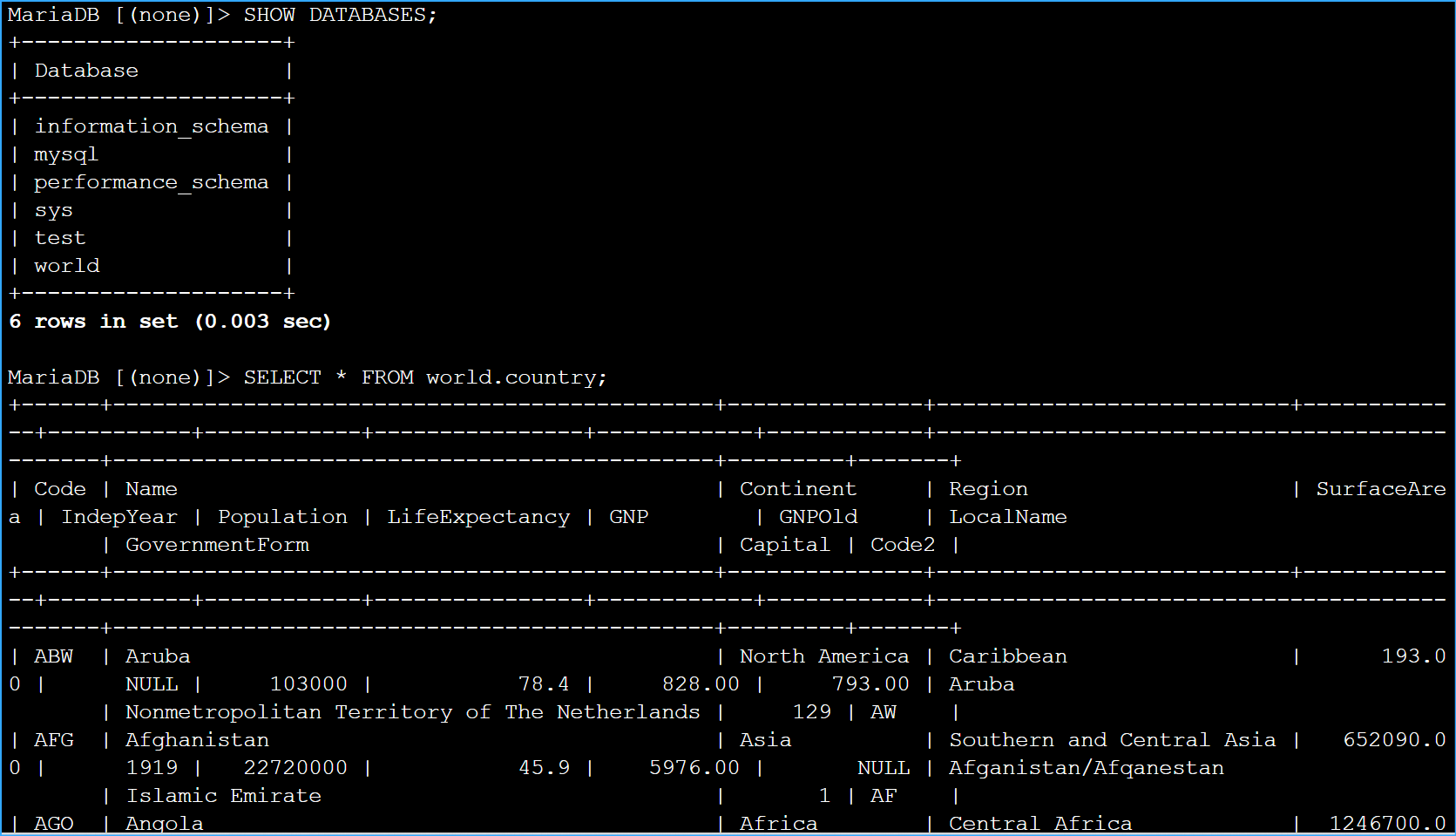 Showed DB Then Listed All Rows and Columns From World Country
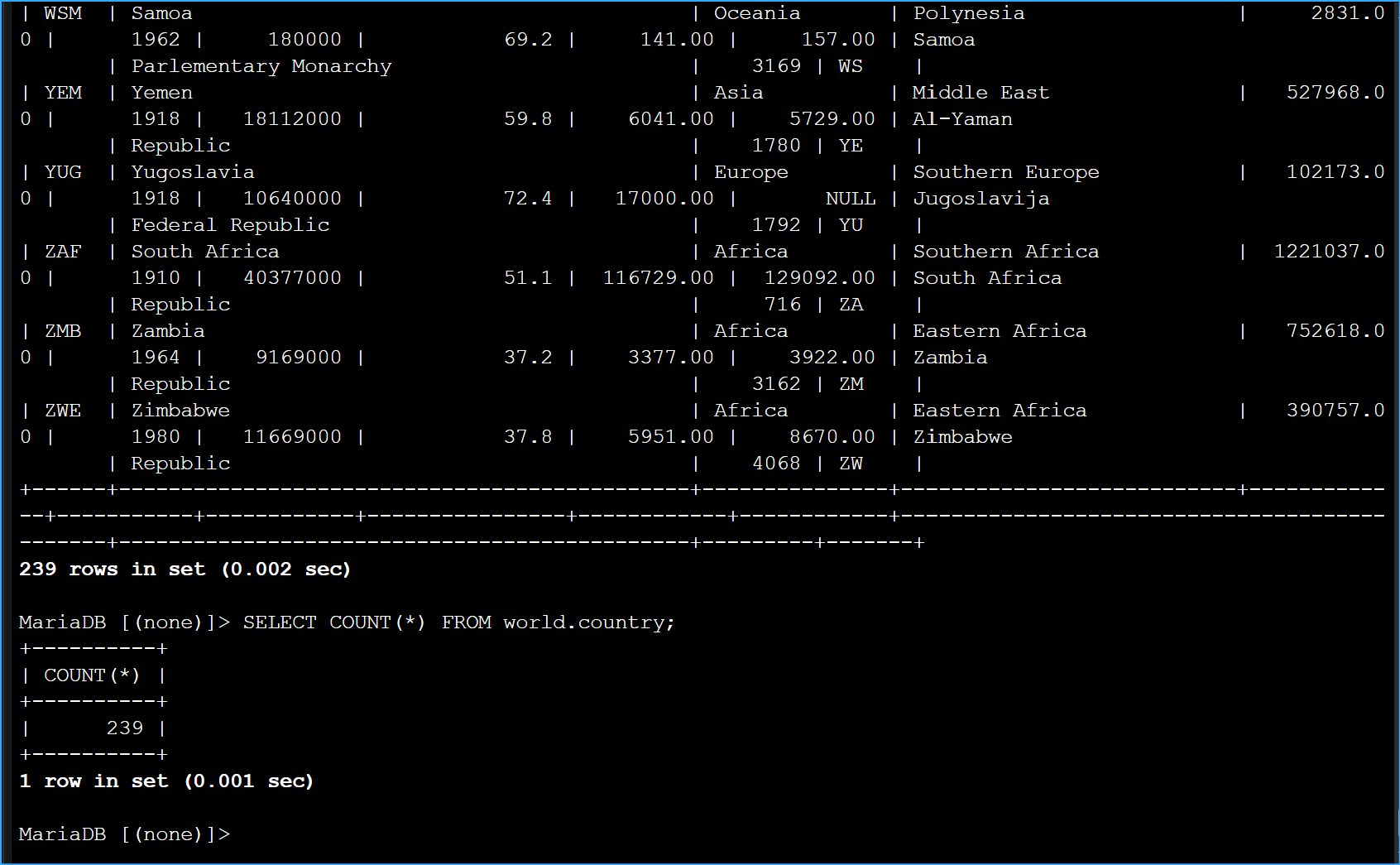 Selected Count
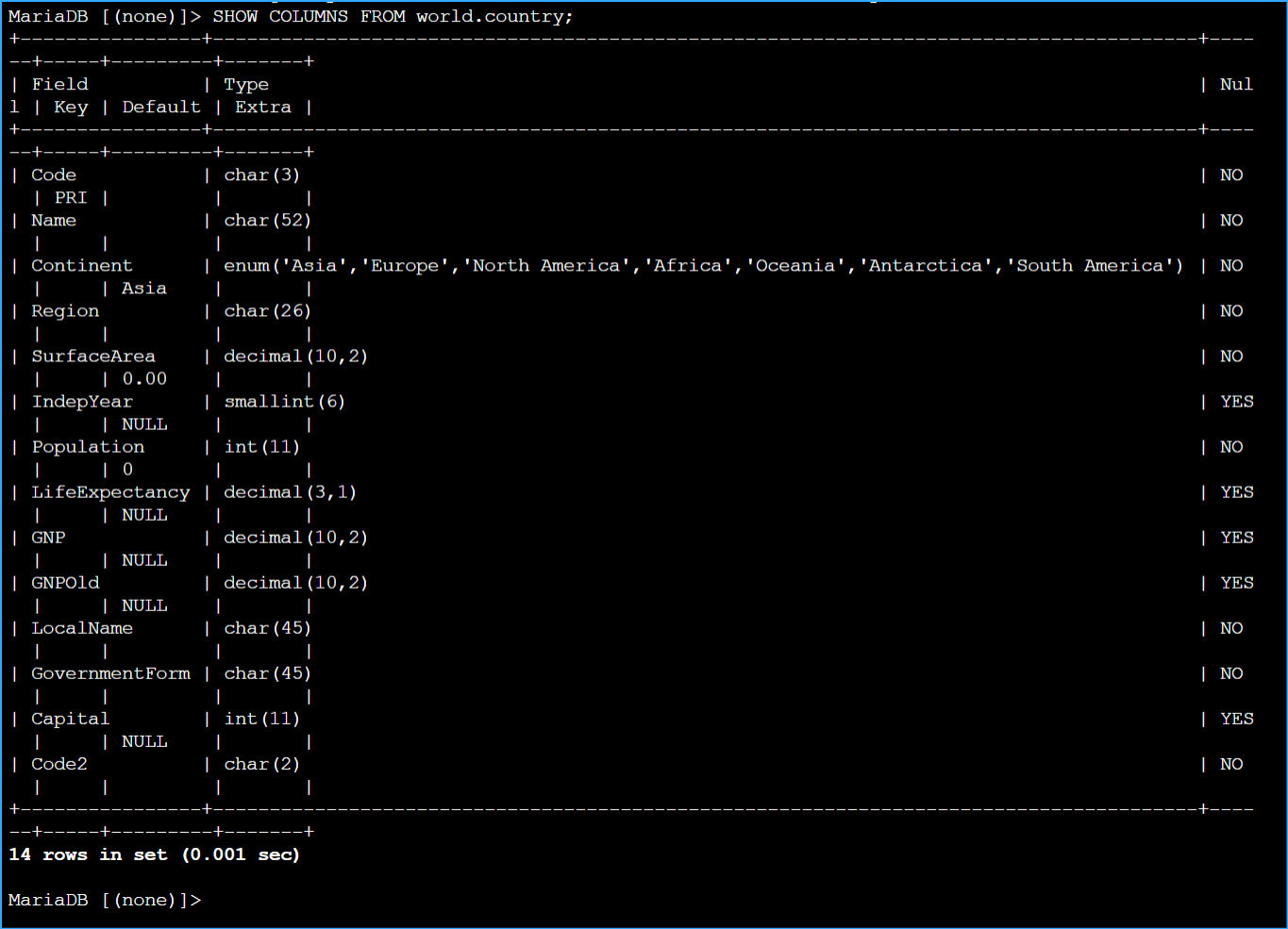 Show Columns From World Country
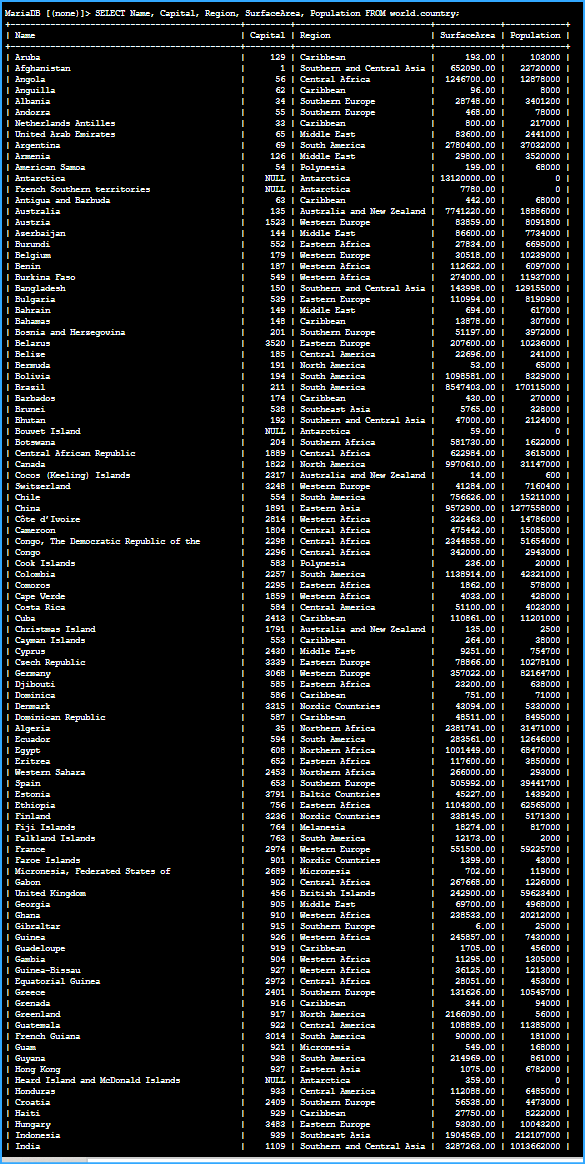 Queried Specific Columns
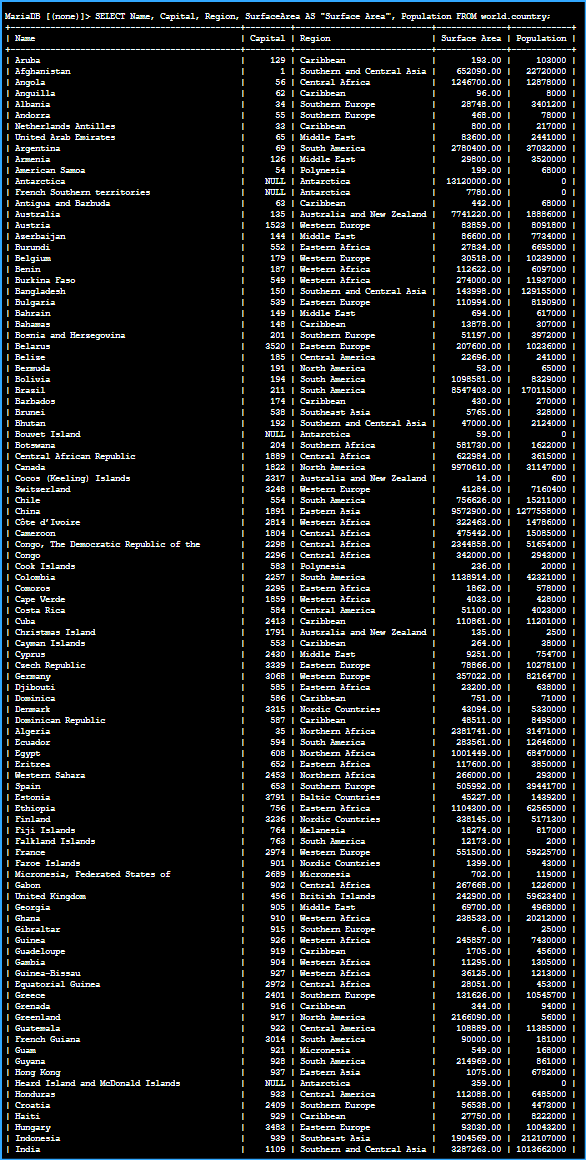 Added More Descriptive Column Names To Query Output Using As Option
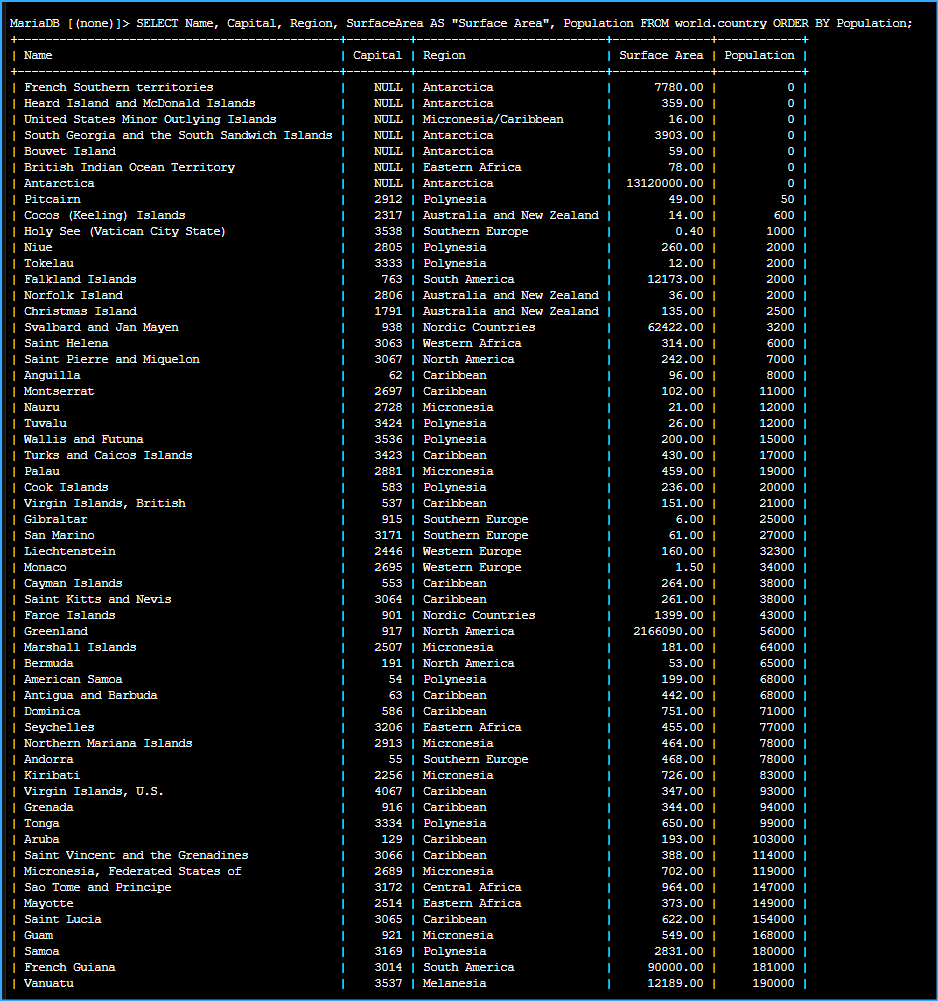 Ordered By Population In Ascending Order
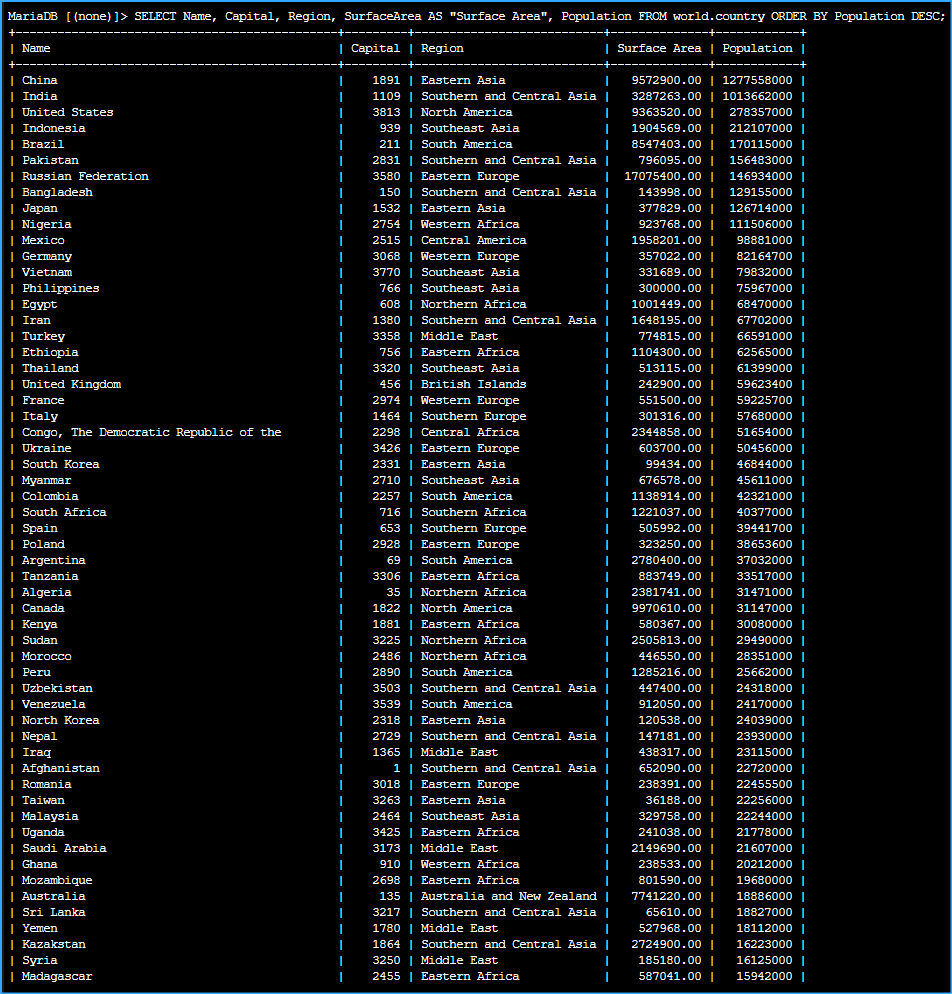 Ordered By Population In Descending Order
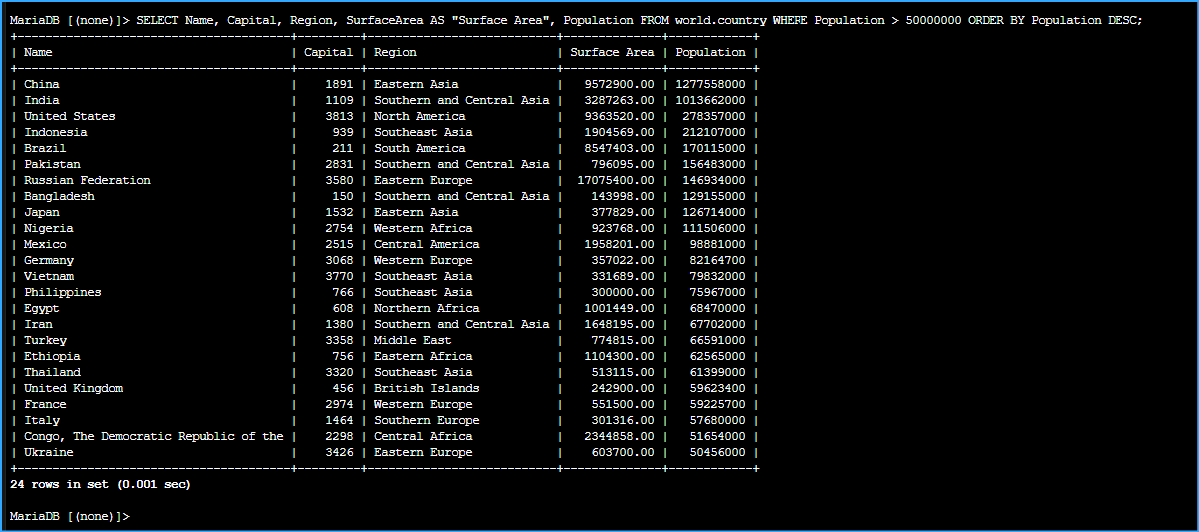 Added Conditions To Select And Where Lists Rows Greater Than Value
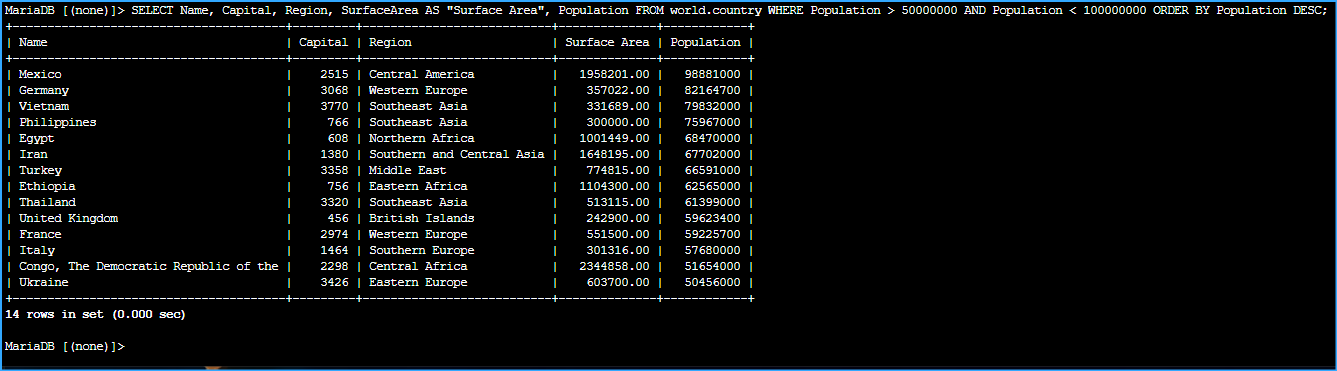 Added Conditions To Select And Where Lists Rows In Between Values
 Queried Country In Southern England With Population Greater Than Set Value