Task 2: Querying the World Database
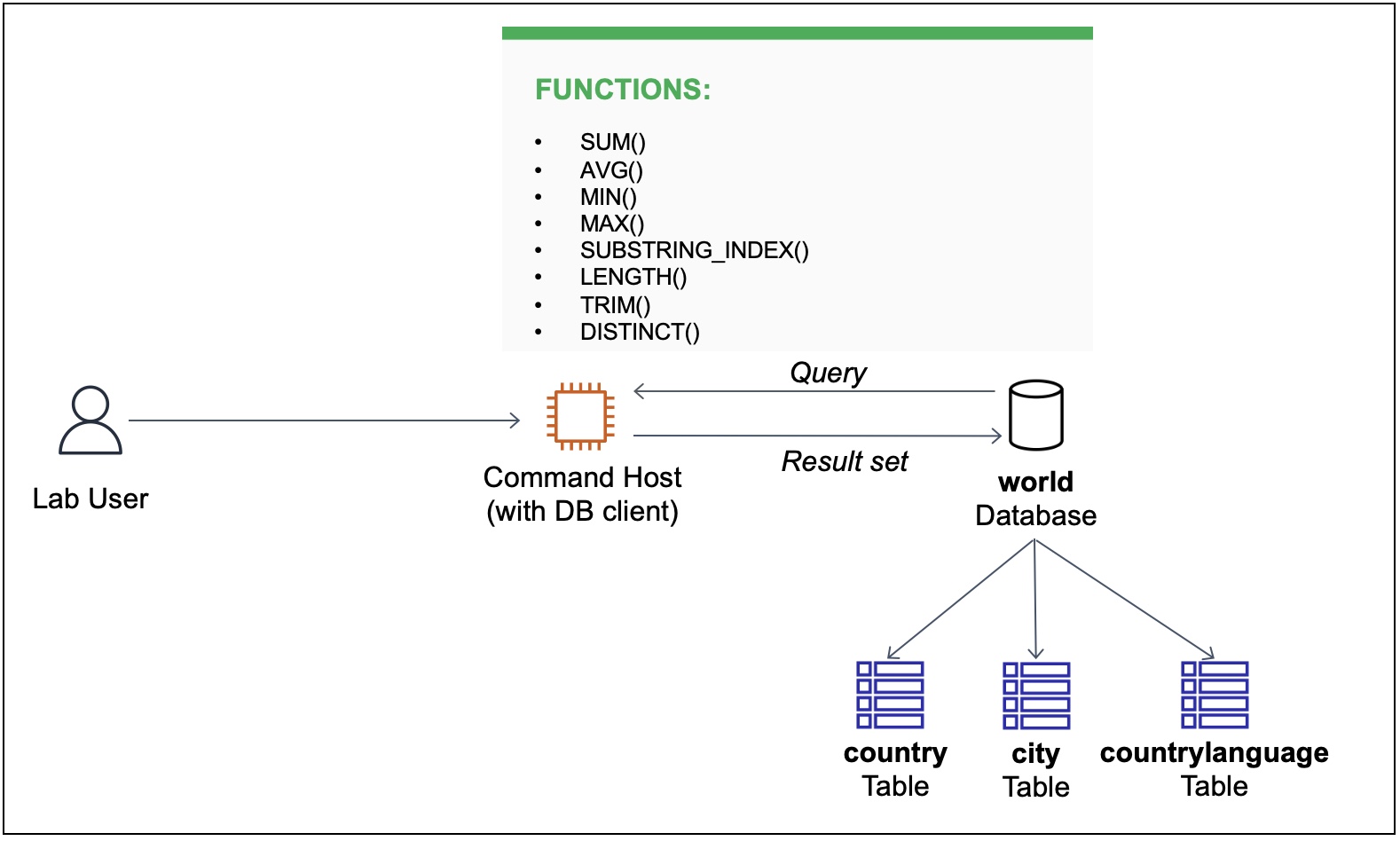
In this task, I queried the world database using various SELECT
statements and database functions. I used functions to process and
manipulate data in my queries. There are a wide range of SQL functions,
and this project covered a subset of commonly used functions.
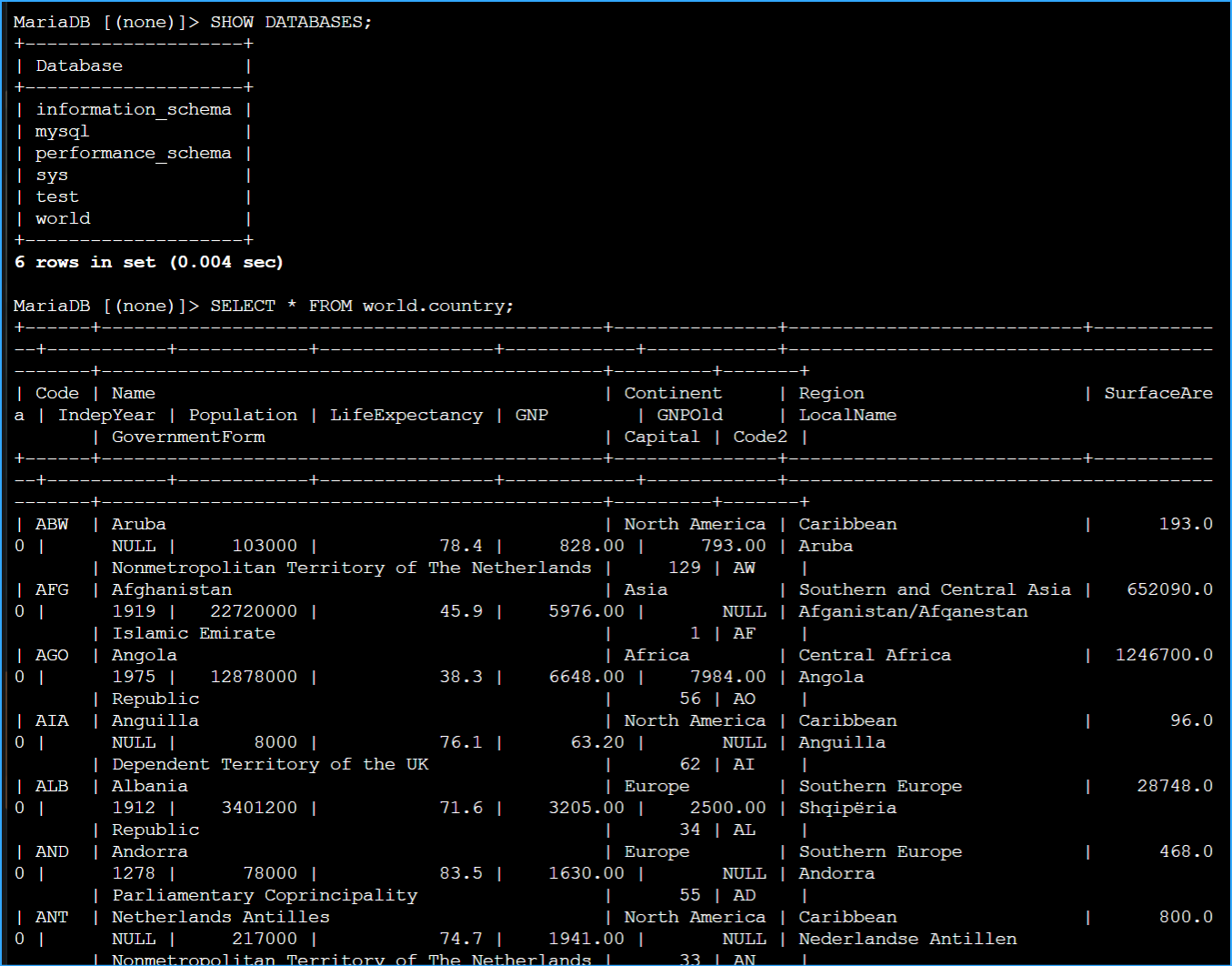
Step 1: Show Existing Databases
First, I needed to show the existing databases to verify the world
database was available. I entered the following command in the terminal:
SHOW DATABASES;
I verified that a database named world was available.
Step 2: Review Table Schema
To review the table schema, data, and number of rows in the country
table, I ran the following query:
SELECT * FROM world.country;
Step 3: Using Aggregate Functions
The following query demonstrated how to use aggregate functions SUM(),
MIN(), MAX(), and AVG() to summarize data. Because the query did not
include a WHERE condition, the functions aggregated data from all
records in the country table:
SELECT sum(Population), avg(Population), max(Population),
min(Population), count(Population) FROM world.country;
This query performed the following operations:
- SUM() added all the population values together.
- AVG() generated an average across all the population values.
- MAX() found the row with the highest population value.
- MIN() found the row with the lowest population value.
- COUNT() found the number of rows with a population value.
Step 4: Splitting Strings
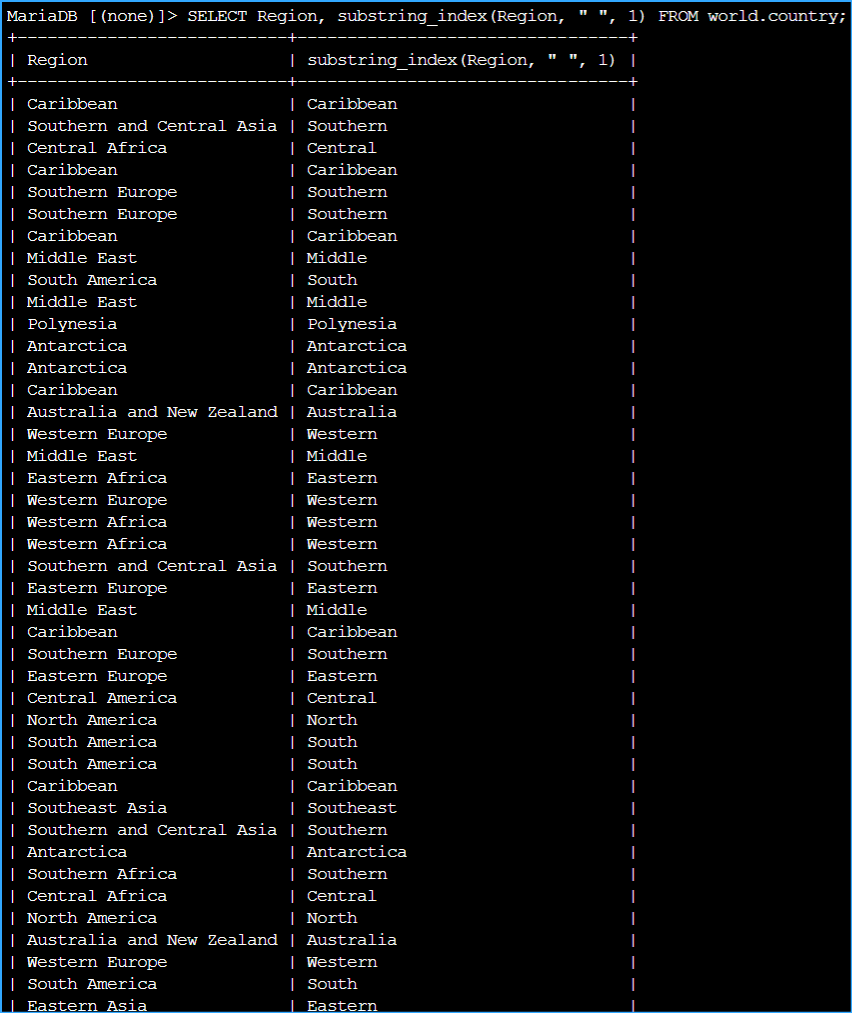
In some cases, I needed to split a string. The following query used
SUBSTRING_INDEX() to split a string where a space occurs:
SELECT Region, substring_index(Region, " ", 1) FROM world.country;
After running the query, I noticed that the second column included the
beginning of each region name.
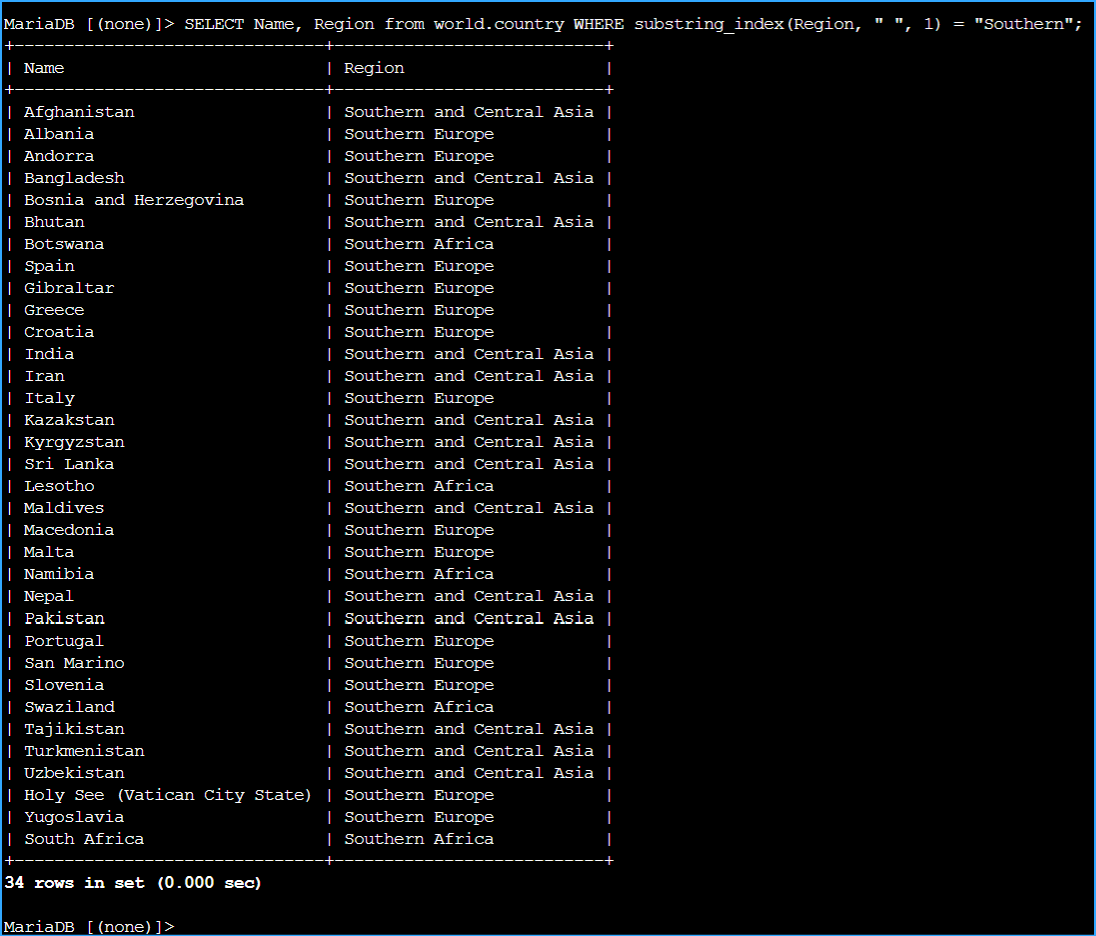
Step 5: Searching Using String Fragment
Sometimes I needed to search rows using a string fragment. The following
query included SUBSTRING_INDEX() as part of a condition in the WHERE
clause to filter records that include Southern in the first part of the
region name:
SELECT Name, Region from world.country WHERE substring_index(Region, "
", 1) = "Southern";
Step 6: Using LENGTH() and TRIM() Functions
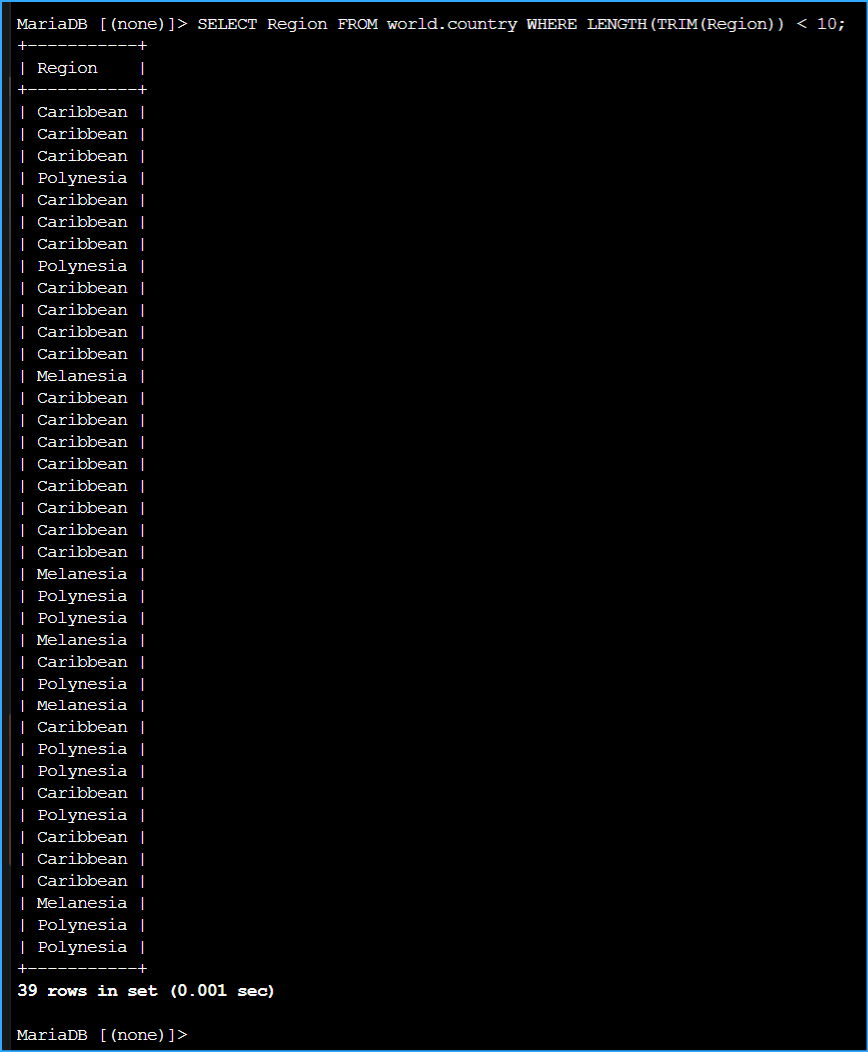
I used the LENGTH() and TRIM() functions to determine how many
characters are in a string. TRIM() cleared leading and trailing blank
spaces, and the LENGTH() function returned a count of the remaining
characters. The next example returned only regions that have fewer than
10 characters in their names:
SELECT Region FROM world.country WHERE LENGTH(TRIM(Region)) < 10;
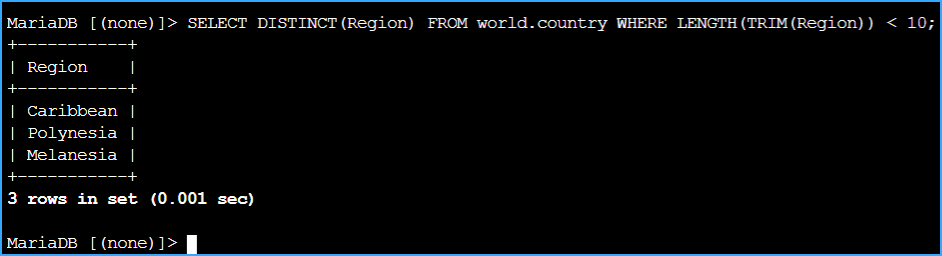
Step 7: Filtering Duplicate Records
I noticed duplicate records in the previous example. I used the
DISTINCT() function to filter the duplicates:
SELECT DISTINCT(Region) FROM world.country WHERE LENGTH(TRIM(Region)) <
10;
Challenge
I was tasked with querying the country table to return a set of records
based on the following requirement:
Write a query to return rows that have Micronesian/Caribbean as the name
in the region column. The output should split the region as Micronesia
and Caribbean into two separate columns: one named Region Name 1 and one
named Region Name 2.
My solution:
SELECT Name, substring_index(Region, "/", 1) as "Region Name 1",
substring_index(region, "/", -1) as "Region Name 2" FROM world.country
WHERE Region = "Micronesia/Caribbean";
 SQL Functions Lab
 SQL Functions Lab
 SQL Functions Lab
 SQL Functions Lab
 SQL Functions Lab
 SQL Functions Lab
 SQL Functions Lab
 SQL Functions Lab