Related Topics
 Output of current processes running on machine
 Output of top command
 Running tasks
×
![]()
I worked on several important objectives:
In this task, I created a log file from the ps command. This log file was added to the SharedFolders section.
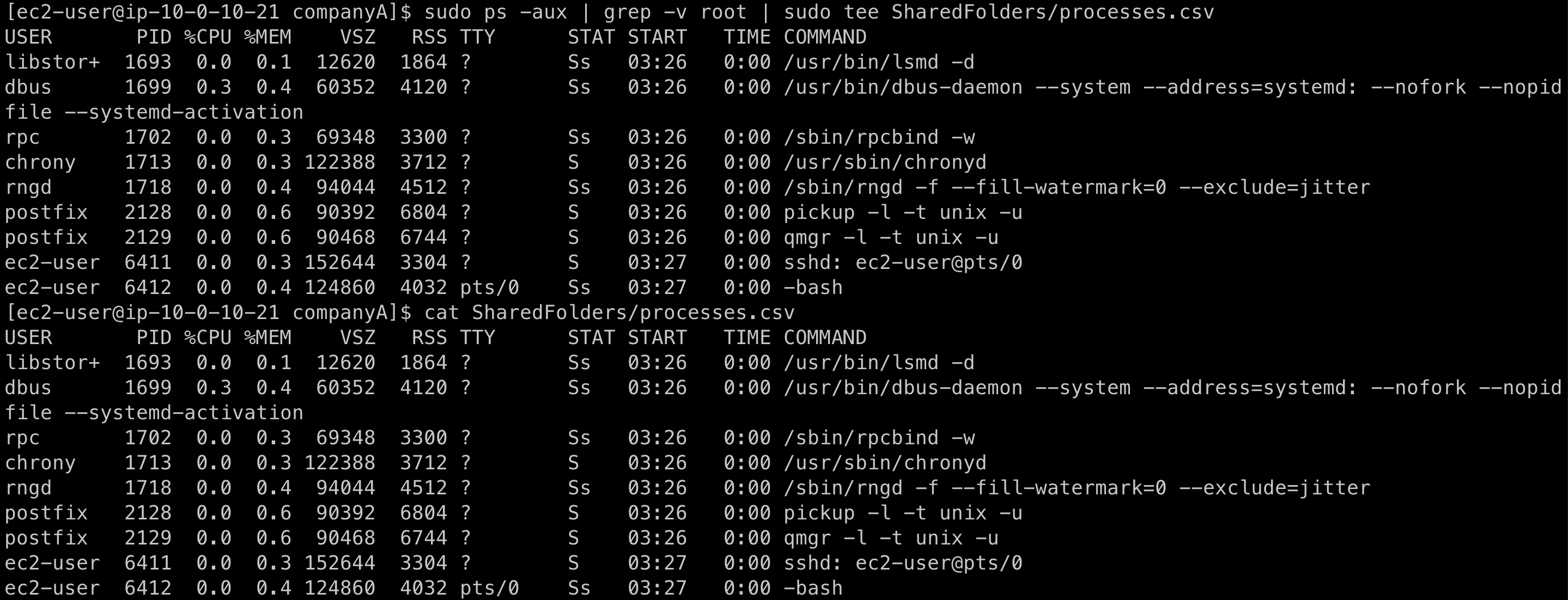
My goal was to create a log file named processes.csv from ps -aux and omit any processes that contained root user or contained "[" or "]" in the COMMAND section.
First, I validated that I was in the /home/ec2-user/companyA folder by entering:
pwdSince I wasn't in the correct folder, I entered:
cd companyAThen I viewed all processes running on the machine and filtered out the word root by typing:
sudo ps -aux | grep -v root | sudo tee SharedFolders/processes.csvTo validate my work, I typed:
cat SharedFolders/processes.csvThe command sudo ps -aux | grep -v root | sudo tee SharedFolders/processes.csv shows all the current processes running on my machine. This was also validated by using the command cat SharedFolders/processes.csv.
In this task, I used the top command to display processes and threads that were active in the system.
To run the top command, I entered:
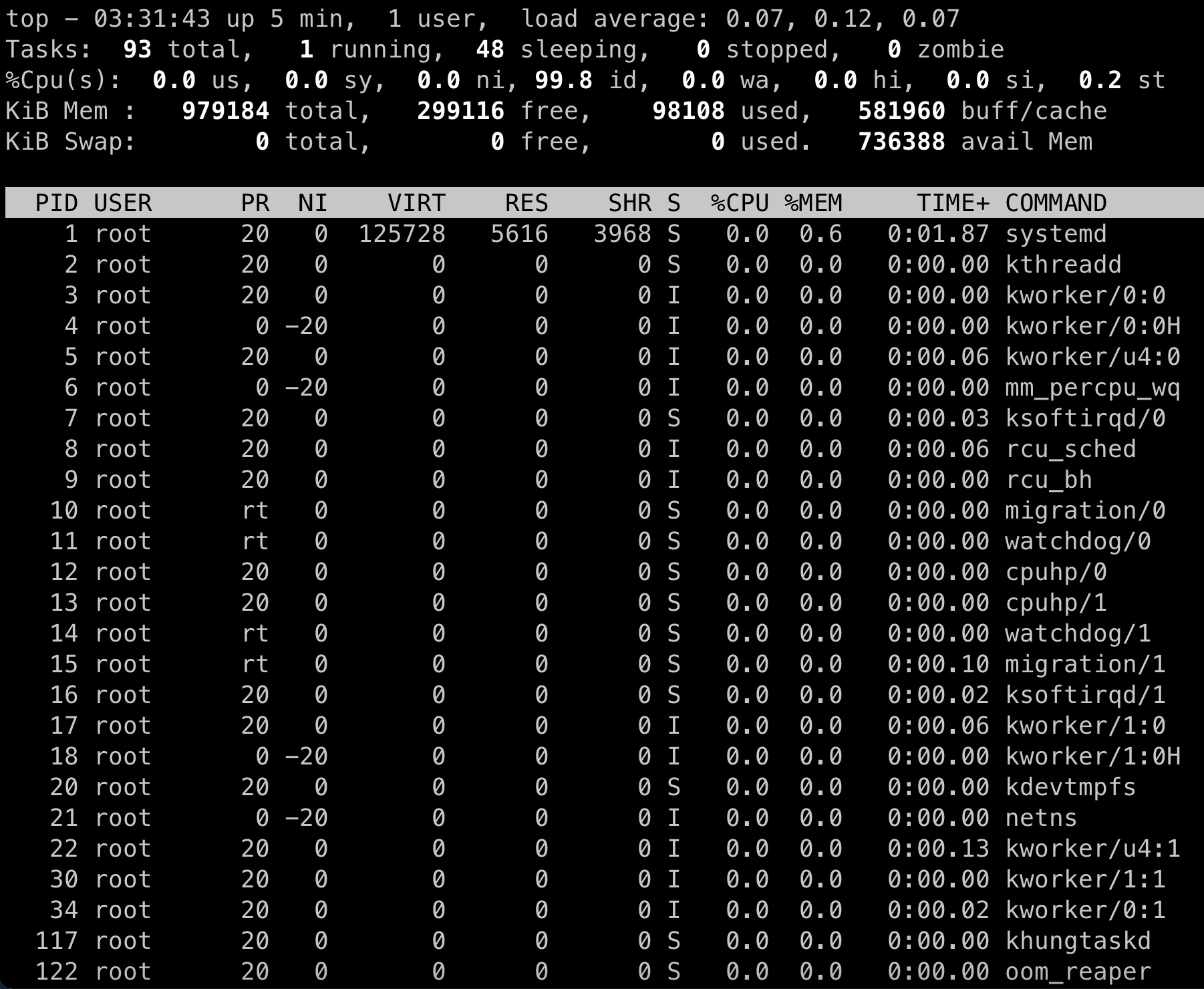
topThe top command is used to display the system performance and lists the processes and threads active in the system.
The output of the top command gave me the system performance and the following information: Total number of tasks, how many are running, how many are sleeping, how many are stopped, zombie state. It gave the percentage of CPU used, the KiB memory used, and KiB swap.
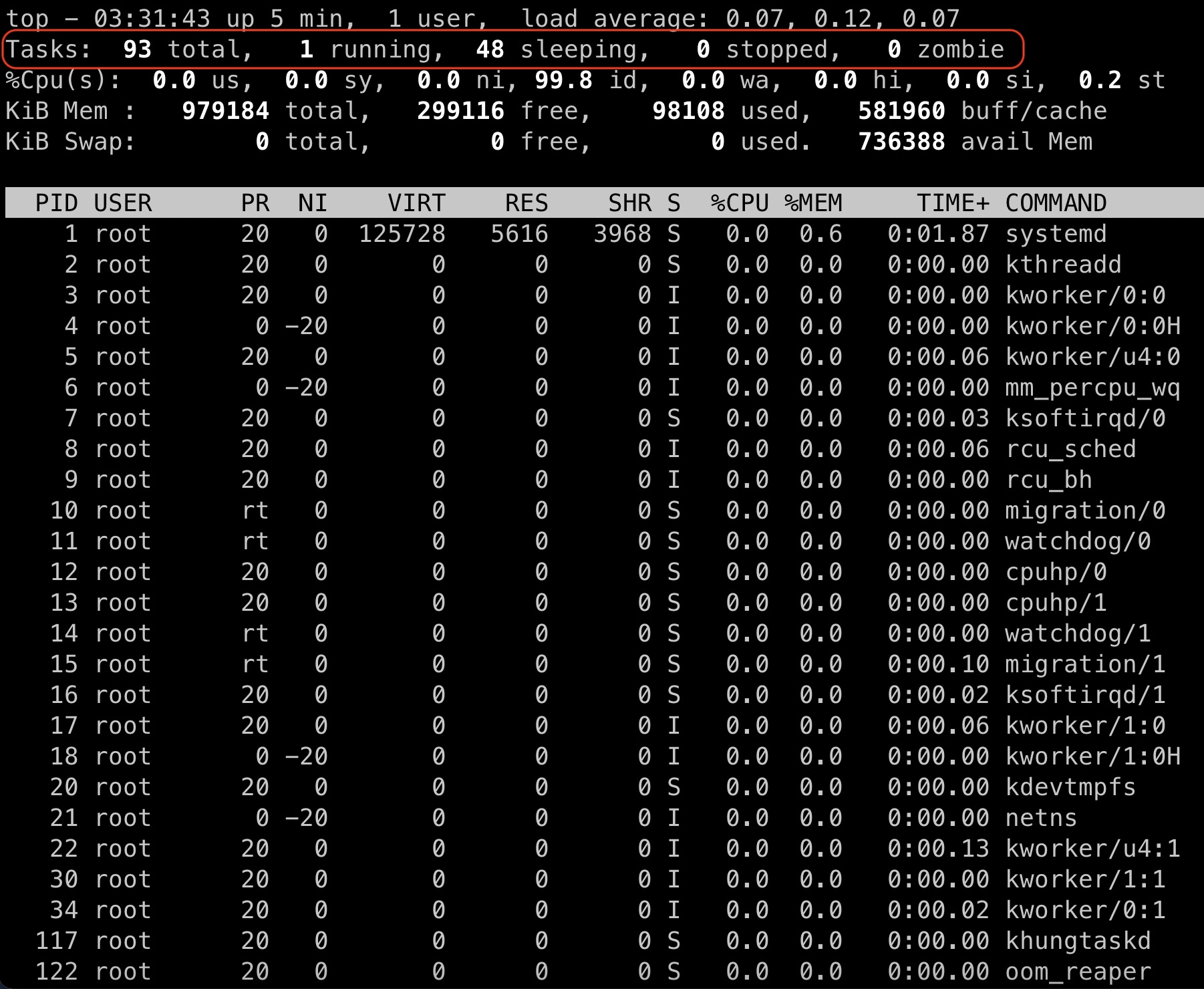
While observing the output of top, on the second line below the command top, I could see the Tasks (outlined in red). Tasks in top either have a running, sleep, stopped or zombie state.
To quit top, I hit q and pressed ENTER.
I also ran top with the following options to find the usage and version information:
top -hvIn this task, I created a cron job that would create an audit file with ##### to cover all csv files.
I remembered that cron is a command that runs a task on a regular basis at a specified time. This command maintains the list of tasks to run in a crontab file, which I created in this task. I created a job that creates the audit file with ##### in order to cover all .csv files. When I entered the crontab -e command, I was taken to an editor where I then entered a list of steps of what the cron daemon would run. The crontab file includes six fields: minutes, hour, day of month (DOM), month (MON), day of Week (DOW), and command (CMD). These fields can also be denoted with asterisks. Once this command ran, I verified my work.
To validate that I was in the /home/ec2-user/companyA folder, I entered:
pwdTo create a cron job that creates the audit file with ##### to cover all .csv files, I entered:
sudo crontab -eThen I pressed i to enter insert mode, and pressed Enter.
For the first line, I entered:
SHELL=/bin/bashFor the second line, I entered:
PATH=/usr/bin:/bin:/usr/local/binFor the third line, I entered:
MAILTO=rootFor the last line, I entered:
0 * * * * ls -la $(find .) | sed -e 's/..csv/#####.csv/g' > /home/ec2-user/companyA/SharedFolders/filteredAudit.csvTo save and close the file, I pressed ESC. Then entered :wq and pressed Enter.
To validate my work, I entered:
sudo crontab -lI inspected the crontab file to ensure that it matched the text exactly as shown in the output.
Output of current processes running on machine
Output of top command
Running tasks