Project Overview
In this project, I aimed to create an AWS Lambda function that processes
text files uploaded to an S3 bucket, counts the number of words in each
file, and sends the word count result to an SNS topic, which then
notifies us via email.
Objectives:
-
Create an S3 bucket and configure it to trigger a Lambda function upon
file upload.
-
Develop the Lambda function to count the words in the uploaded file.
-
Set up an SNS topic and an email subscription to receive
notifications.
- Troubleshoot any issues encountered during the setup.
Implementation Steps
Step 1: Create an S3 Bucket
-
Navigate to the AWS S3 Console: Open the AWS Management Console and
select S3 from the Services menu.
-
Create a New Bucket: Click on the Create bucket button, provide a
unique bucket name (e.g., word-count-bucket-as), choose a region, and
then click Create bucket.
Step 2: Create an SNS Topic and Subscription
-
Navigate to the AWS SNS Console: Open the AWS Management Console and
select SNS from the Services menu.
-
Create a Topic: Click on the Create topic button, choose Standard,
provide a topic name (e.g., WordCountTopic), and click Create topic.
-
Create a Subscription: Click on the Create subscription button, select
Email as the protocol, enter your email address as the endpoint, and
click Create subscription. Confirm the subscription via the
confirmation email sent to your inbox.
Step 3: Develop the Lambda Function
-
Navigate to the AWS Lambda Console: Open the AWS Management Console
and select Lambda from the Services menu.
-
Create a New Function: Click on the Create function button, choose
Author from scratch, provide a function name (e.g.,
WordCountFunction), select Python 3.8 as the runtime, choose an
existing role with necessary permissions (e.g., LambdaAccessRole), and
click Create function.
- Update the Function Code:
Replace the default code with the following:
import json
import boto3
import logging
import urllib.parse

# Set up logging
logger = logging.getLogger()
logger.setLevel(logging.INFO)

def lambda_handler(event, context):
    logger.info('Event: %s', json.dumps(event))

    s3 = boto3.client('s3')
    sns = boto3.client('sns')

    try:
        # Get the bucket name and file name from the event
        bucket_name = event['Records'][0]['s3']['bucket']['name']
        file_name = event['Records'][0]['s3']['object']['key']

        # URL decode the file name
        file_name = urllib.parse.unquote_plus(file_name)

        logger.info('Bucket name: %s', bucket_name)
        logger.info('File name: %s', file_name)

        # Retrieve the file content from S3
        file_content = s3.get_object(Bucket=bucket_name, Key=file_name)['Body'].read().decode('utf-8')

        # Count the number of words in the file
        word_count = len(file_content.split())

        logger.info('Word count: %d', word_count)

        # Prepare the result message
        result_message = f"The word count in the {file_name} file is {word_count}."

        # Publish the result message to the SNS topic
        sns_topic_arn = 'arn:aws:sns:us-west-2:671579200908:WordCountTopic'
        sns.publish(TopicArn=sns_topic_arn, Message=result_message, Subject='Word Count Result')

        logger.info('Result message: %s', result_message)

        return {
            'statusCode': 200,
            'body': json.dumps(result_message)
        }
    except Exception as e:
        logger.error("Error processing file: %s", e)
        raise e
Deploy the Function: Click the Deploy button to save and apply the
changes.
Step 4: Configure S3 Event Notification
-
Navigate to the S3 Console: Open the S3 console and select your bucket
(word-count-bucket-as).
-
Set Up Event Notification:
- Go to the Properties tab.
-
Scroll down to the Event notifications section and click Create
event notification.
-
Provide an event name (e.g., WordCountEvent), select All object
create events, specify the suffix .txt, choose Lambda function as
the destination, and select the WordCountFunction.
Step 5: Troubleshooting and Issue Resolution
Despite following the above steps, I encountered some issues that
required troubleshooting:
Older Version of Python Installed:
-
Issue: Initially, I had an older version of Python (3.1.4) installed
locally, which led to compatibility issues with AWS Lambda.
-
Resolution: I updated the Lambda function code to use a more recent
version of Python (3.8) to ensure compatibility with AWS Lambda and
its libraries.
NoSuchKey Error:
-
Issue: The Lambda function was timing out and logging a NoSuchKey
error, indicating that the specified key (file name) did not exist.
-
Resolution: The file name had spaces that were being URL-encoded as +
or %20 in the S3 event. I updated the Lambda function code to handle
URL-decoding using urllib.parse.unquote_plus(file_name). This resolved
the issue.
Lambda Function Timeout:
- Issue: The Lambda function was timing out during execution.
-
Resolution: I increased the function timeout to 5 minutes (0 minutes 5
seconds) in the General configuration section of the Lambda function
settings.
Subscription Confirmation:
- Issue: I did not initially receive the SNS notifications.
-
Resolution: I ensured that the email subscription to the SNS topic was
confirmed by clicking the confirmation link in the email.
Successful Execution
After making these adjustments and deploying the updated Lambda function
code, I uploaded a sample text file to the S3 bucket and successfully
received the word count email notification from SNS.
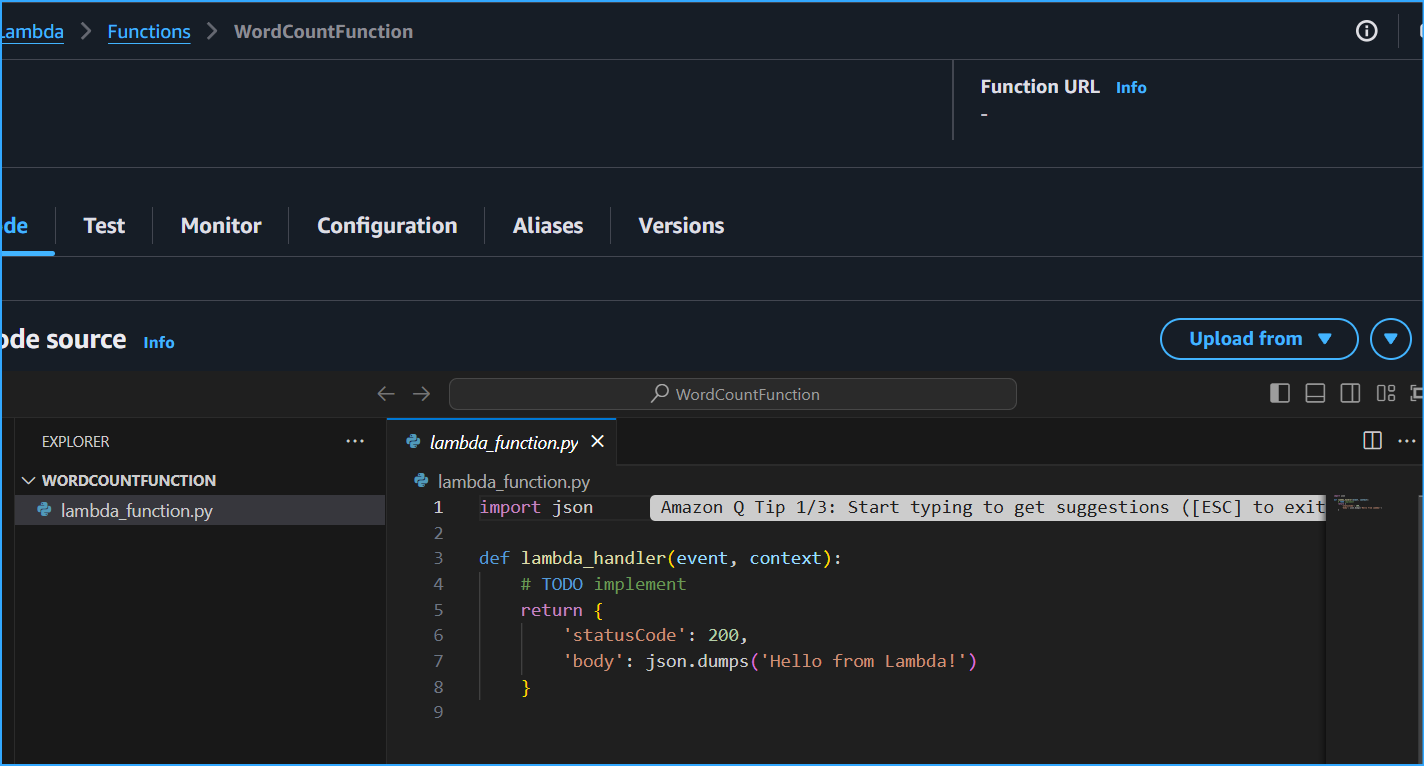 Sample Code That Will Be Replaced
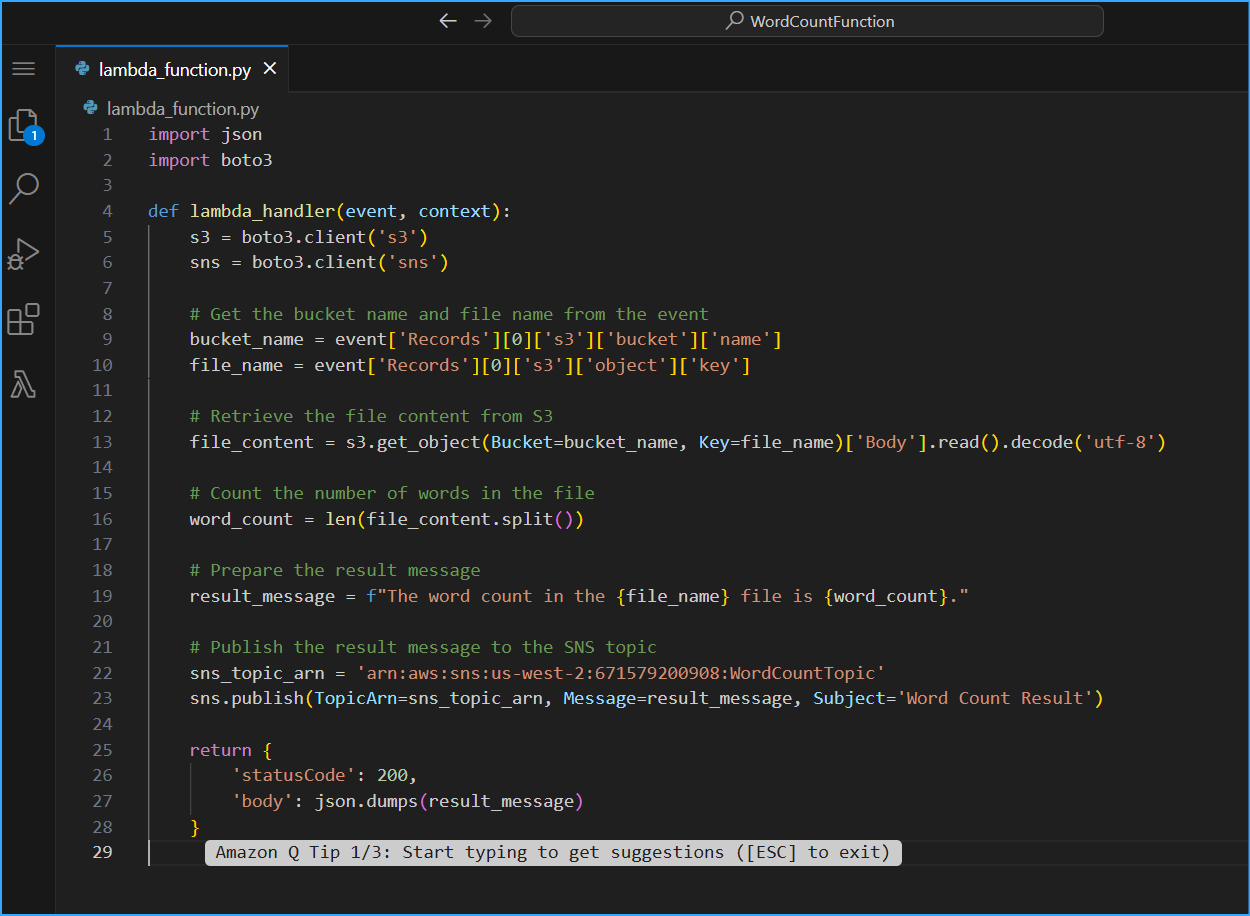 Created Lambda Function With This Python Code But Had To Update It When Troubleshooting
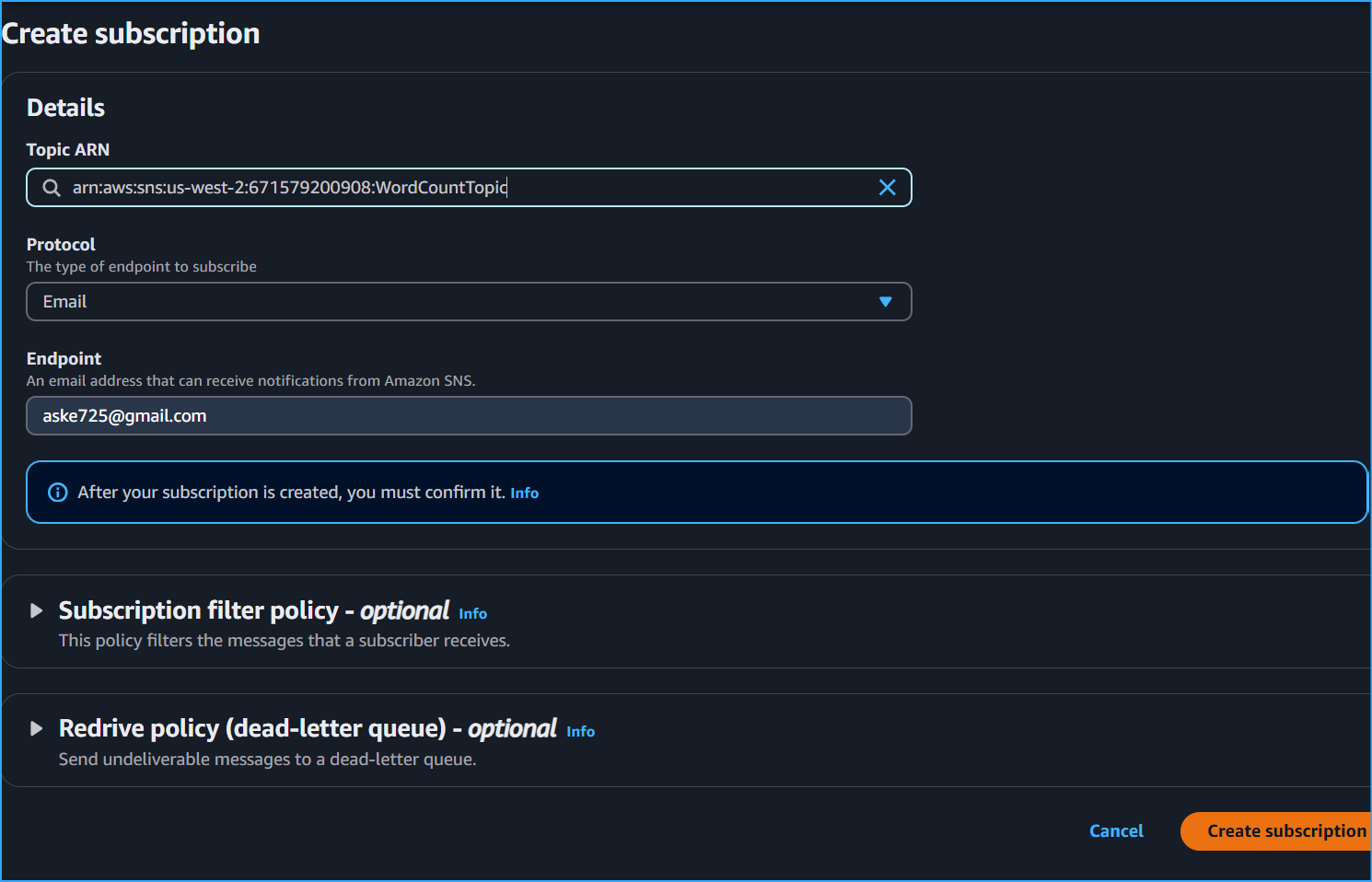 Created Email SNS Sub To Word Count
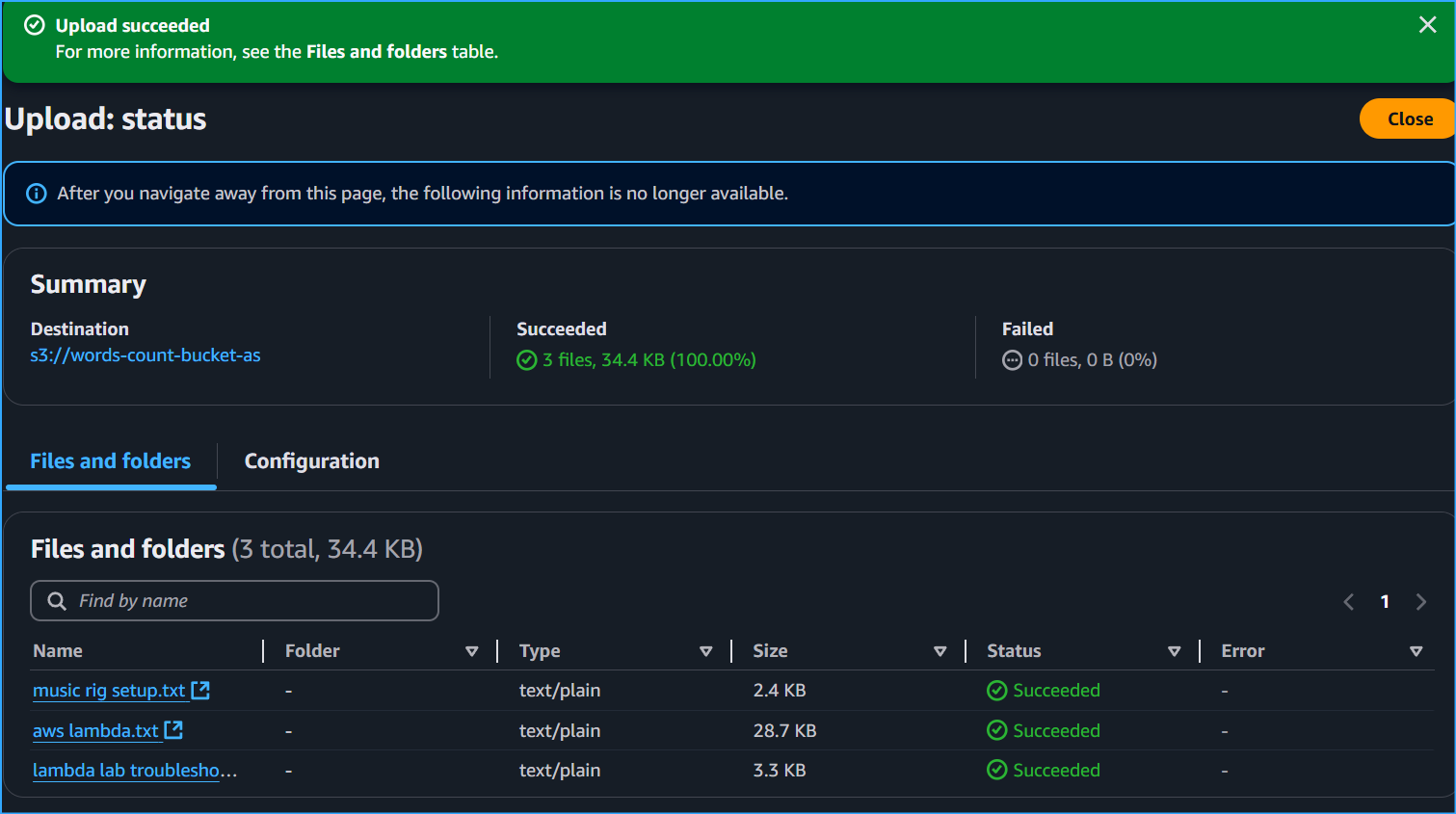 Uploaded Different TXT Files For Word Count Results
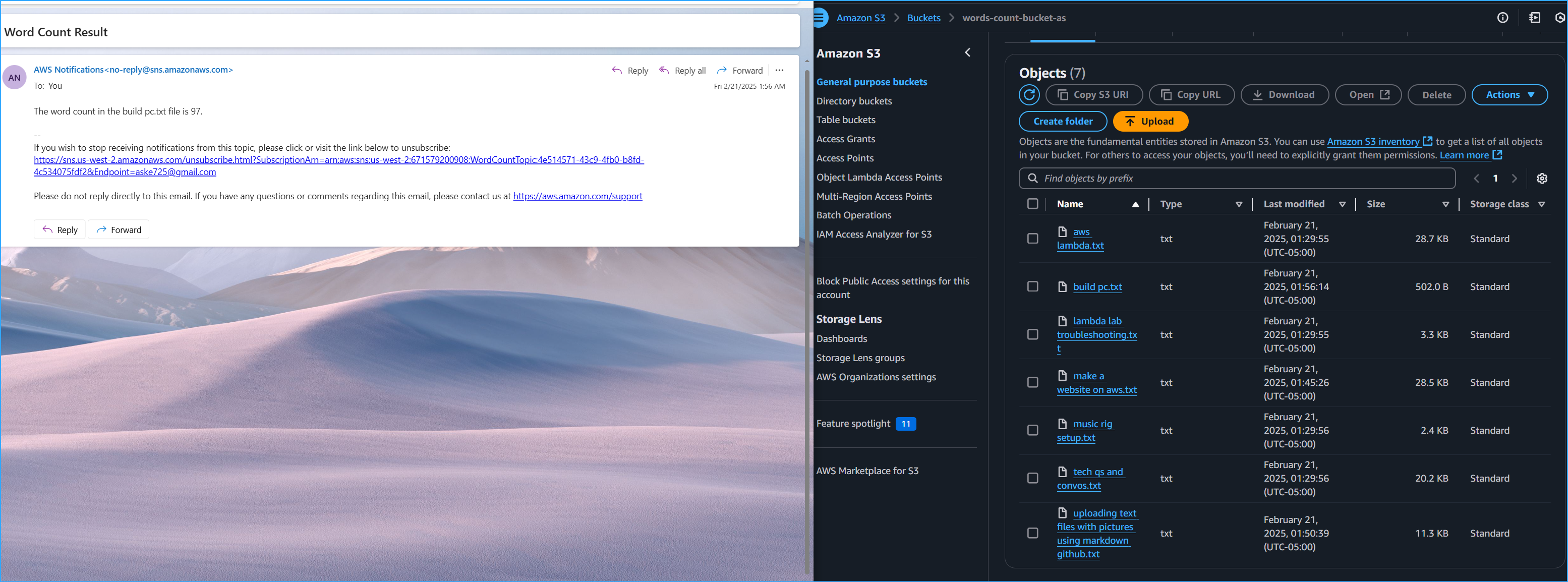 Word Count Successful Email For BuildPC TXT After Troubleshooting