Working with AWS Lambda: Building a Serverless Sales Analysis System
Project Overview
In this documentation, I'll walk through implementing a serverless computing solution using AWS Lambda. The system automatically generates daily sales analysis reports by extracting data from a MySQL database and delivering results via email. What makes this solution particularly interesting is how it combines several AWS services including Parameter Store for secure database credentials, CloudWatch Events for scheduling, and SNS for notifications.
System Architecture
The solution follows this workflow:
- CloudWatch Events triggers the main Lambda function daily at 8 PM (Monday-Saturday)
- The primary function calls a secondary Lambda function for data extraction
- Database queries run against a MySQL instance on EC2
- Results are formatted and published to an SNS topic
- Subscribers receive the report via email
Initial Setup: IAM Roles and Permissions
My first task was setting up the correct IAM roles. This serverless solution requires two distinct roles:
Main Report Function Role (salesAnalysisReportRole)
- AmazonSNSFullAccess - For publishing reports
- AmazonSSMReadOnlyAccess - For accessing database credentials
- AWSLambdaBasicRunRole - For CloudWatch logs access
- AWSLambdaRole - For invoking other Lambda functions
Data Extractor Role (salesAnalysisReportDERole)
- AWSLambdaBasicRunRole - For CloudWatch logging
- AWSLambdaVPCAccessRunRole - For VPC connectivity to database
Creating the Lambda Layer
One crucial component was setting up a Lambda layer for the PyMySQL library. Here's how I implemented it:
mkdir my_lambda_package
cd my_lambda_package
pip install pymysql -t .
Lambda Layer Configuration
- Name: pymysqlLibrary
- Description: PyMySQL library modules
- Runtime: Python 3.9
- Upload pymysql-v3.zip file
- Set compatible runtimes
The layer structure is critical - I ensured the Python libraries were properly organized in the deployment package.
Implementing the Data Extractor Function
Next, I created the data extraction function that would interface with our MySQL database:
Function Configuration
- Runtime: Python 3.9
- Handler: salesAnalysisReportDataExtractor.lambda_handler
- Role: salesAnalysisReportDERole
- Layer: pymysqlLibrary
VPC Configuration
VPC: Cafe VPC
Subnet: Cafe Public Subnet 1
Security Group: CafeSecurityGroup
Parameter Store Configuration and Access
Before implementing the Lambda functions, I needed to properly access the database credentials from Parameter Store:
Essential Parameters
- /cafe/dbUrl - Database endpoint
- /cafe/dbName - Database name
- /cafe/dbUser - Database username
- /cafe/dbPassword - Database password
{
"dbUrl": "
",
"dbName": "",
"dbUser": "",
"dbPassword": ""
}
Setting Up SNS Notifications
To deliver the reports, I configured an SNS topic and subscription:
Topic Configuration
Name: salesAnalysisReportTopic
Display name: SARTopic
Type: Standard
Email Subscription Setup
- Protocol: Email
- Requires confirmation via email link
- Status changes from 'Pending' to 'Confirmed'
Main Report Function Implementation
The main salesAnalysisReport function orchestrates the entire process:
AWS CLI Deployment
aws lambda create-function \
--function-name salesAnalysisReport \
--runtime python3.9 \
--zip-file fileb://salesAnalysisReport-v2.zip \
--handler salesAnalysisReport.lambda_handler \
--region us-west-2 \
--role arn:aws:iam::ACCOUNT_ID:role/salesAnalysisReportRole
Environment Variables
Key: topicARN
Value: arn:aws:sns:region:account-id:salesAnalysisReportTopic
Schedule Configuration
I set up the CloudWatch Events trigger for automated execution:
Trigger Settings
- Rule name: salesAnalysisReportDailyTrigger
- Schedule: cron(0 20 ? * MON-SAT *)
- Timezone: UTC
The cron expression schedules the report for 8 PM UTC Monday through Saturday
Comprehensive Troubleshooting Guide
Initial Runtime.ImportModuleError Resolution
When first deploying the Lambda function, I encountered a Runtime.ImportModuleError indicating the pymysql module wasn't found. Here's how I resolved it:
1. Package Structure Setup
mkdir my_lambda_package
cd my_lambda_package
pip install pymysql -t .
2. Security Group Configuration
- Opened port 3306 for MySQL access
- Added inbound rules for Lambda function IP range
- Verified VPC endpoint configuration
3. Deployment Package Creation
copy path\to\your\salesAnalysisReportDataExtractor.py .
powershell Compress-Archive -Path .\* -DestinationPath ..\my_lambda_package.zip -Force
4. File Location Resolution
powershell Expand-Archive -Path .\salesAnalysisReportDataExtractor-v3.zip -DestinationPath .\extracted_files
copy C:\Users\Alex\Downloads\extracted_files\salesAnalysisReportDataExtractor.py C:\Users\Alex\my_lambda_package\salesAnalysisReportDataExtractor.py
Connection Timeout Issues
When facing timeout errors, I implemented these fixes:
- Increased Lambda function timeout in configuration
- Verified security group rules were correct
- Confirmed VPC subnet routing
- Added proper error handling in the code
{
"errorMessage": "2019-02-14T04:14:15.282Z ff0c3e8f-1985-44a3-8022-519f883c8412 Task timed out after 3.00 seconds"
}
CloudWatch Logs Analysis
I used CloudWatch logs to debug issues by checking:
- START lines - Function initiation
- END lines - Function completion
- REPORT lines - Performance metrics
- Custom log messages from the code
Layer Dependencies
Resolved layer issues by ensuring:
- Correct Python folder structure in layer zip
- Compatible runtime versions
- Proper layer attachment to function
- Correct import statements in code
Parameter Store Access
When dealing with Parameter Store access issues:
- Verified IAM permissions
- Checked parameter names and paths
- Confirmed parameter values were correct
- Added error handling for parameter retrieval
Database Connection Testing
{
"dbUrl": "
",
"dbName": "",
"dbUser": "",
"dbPassword": ""
}
SNS Topic Configuration
Fixed notification issues by:
- Verifying SNS topic ARN in environment variables
- Confirming subscription status
- Checking IAM permissions for SNS access
- Testing message formatting
Summary
- Successfully implemented a serverless report generation system
- Configured secure database access through Parameter Store
- Set up automated daily report delivery via SNS
- Implemented proper error handling and logging
- Created reusable Lambda layer for database connectivity
- Established automated scheduling through CloudWatch Events
- Resolved various deployment and configuration issues
- Implemented comprehensive error handling and logging
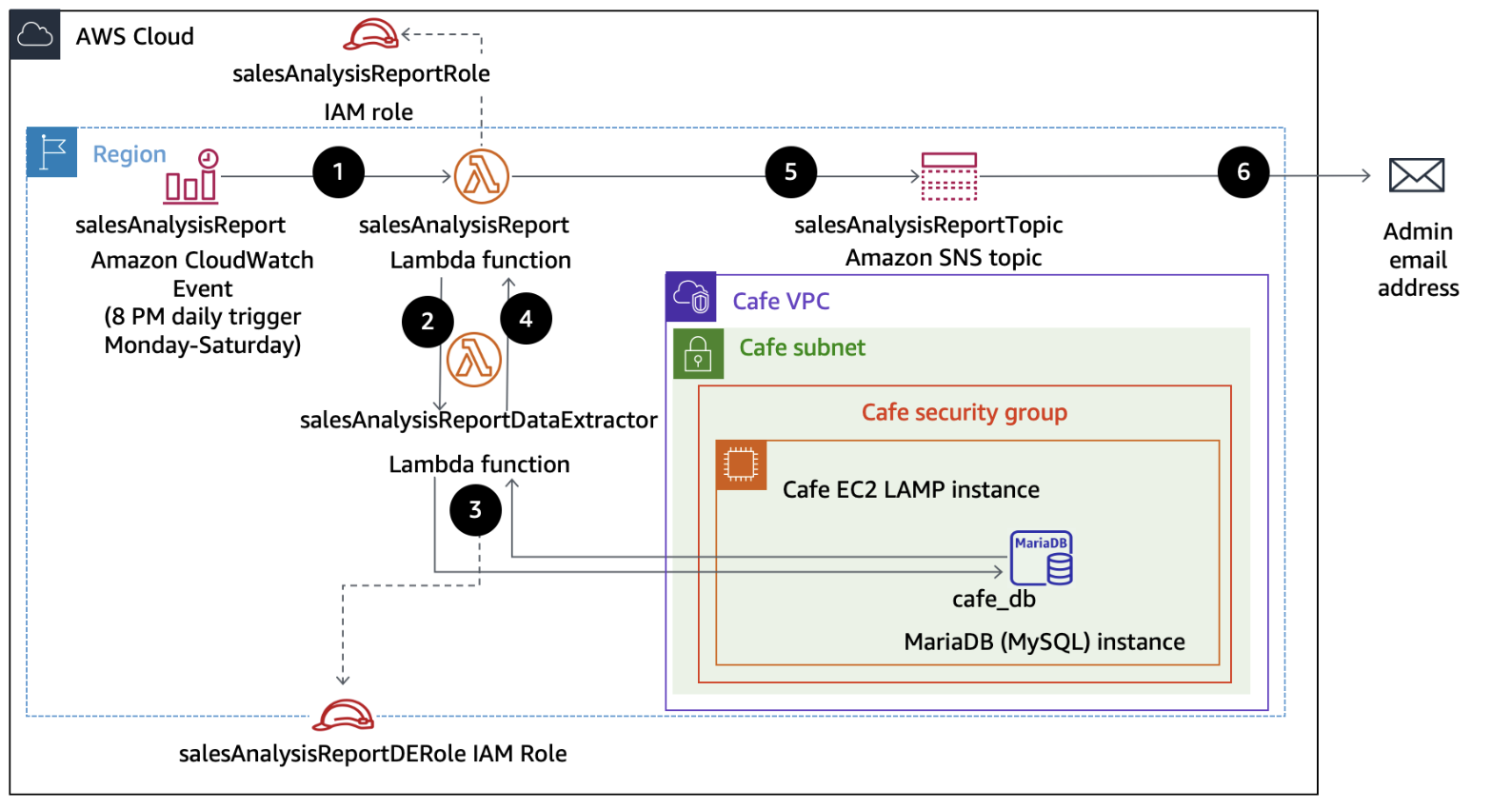 Lambda Activity Architecture
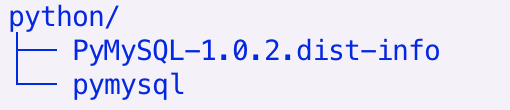 Layer Structure
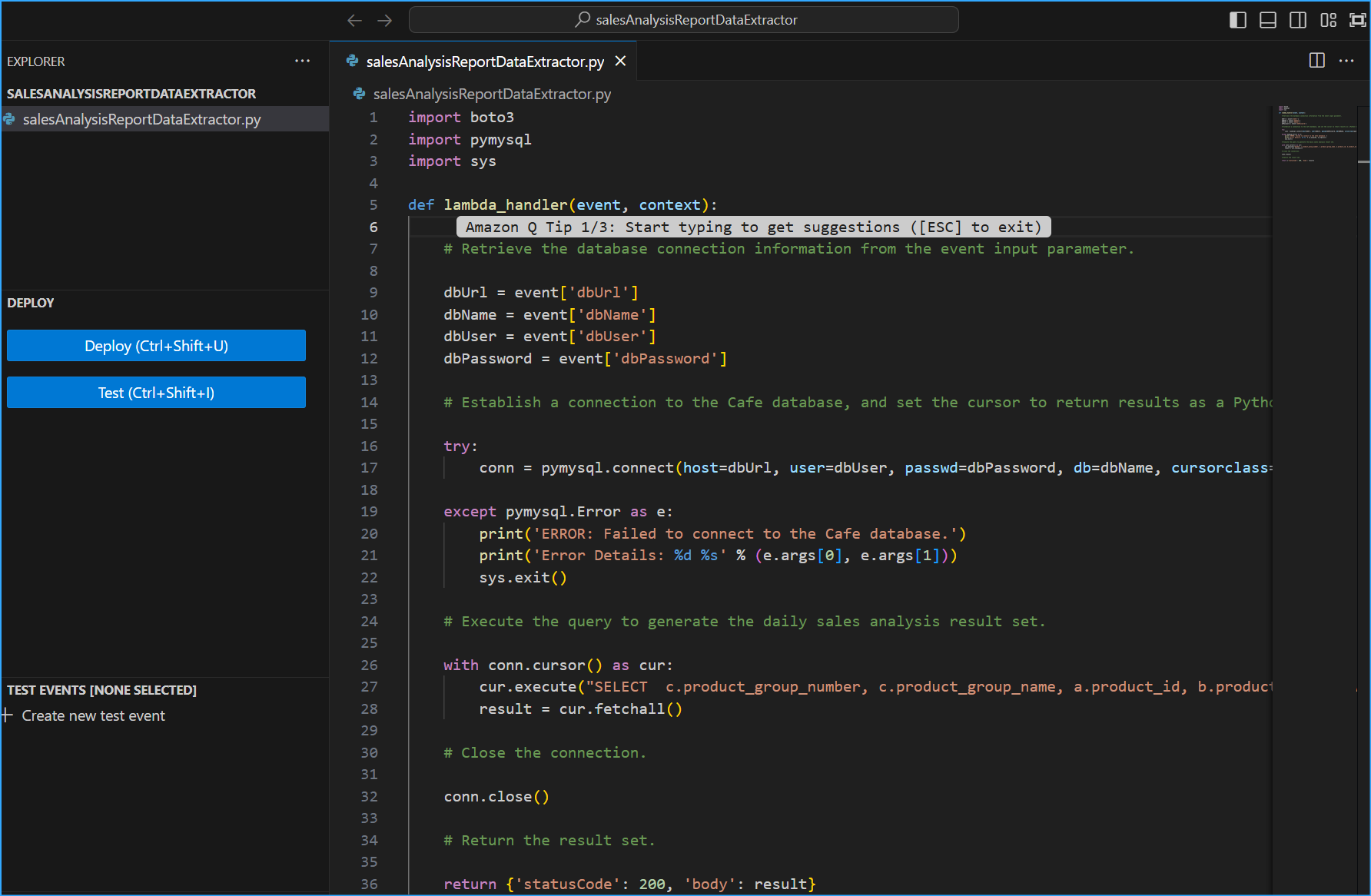 SalesAnalysisReportDataExtractor Code
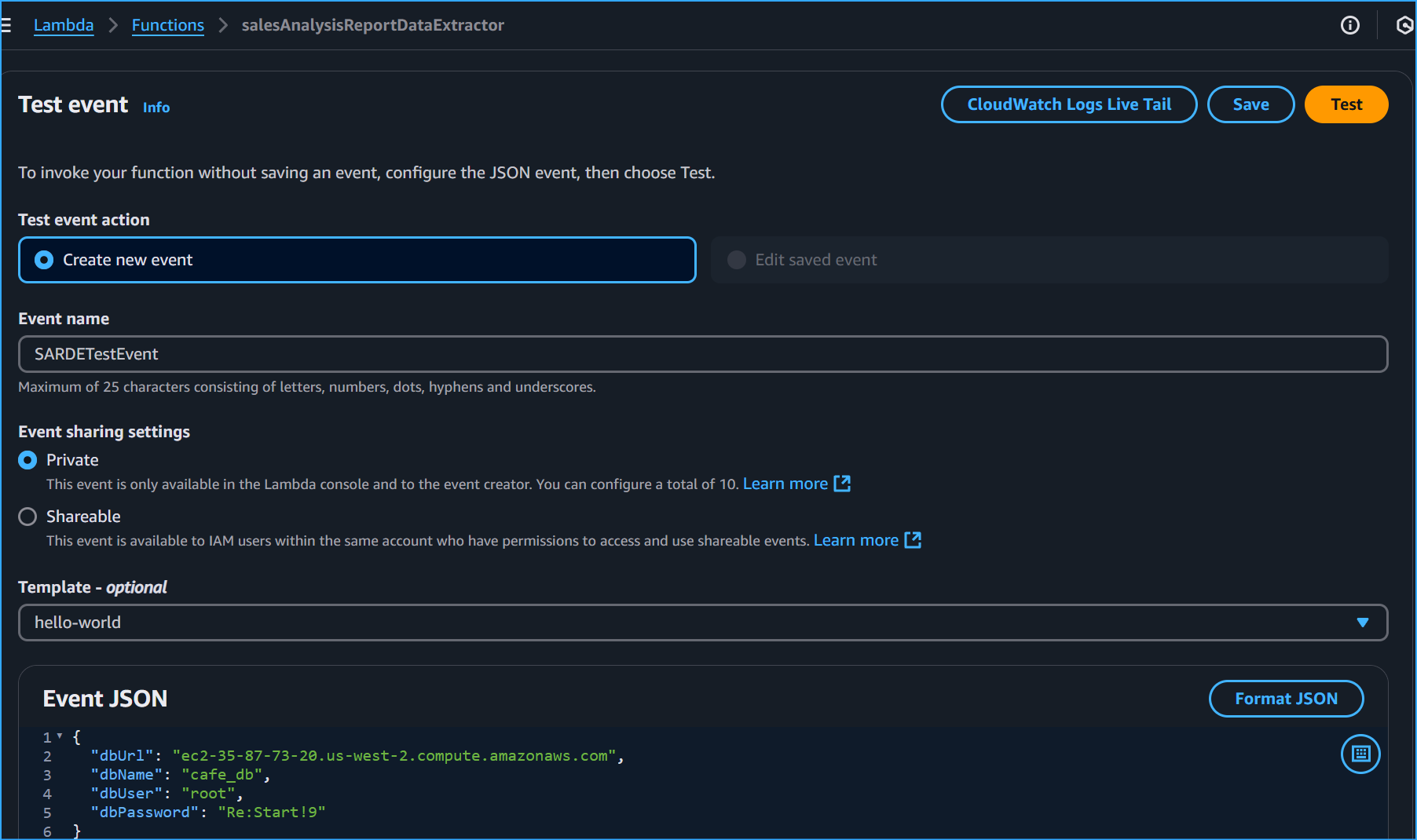 Create Test Event With These JSON Values Storing DB Parameters
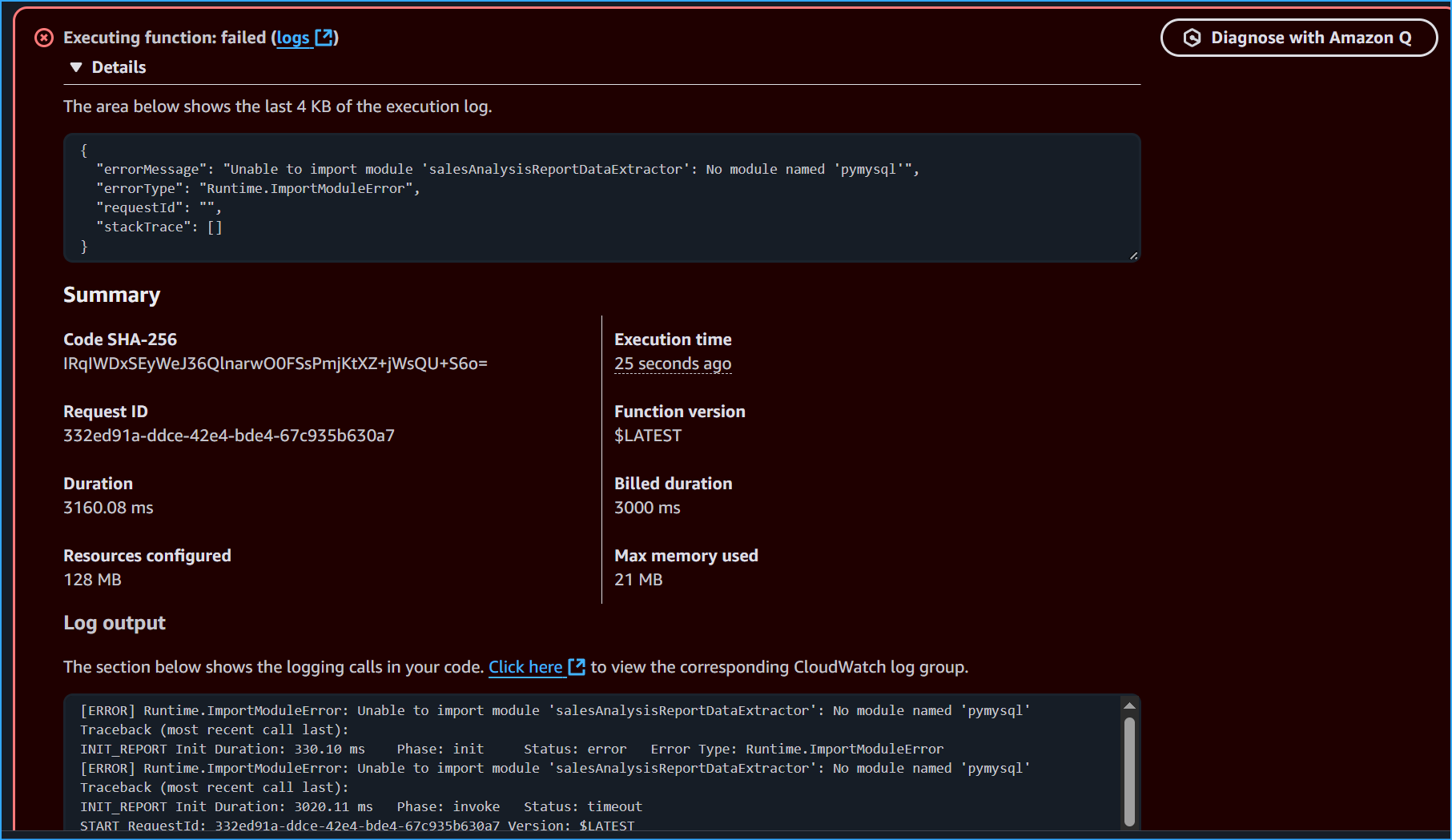 Error Occurs When Testing DB Parameters
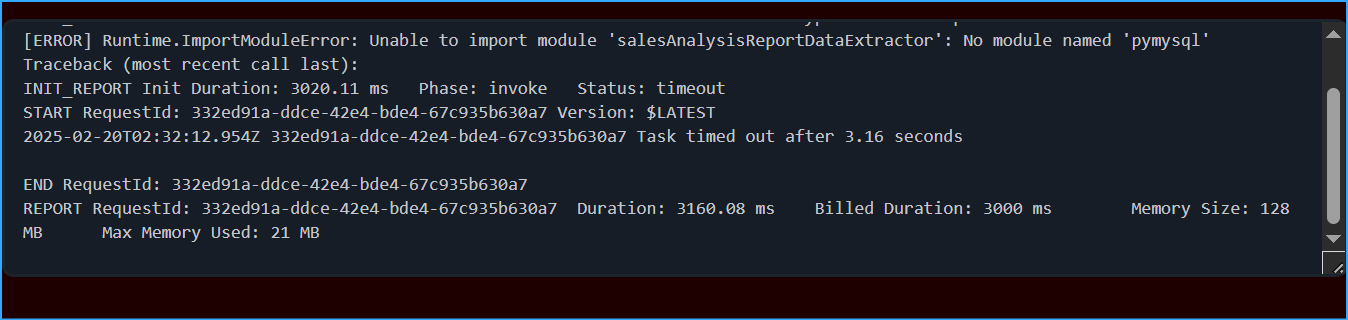 Started Timed Out After 3 Seconds Reported Summary
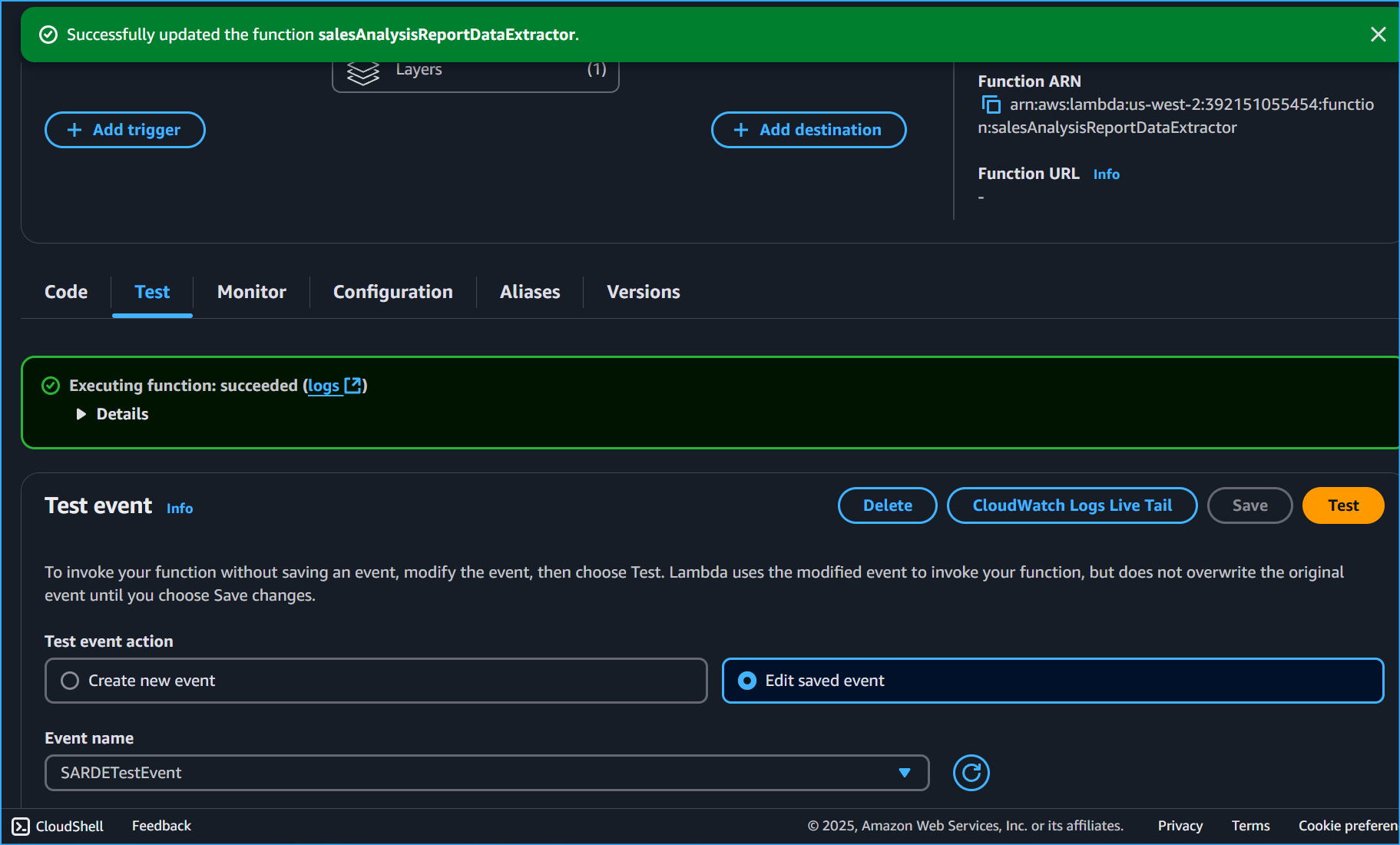 Executed Successfully
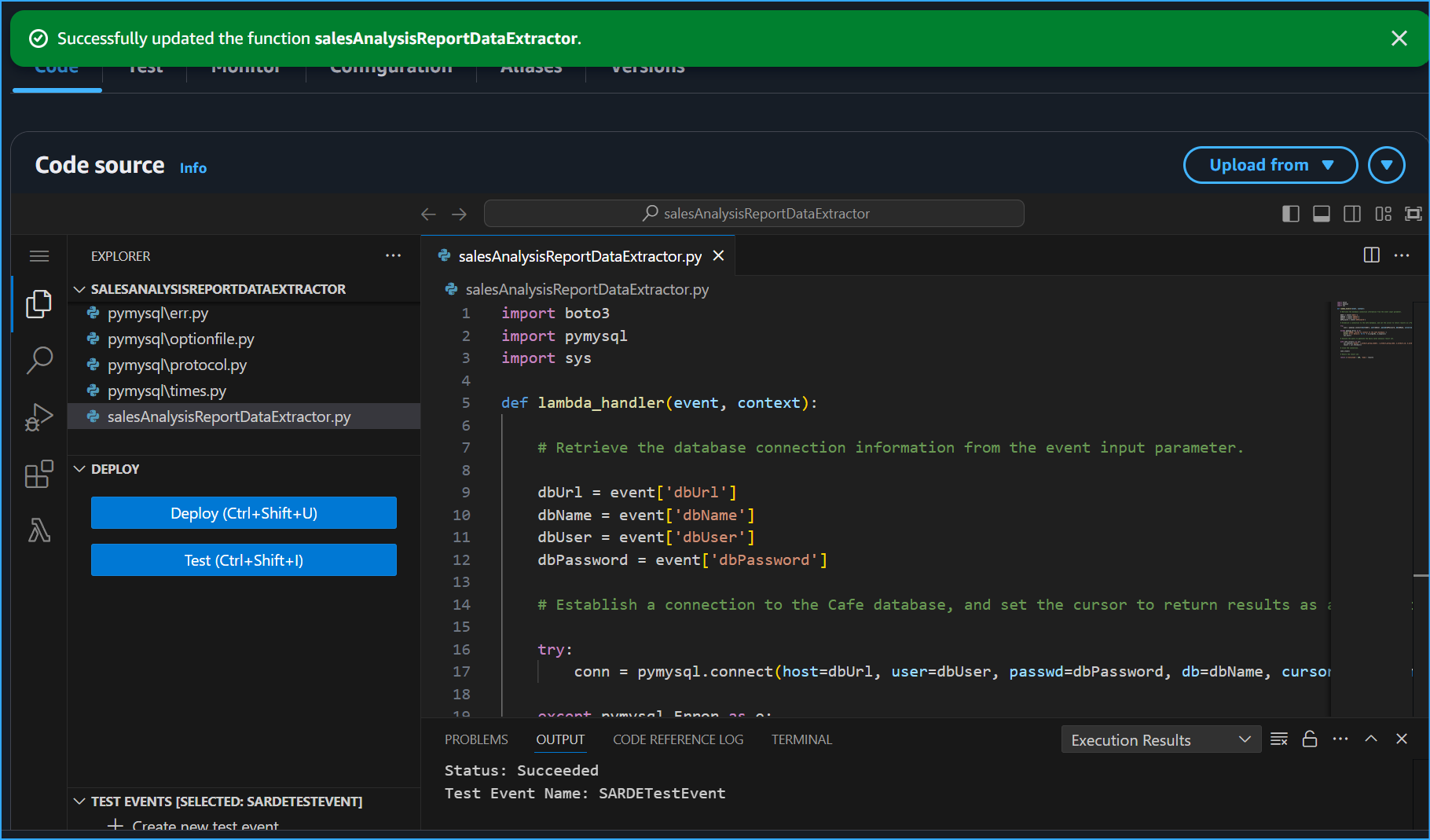 My Lambda Package Code After Fully Extracted And Successful Execution
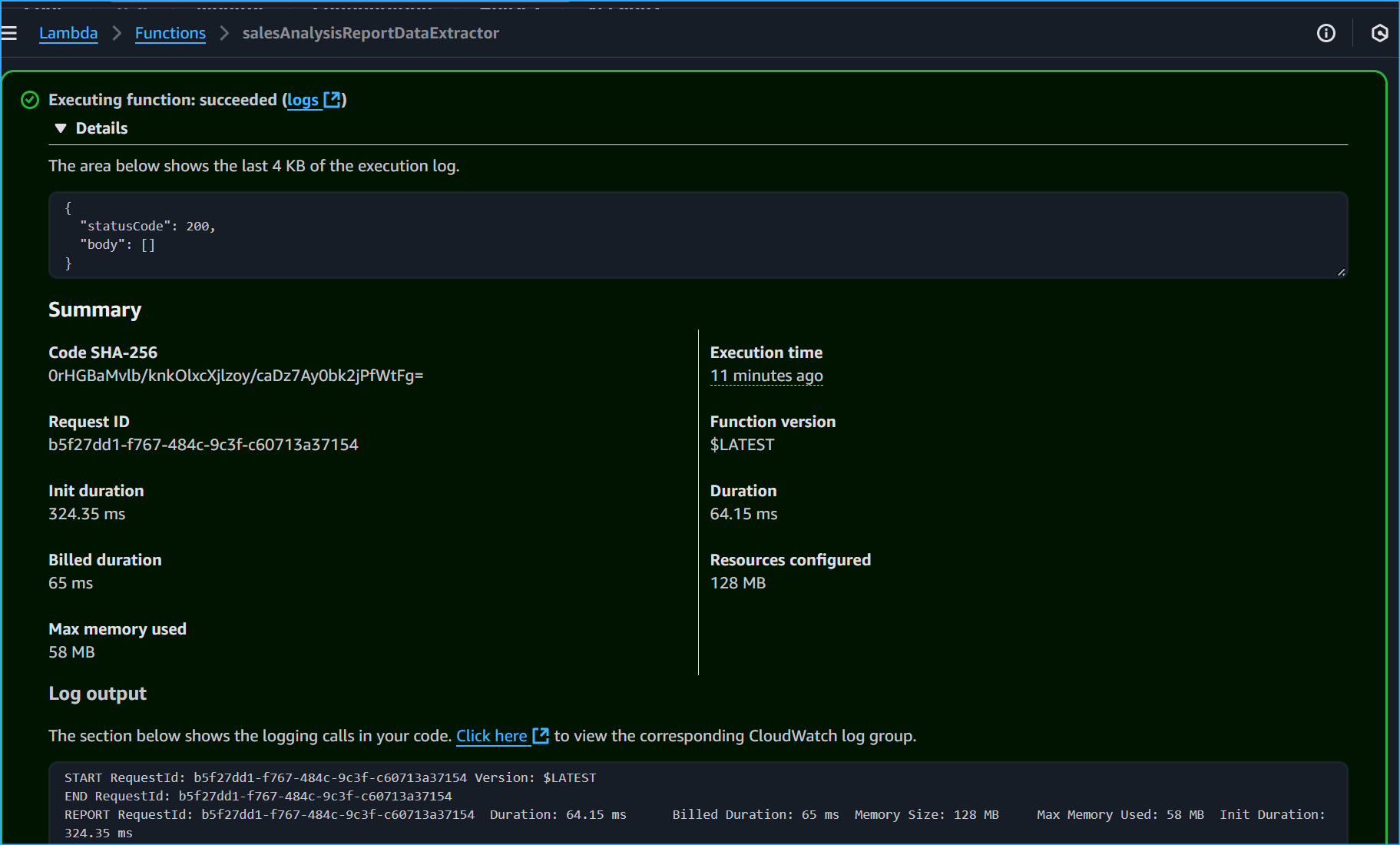 Successful Execution Log
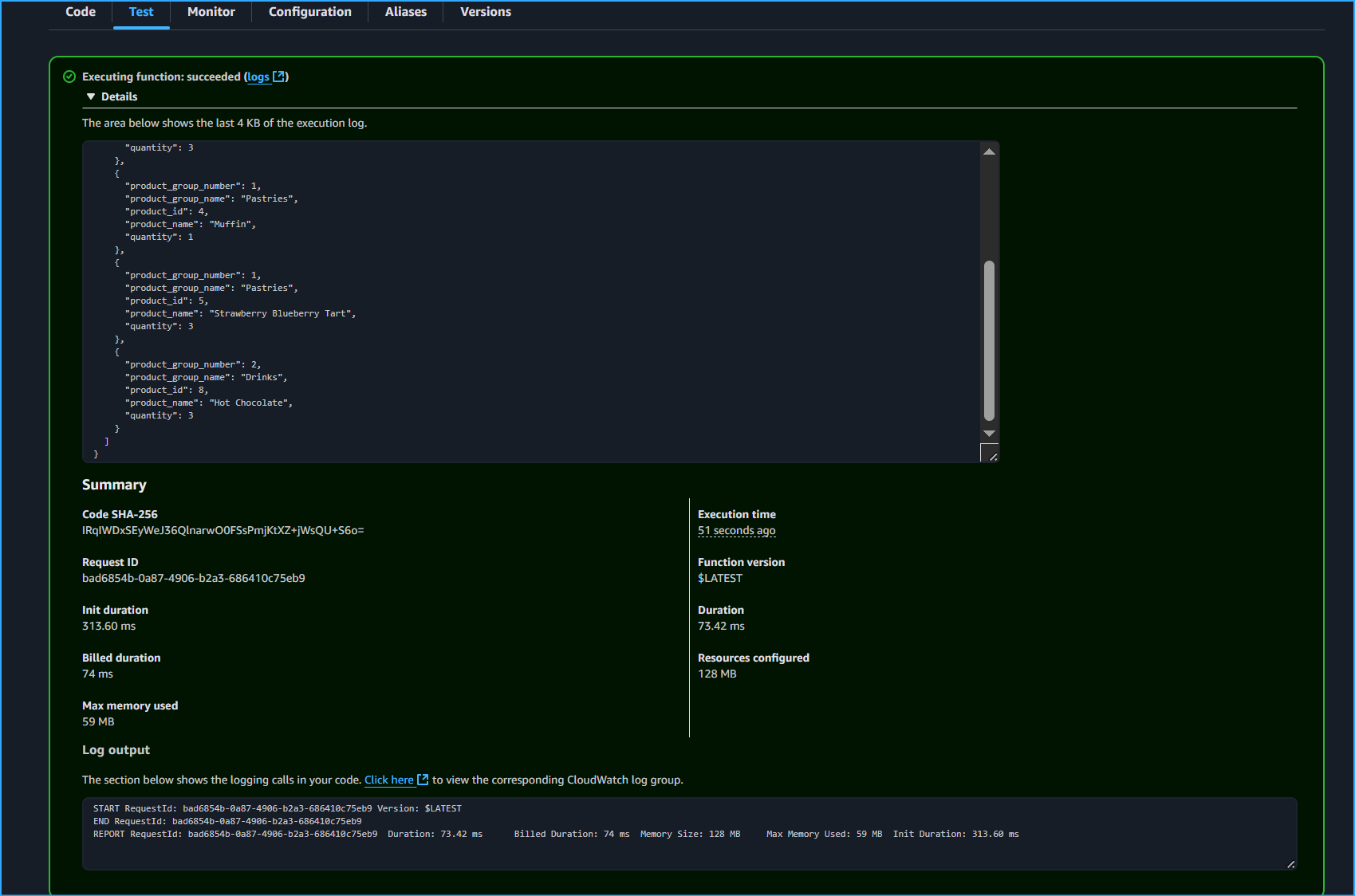 Menu Orders Logged
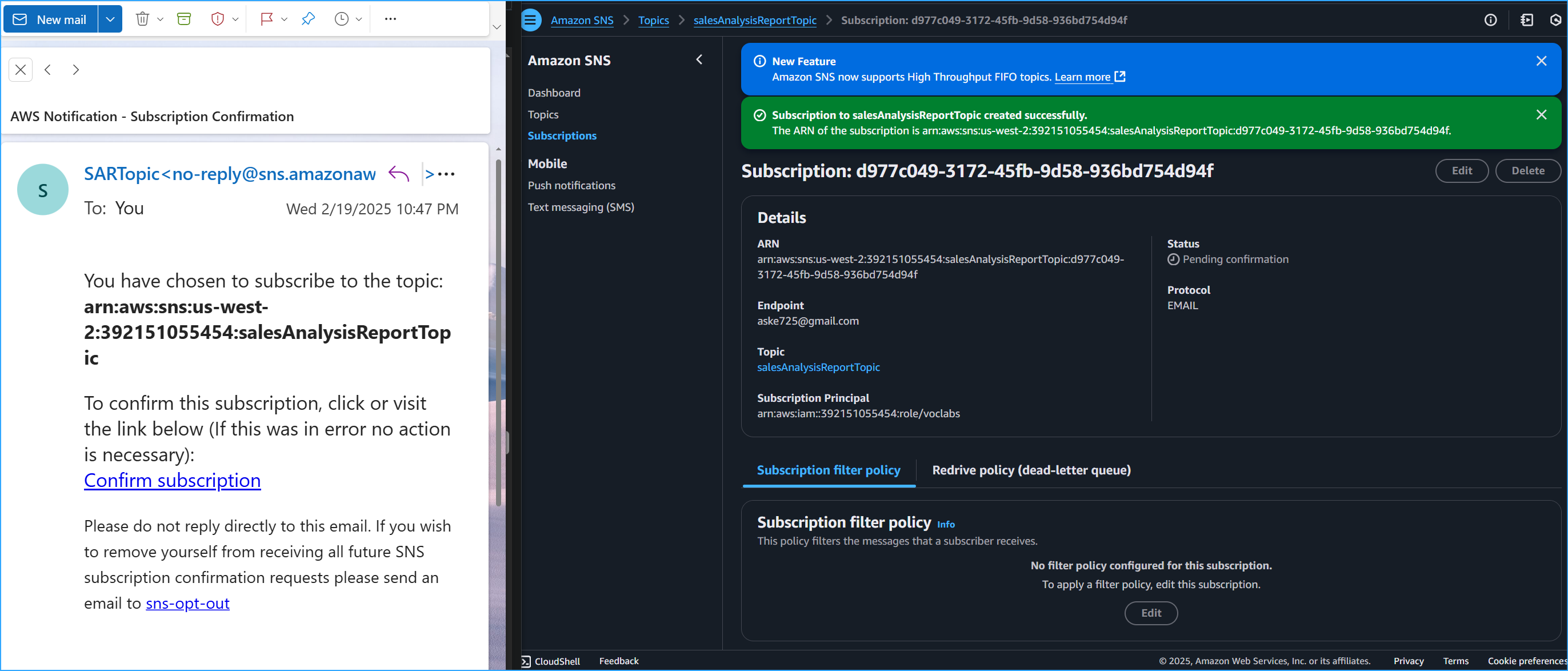 Subscribing To SNS Topic
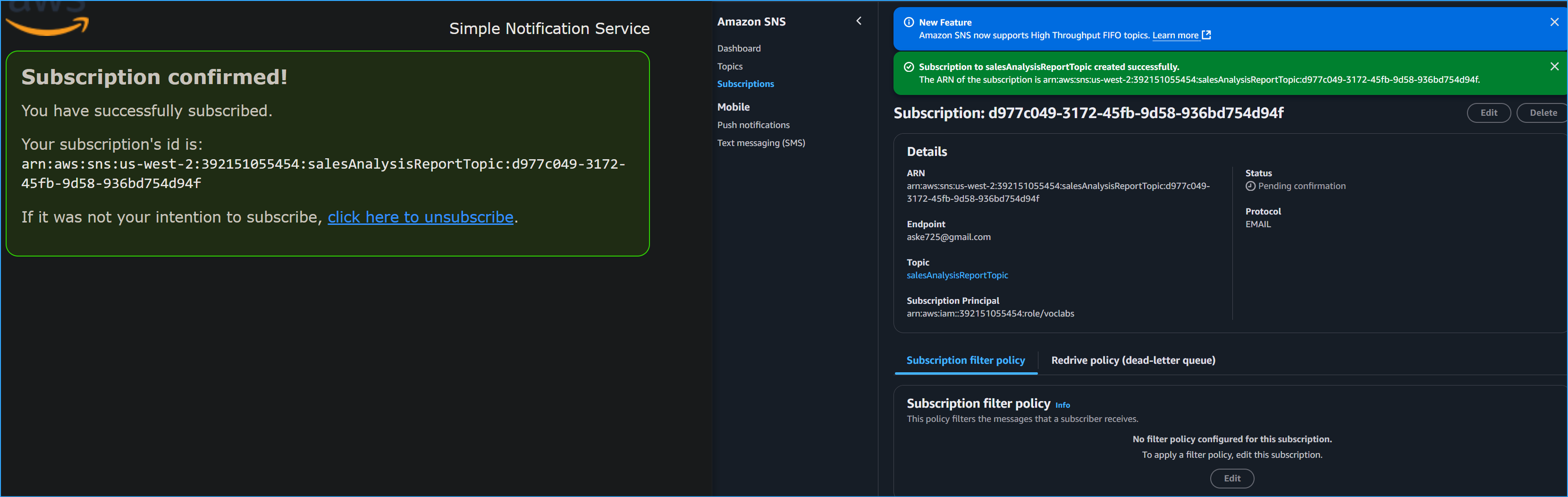 Subscription Confirmed
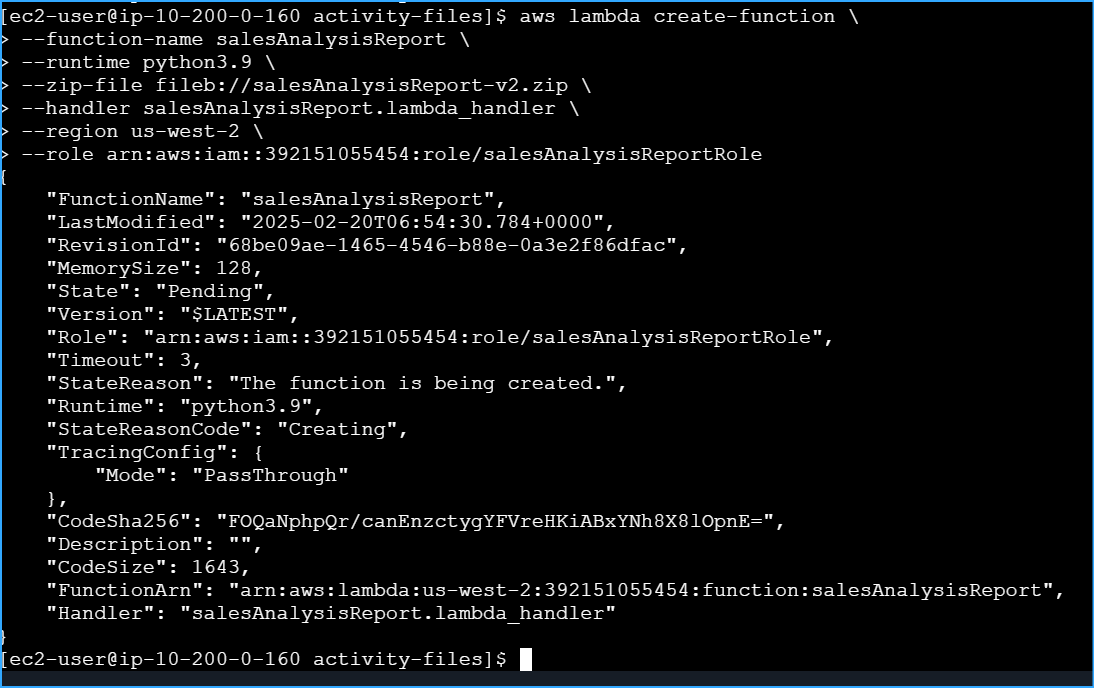 Use Lambda Create Function And Configured It To Use IAM Role
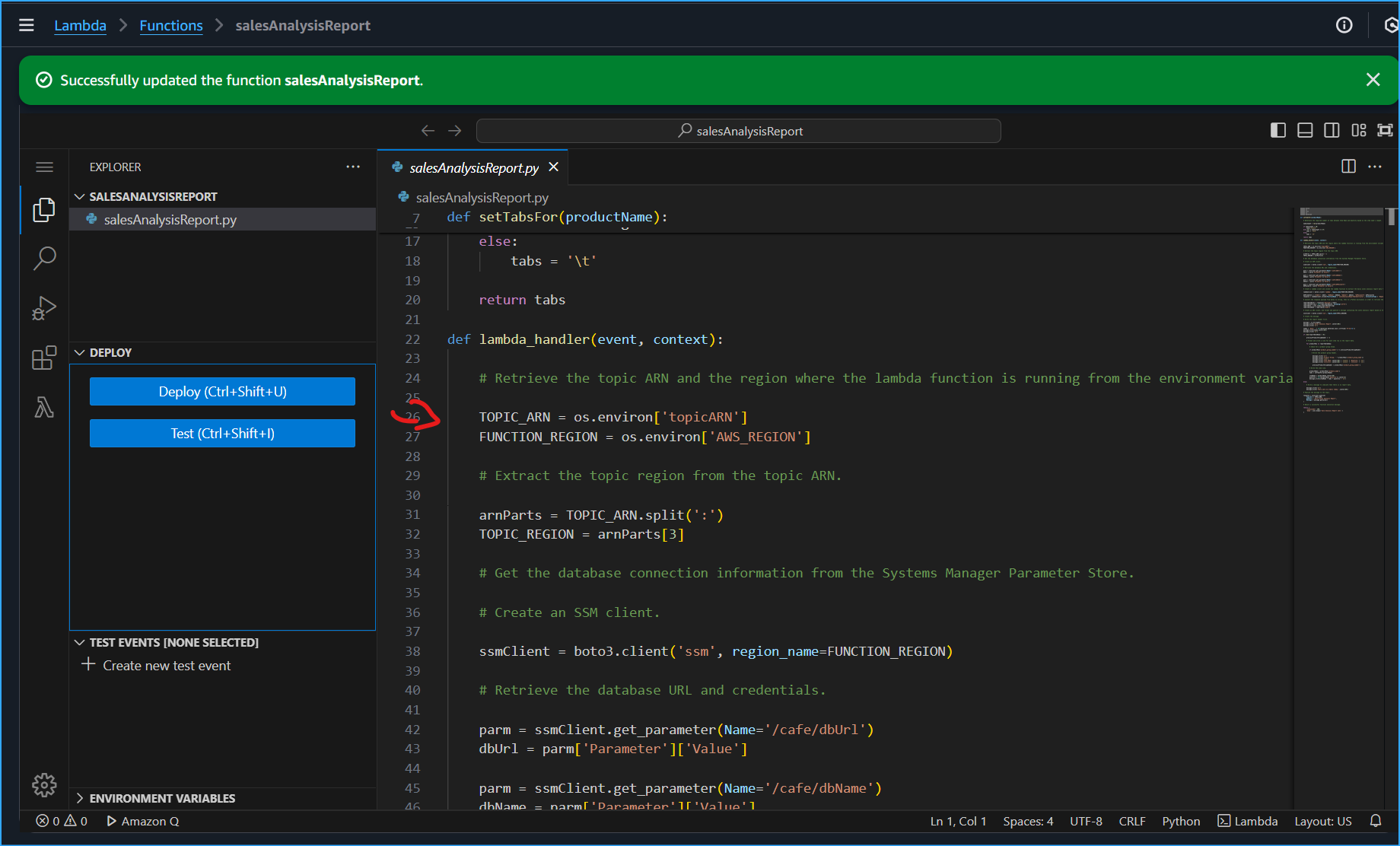 Line 26 Set Updated These Values With Values Of Environment Variables
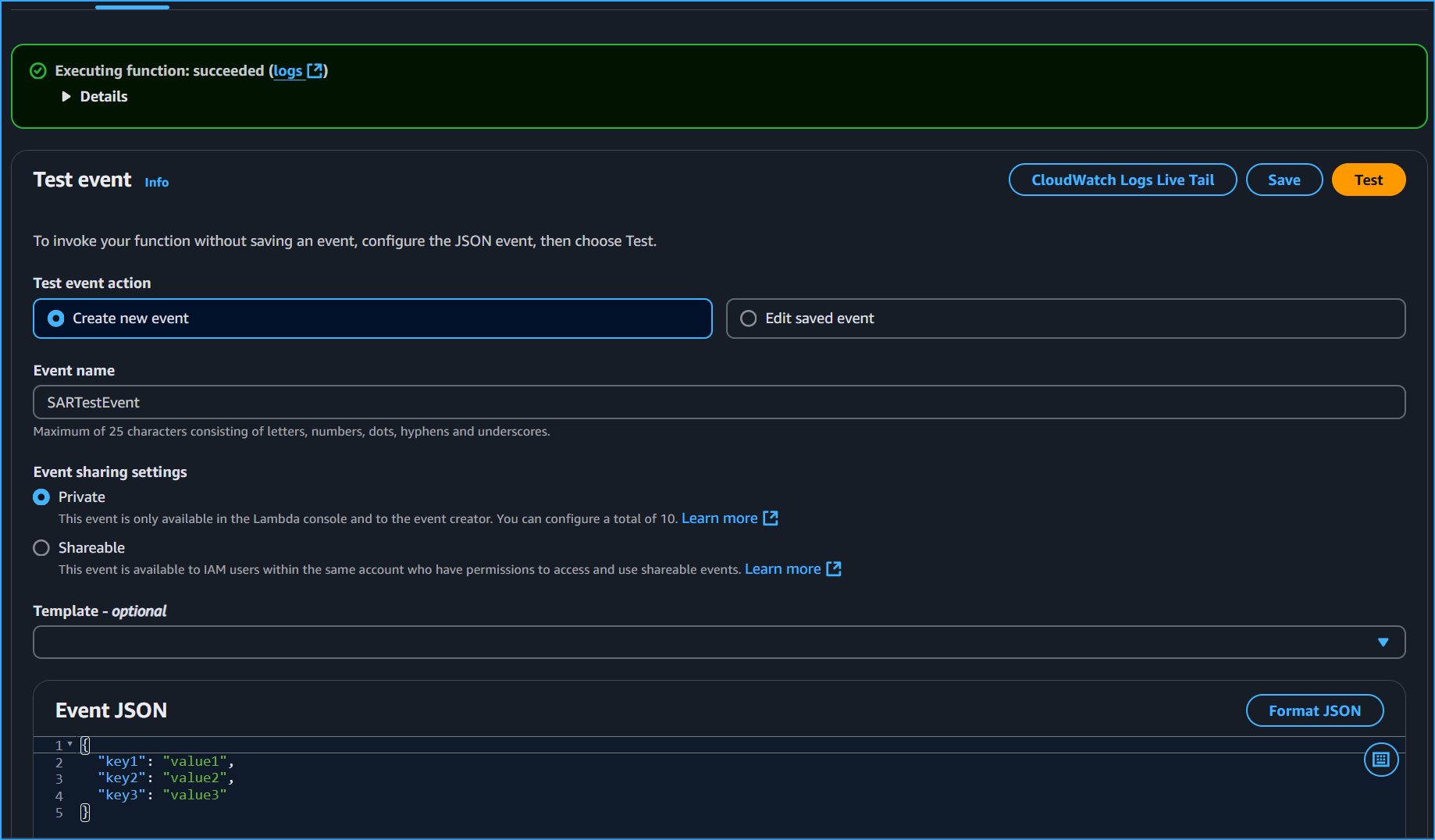 Testing SalesAnalysisReport Lambda Function
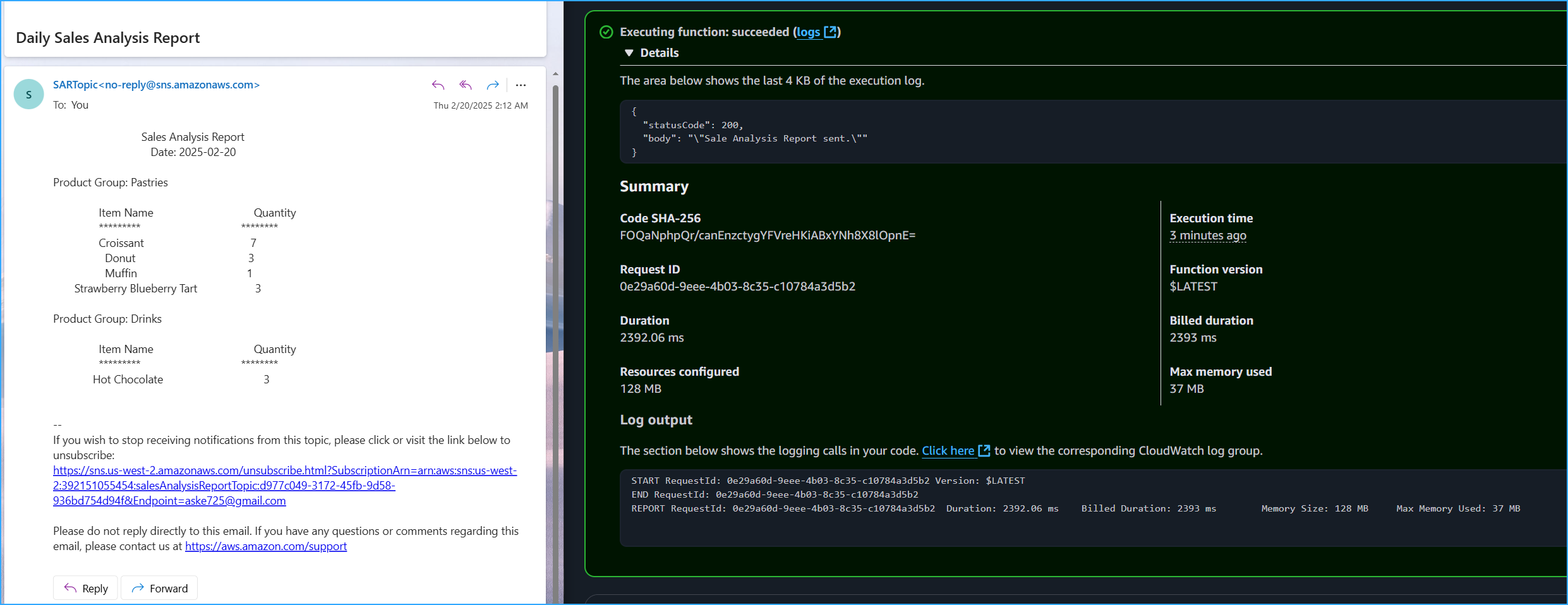 Email Containing Report Of Orders Placed On Cafe Website
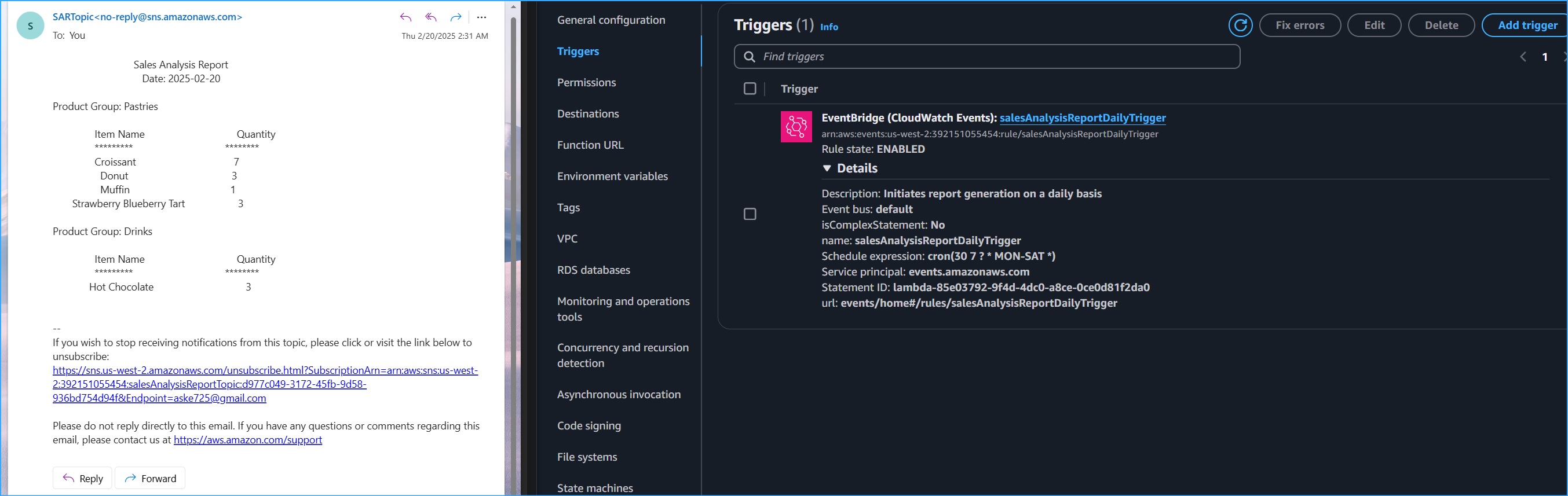 Cron Set Trigger For 2:30AM 5min Away From Config For SNS Received Inbox