Project Overview
This project demonstrates the complete setup of an EC2 instance running
a web server in AWS. The guide walks through creating a VPC with proper
networking, launching an EC2 instance, installing and configuring
Apache, and deploying a simple web page.
Task 4: Troubleshooting the Misconfigured Web Server
Update Package Index:
- Ran the command to update the package index on the instance:
sudo yum update -y
Install Apache:
- Installed the Apache web server using:
sudo yum install -y httpd
Start Apache Service:
- Started the Apache service:
sudo systemctl start httpd
Enable Apache to Start on Boot:
- Enabled the Apache service to start on boot:
sudo systemctl enable httpd
Verify Apache Installation and Status:
-
Checked the status of the Apache service to ensure it was running:
sudo systemctl status httpd
As you can see by active (running) it is
running successfully.
Task 5: Deploying and Testing the Web Page
Create and Save HTML File:
- Used nano to create and edit the projects.html file:
sudo nano /var/www/html/projects.html
- Added the following HTML content:
<!DOCTYPE html> <html> <body> <h1>Alex's
re/Start Project Work</h1> <p>EC2 Instance Challenge
Lab</p> </body> </html>
Verify File Placement:
-
Checked the contents of the /var/www/html directory to ensure the file
was there:
ls /var/www/html
Update Security Group Rules:
-
Edited the security group to allow inbound HTTP (port 80) traffic:
- Inbound rule: HTTP (80) from 0.0.0.0/0.
Access Web Page:
-
Retrieved the public IPv4 address of the instance from the EC2
Management Console.
-
Opened a web browser and navigated to
http://<public_ipv4_address>/projects.html.
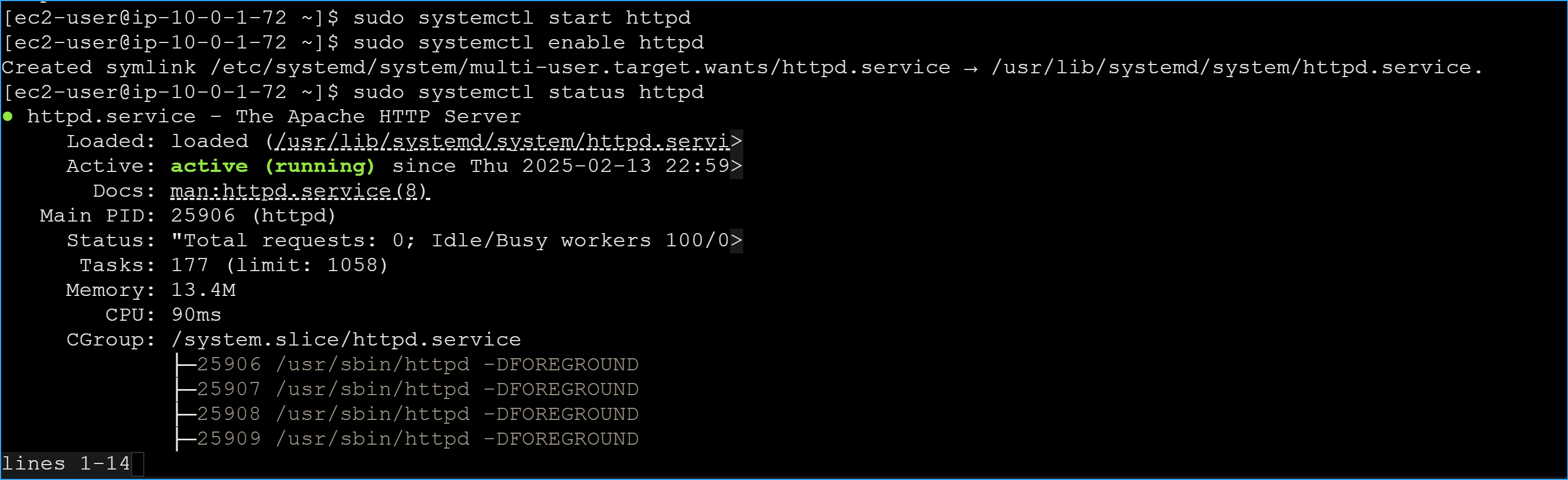 Active Running
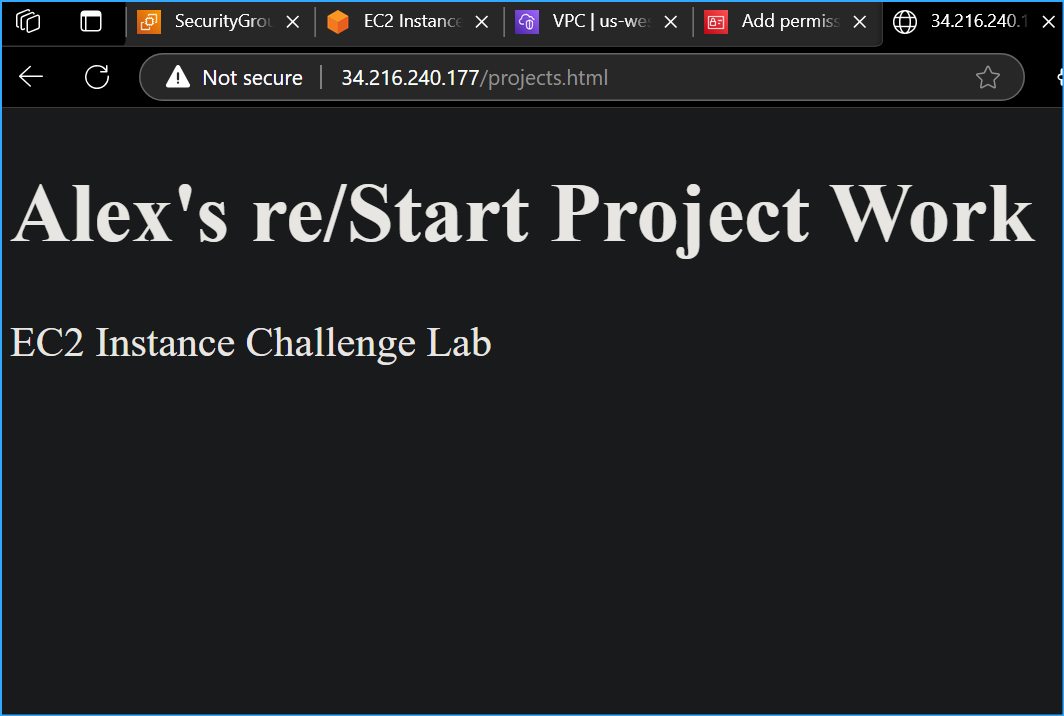 Web Page Display