Home

Completing the S3 Bucket Challenge

Project Overview

For this challenge, I needed to create an S3 bucket, upload an object, make it publicly accessible, and use the AWS CLI to interact with it.

Task 3: Working with S3 Buckets

Step 1: Creating an S3 Bucket

First, I created my S3 bucket using the AWS CLI:

aws s3 mb s3://cloudpractice958

This command created my bucket named "cloudpractice958" in the default region of my AWS CLI configuration.

Step 2: Uploading an Object to the Bucket

First, I created a simple test file using the echo command:

echo "This is a test file for S3" > testfile.txt

After creating the test file, I uploaded it to S3:

aws s3 cp testfile.txt s3://cloudpractice958/

I used the CLI to copy my text file to the new bucket.

Step 3: Making the Object Publicly Accessible

My first attempt to make the object public failed with an error:

cloudpractice958 --key testfile.txt --acl public-read --bucket
An error occurred (AccessDenied) when calling the PutObjectAcl operation: User: arn:aws:iam::381021170082:user/awsstudent is not authorized to perform: s3:PutObjectAcl on resource: "arn:aws:s3:::cloudpractice958/testfile.txt" because public access control lists (ACLs) are blocked by the BlockPublicAcls block public access setting.

I identified that the bucket had Block Public Access settings enabled, so I tried to disable them:

aws s3api put-public-access-block \ --bucket cloudpractice958 \ --public-access-block-configuration "BlockPublicAcls=false,IgnorePublicAcls=false,BlockPublicPolicy=false,RestrictPublicBuckets=false"

After modifying these settings, I tried making the object public again:

aws s3api put-object-acl --bucket cloudpractice958 --key testfile.txt --acl public-read --bucket

But I got another error:

An error occurred (AccessControlListNotSupported) when calling the PutObjectAcl operation: The bucket does not allow ACLs

This indicated that my bucket was using the "Object Ownership" setting set to "Bucket owner enforced," which disables ACLs entirely.

Step 4: Using a Bucket Policy Instead

Since ACLs were disabled, I needed to use a bucket policy to make the object publicly accessible:

First, I created a bucket policy file:

echo '{ "Version": "2012-10-17", "Statement": [ { "Sid": "PublicReadForGetObject", "Effect": "Allow", "Principal": "*", "Action": "s3:GetObject", "Resource": "arn:aws:s3:::cloudpractice958/testfile.txt" } ] }' > policy.json

Then, I applied this policy to my bucket:

aws s3api put-bucket-policy --bucket cloudpractice958 --policy file://policy.json

When I tried to access the file in my browser, I still got an "Access Denied" error.

Step 5: Troubleshooting and Fixing the Policy

I realized the policy might be too restrictive, so I updated it to allow access to all objects in the bucket:

echo '{ "Version": "2012-10-17", "Statement": [ { "Sid": "PublicReadGetObject", "Effect": "Allow", "Principal": "*", "Action": "s3:GetObject", "Resource": "arn:aws:s3:::cloudpractice958/*" } ] }' > policy.json

I applied the updated policy:

aws s3api put-bucket-policy --bucket cloudpractice958 --policy file://policy.json

Step 6: Accessing the Object via Web Browser

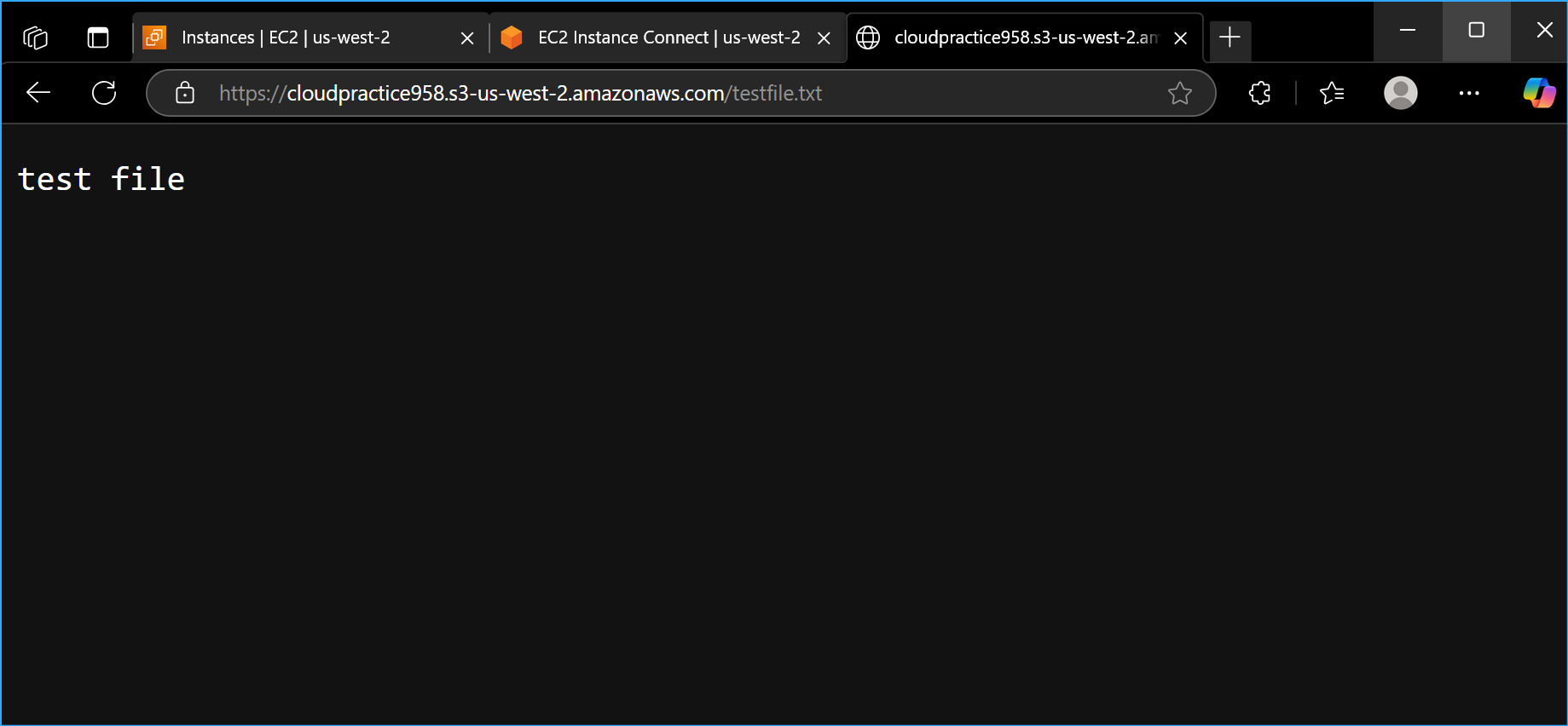
After applying the corrected policy, I was able to access the file using the URL:

https://cloudpractice958.s3.amazonaws.com/testfile.txt

Step 7: Listing Bucket Contents

Finally, I verified that I could list the contents of my bucket using:

aws s3 ls s3://cloudpractice958/

Key Learnings

The challenge helped me understand the nuances of S3 security and access control mechanisms, particularly the interplay between different security settings.

Related Topics